Sync new songs into your library
When OnStage has new worship songs for your team, you can copy them into your library in one go.
Who can do this: Owner, Admin. What the roles mean
Steps
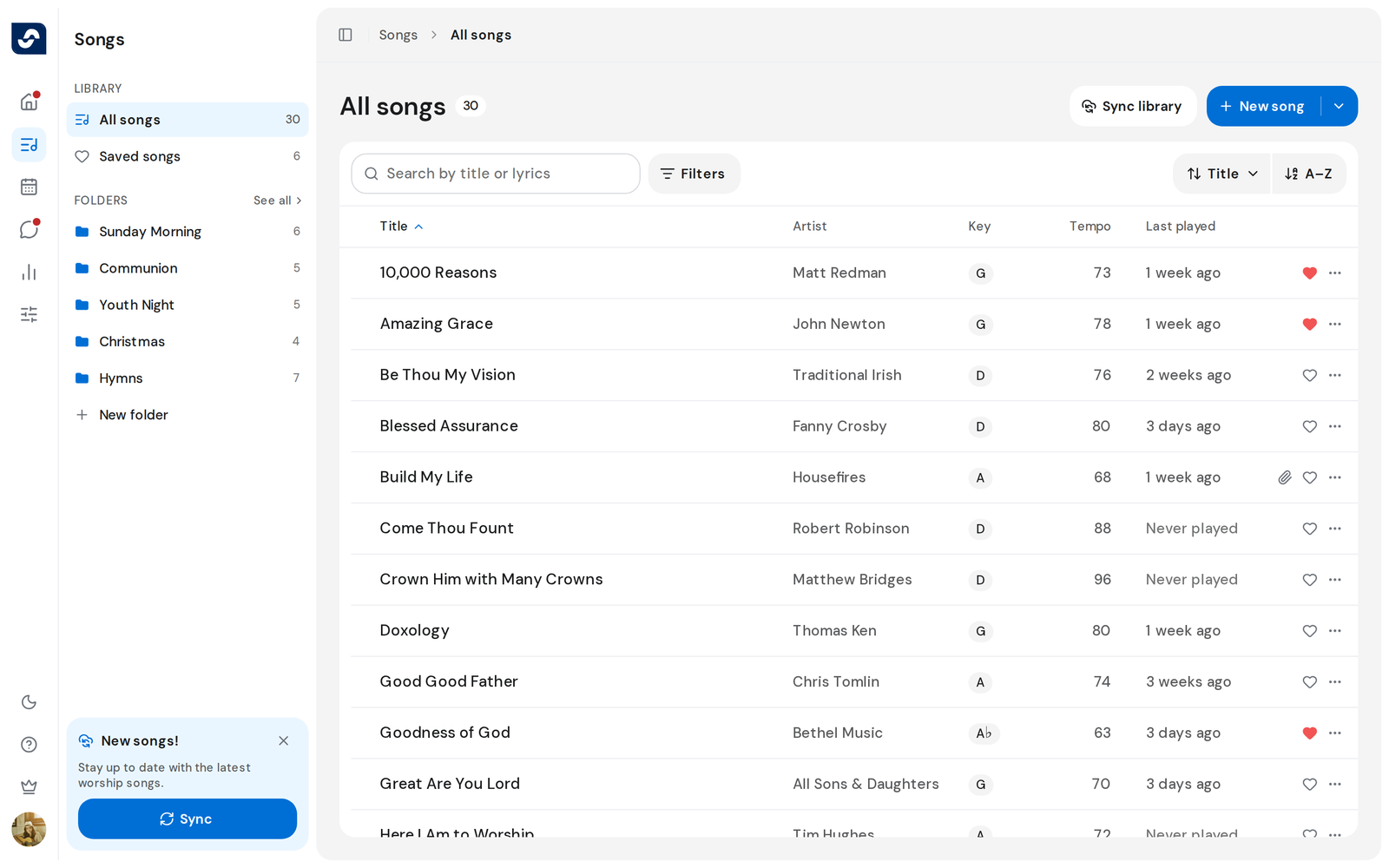
- Open the Songs page. A New songs! card shows at the bottom of the side panel, and Sync library sits next to New song.
- Click Sync on the card, or click Sync library.
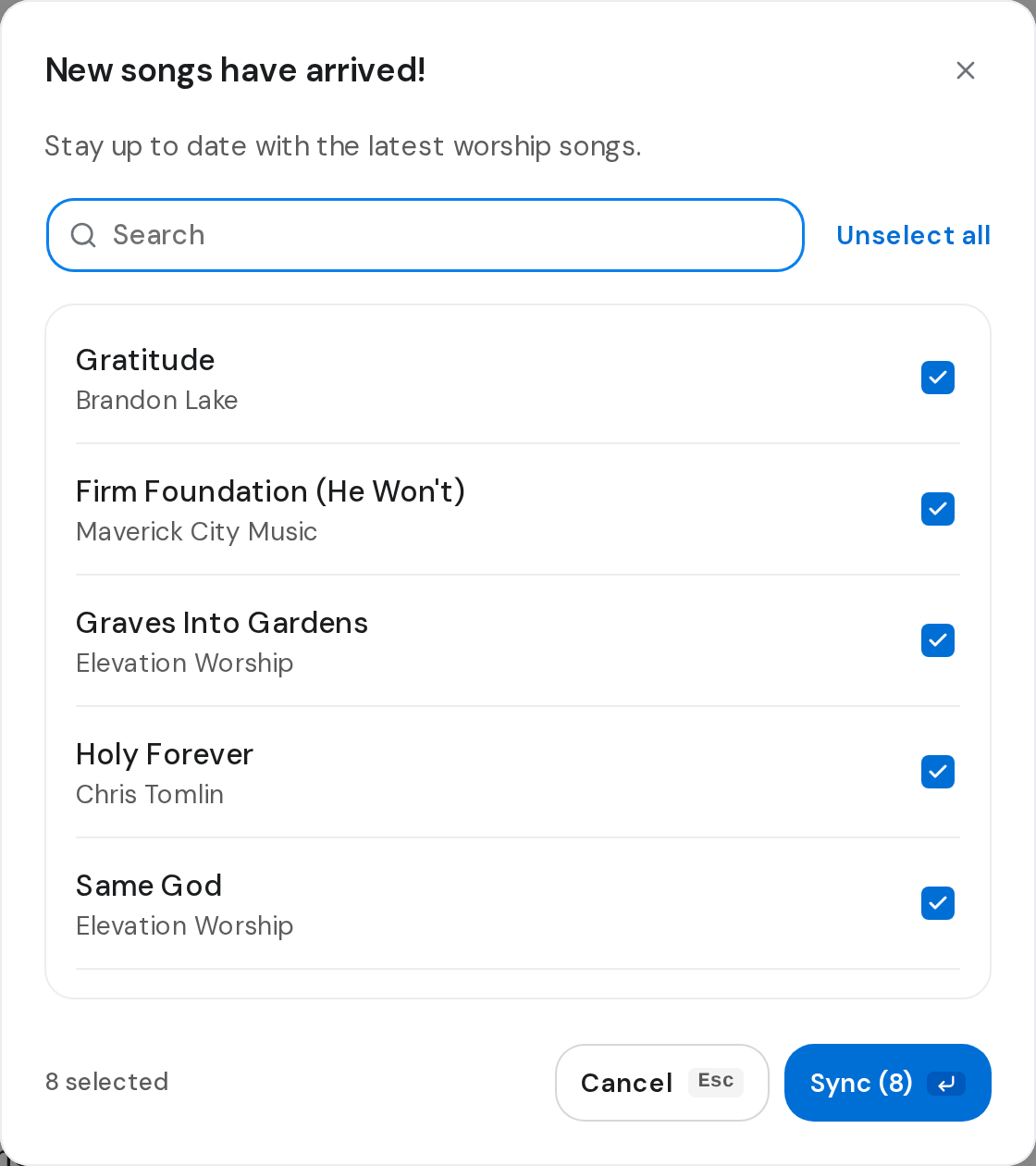
- New songs have arrived! lists the songs, all ticked. Untick any you don't want, or search for one.
- Click Sync, which shows the count, for example Sync (12).
- The card reads Syncing songs while it runs. Keep working.
- When it reads Sync completed, the songs are in your library. Click Close on the card.
Good to know
- Syncing needs at least 3 people in your team. With fewer, Invite your team to unlock songs opens with Share invite link. Invite people with a link
- The x on the card hides it for you. Sync library stays in the header.
- Songs you left unticked are offered again next time.