Set up a song's structure
The structure is the order your team plays the sections in. Changing it never touches the lyrics or chords.
Who can do this: Owner, Admin, Editor. What the roles mean
Steps
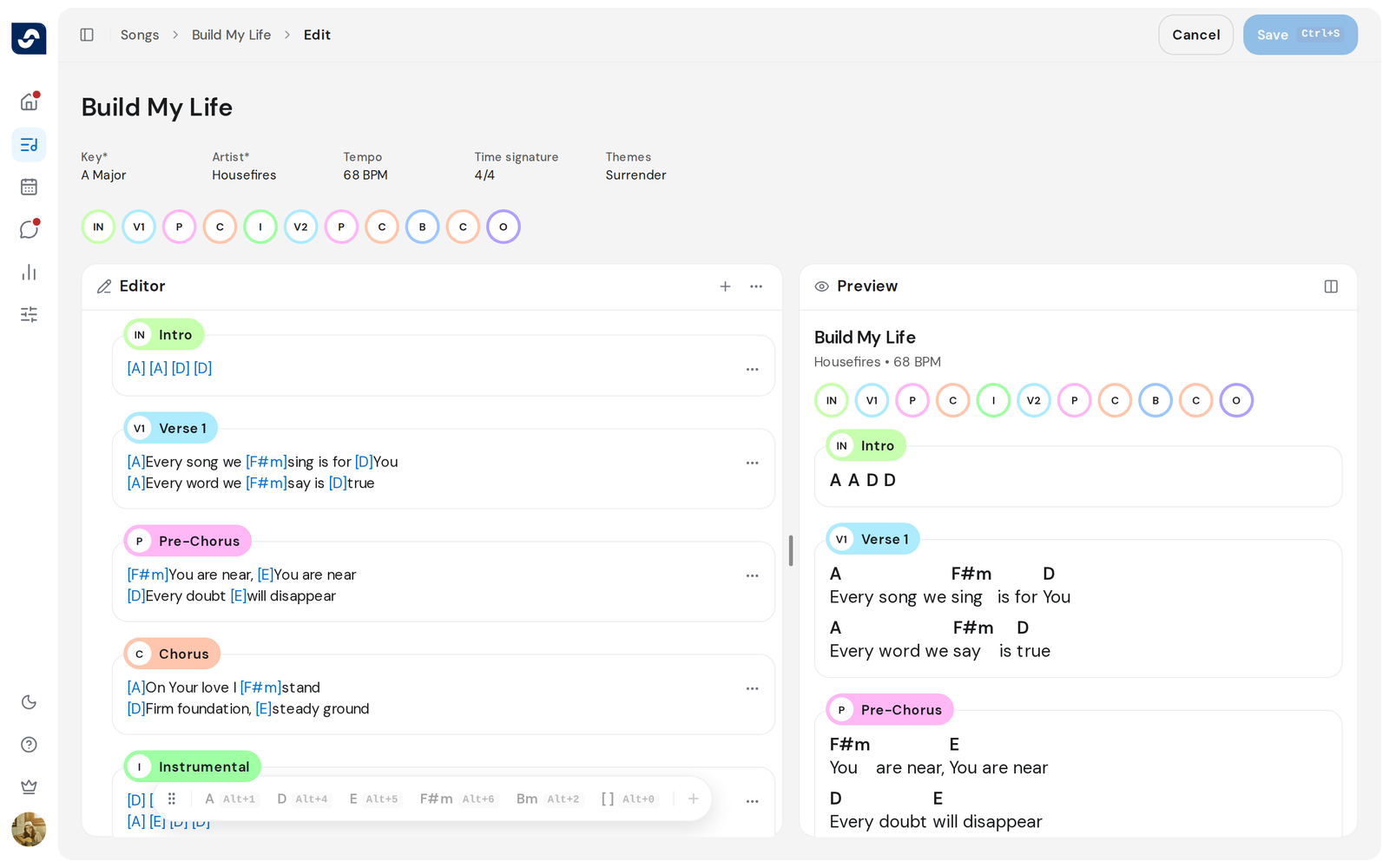
- Open the song in the editor. Point at the row of section badges under the details and click Edit.
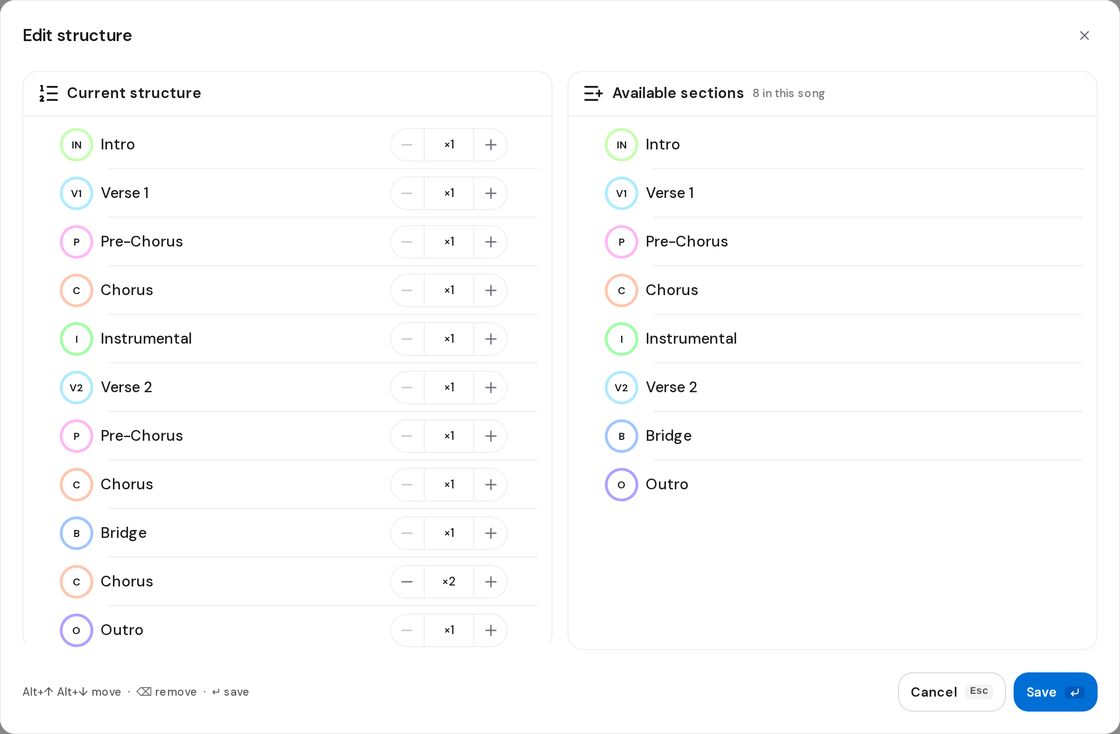
- Edit structure opens, with Current structure on the left and Available sections on the right.
- To add a section, drag it from Available sections to where it belongs, or click its +.
- To reorder, drag a row by its handle. Or click the handle and press Option ↑ or Option ↓ (Mac), Alt ↑ or Alt ↓ (Windows).
- To repeat a section, click + or − on its row. The badge shows the count, for example ×2.
- To take a section out, click its remove button, or press Backspace on a focused row.
- Click Save, or press Enter. Then click Save at the top of the editor to keep it.
Good to know
- Edit only appears once the song has sections. Write chords and lyrics
- Pressing Esc with changes asks first. Keep editing takes you back.
- Removing a section in the editor also takes it out of the structure.