Write chords and lyrics
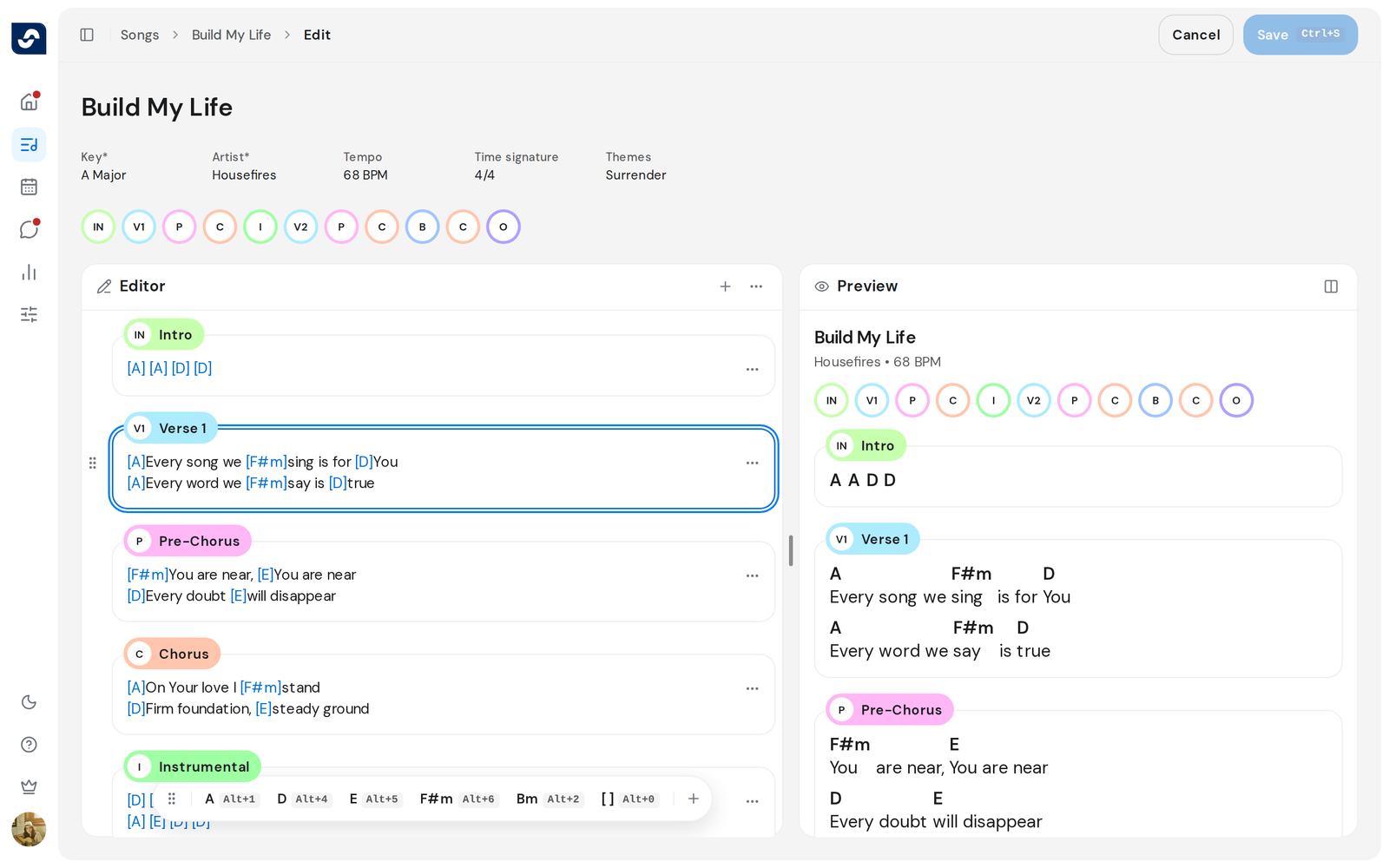
Each part of a song, such as a verse, is a section with its own box. Chords go in square brackets, before the syllable they fall on.
Who can do this: Owner, Admin, Editor. What the roles mean
Steps
- Open the song and click Edit at the top right.
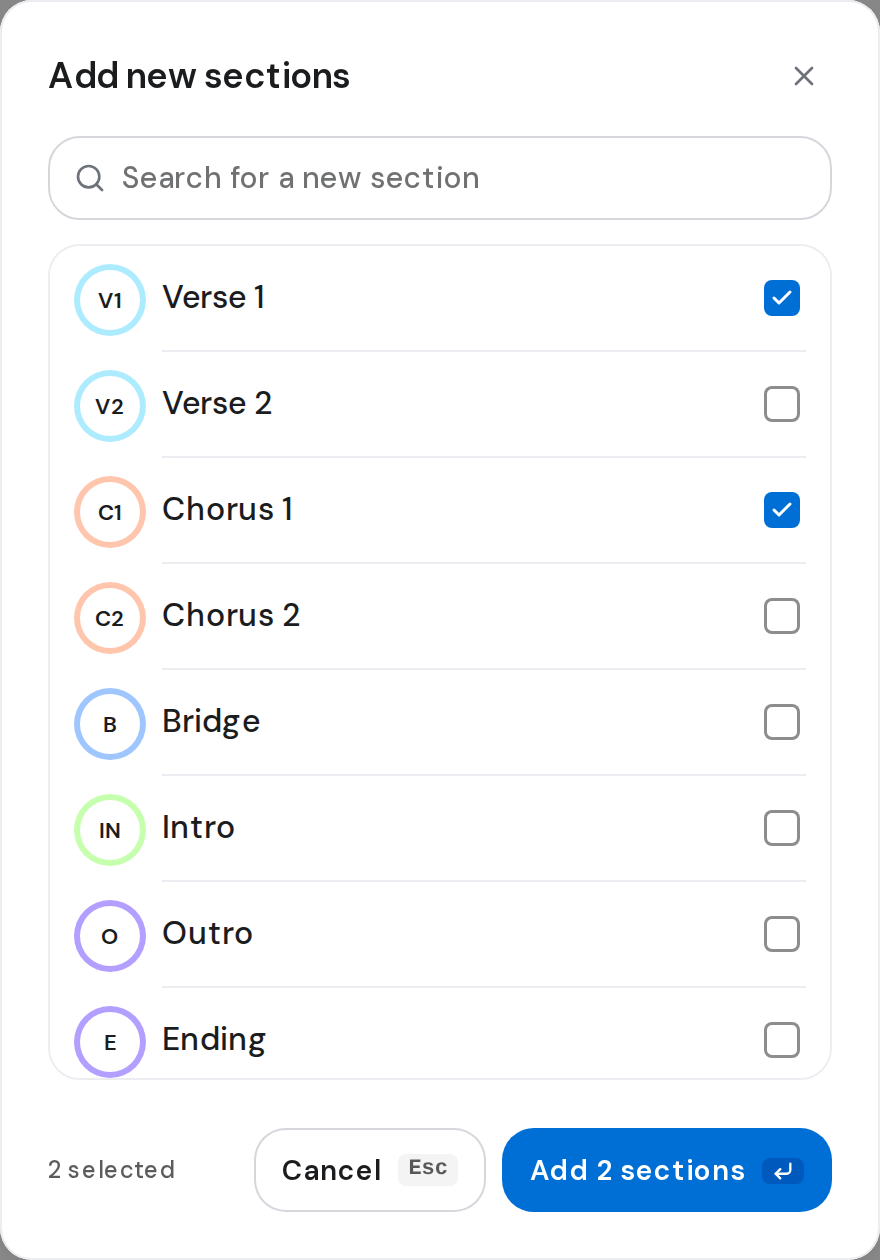
- Click Add sections, or + at the top of Editor. Tick what you need and click the add button, for example Add 2 sections.
- Type the lyrics with each chord in brackets:
[G]Amazing [C]grace. - To insert a chord, click it on the Chords bar, or press Option
(Mac) or Alt (Windows) and the chord's number. 0 adds an empty
[ ]. - Check Preview beside the editor. Press ⌘ \ (Mac) or Ctrl \ (Windows) to hide or show it.
- Click Save, or press ⌘ S or Ctrl S.
Good to know
- The Chords bar holds the chords in the song's key. More chords
offers the rest, and typing
[opens a box for any chord. - Backspace right after a chord deletes the whole chord.
- A section's ⋯ offers Change section, Duplicate, Move up, Move down and Remove.
- Where Option or Alt types accents, click chords on the bar instead.