Share your song library with another church
One link lets another team copy songs from your library. Nothing leaves yours.
Who can do this: Owner, Admin. What the roles mean
Steps
Share your library
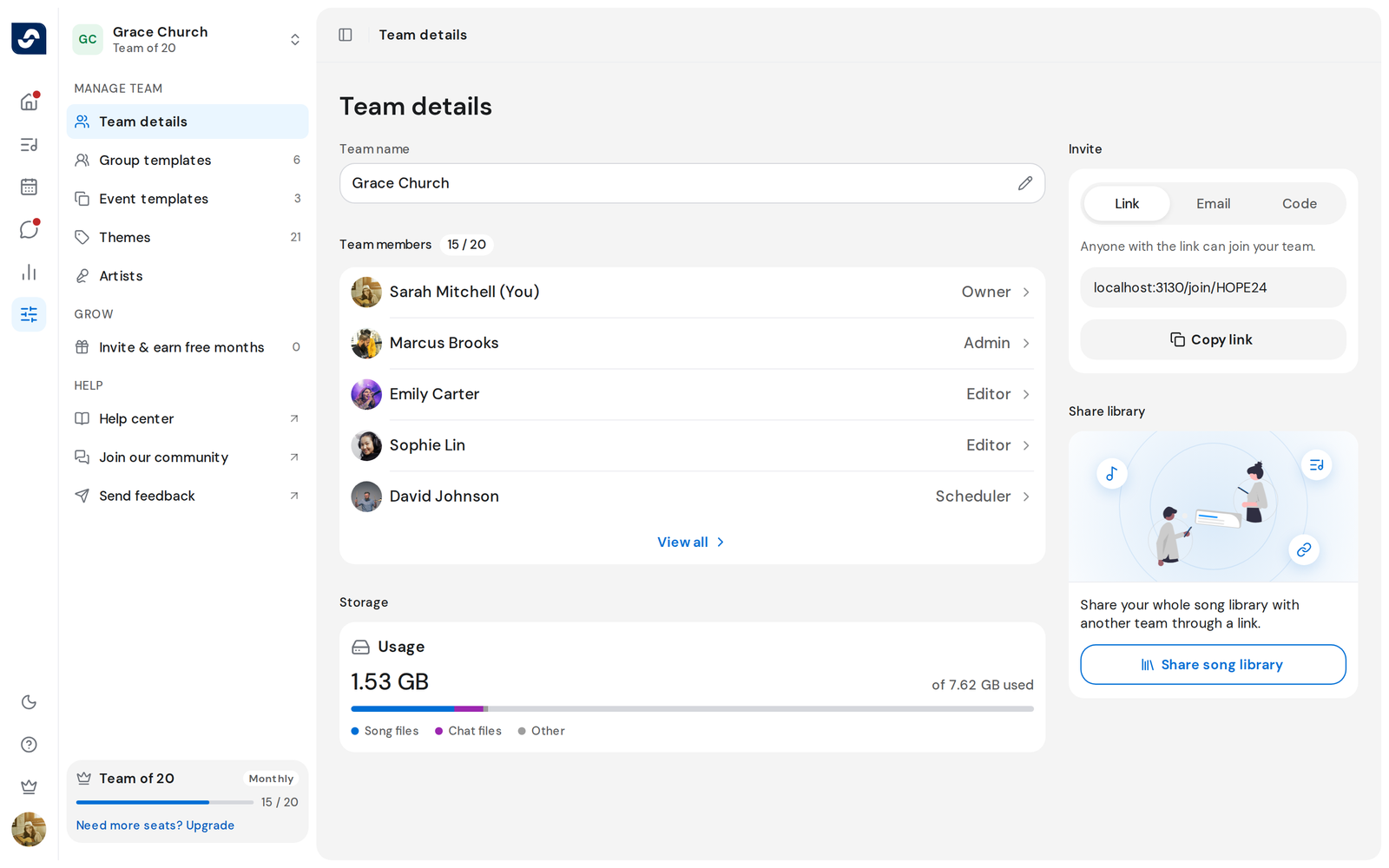
- Click Settings in the left rail. Team details opens.
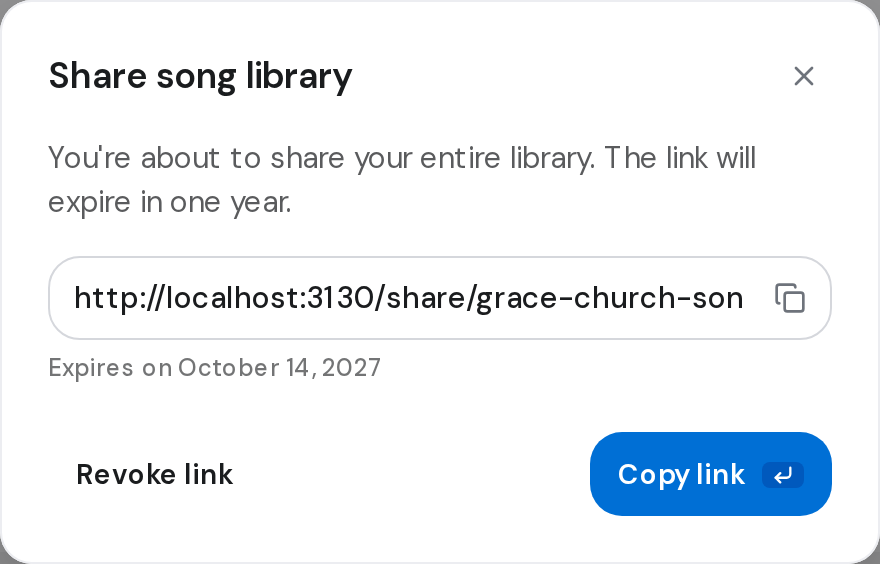
- In Share library, click Share song library, then Get the link.
- Click Copy link and send it to the other team. The date it stops working shows under the link.
- To stop it early, click Revoke link, then Revoke link again.
Add songs from a shared library
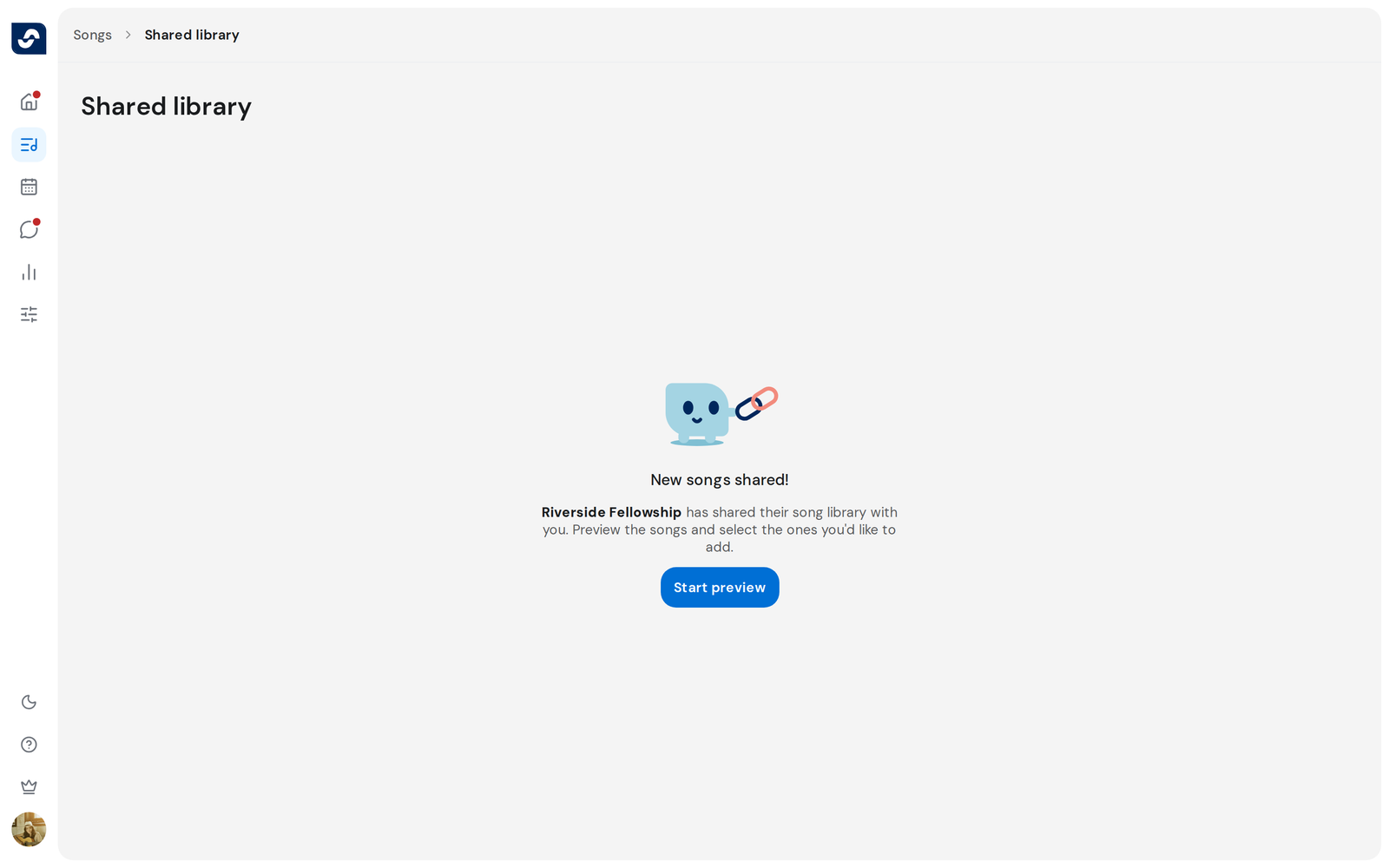
- Open the link while signed in to your team, then click Start preview.
- Tick the songs you want and click Add, for example Add (12).
- Songs you already have show under Duplicates. Tick the ones to add anyway, or click Skip duplicates.
Good to know
- A link works for one year, unless you revoke it.
- You can add up to 500 songs at a time from a shared library.
- An expired or revoked link reads This link no longer works.
- Only an Owner or Admin can accept a shared library.