Find your way around the Web App
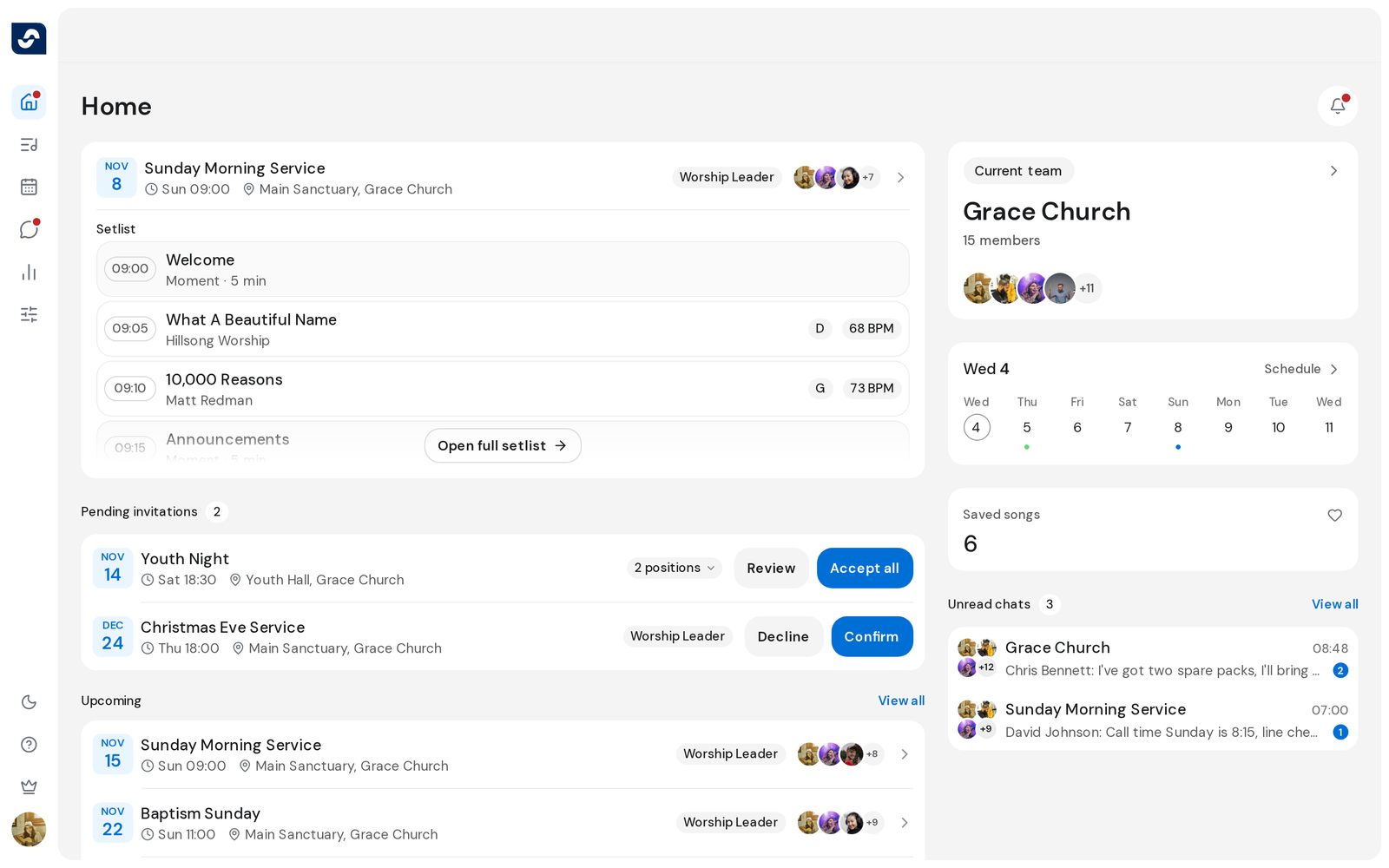
The Web App is OnStage in your browser: the same events, songs, people and chats as on your phone. Everything starts from the rail on the left.
What's happening
The top of the rail holds the five sections:
- Home: your next event, invitations to answer, your schedule and saved songs. A dot marks something new.
- Songs: your team's song library and folders.
- Events: every event, with Upcoming, Past and, for planners, Drafts.
- Chats: your team chat and a chat for each event.
- Settings: team details, groups, event templates, themes and artists.
The bottom of the rail holds the rest:
- The moon or sun (Dark mode): switches between light and dark.
- The question mark (Help): About, and Help center, which opens these articles in a new tab.
- The crown, for the team's Owner: your plan and usage.
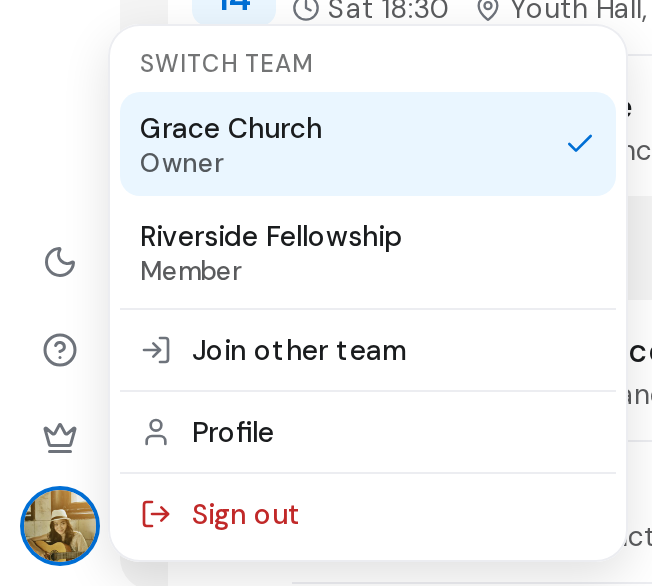
- Your picture: switch team, Join other team, Profile and Sign out.
Good to know
- Pages show a breadcrumb at the top, such as Events then the event name. Click any part of it to go back.
- What you see in Settings depends on your role. What the roles mean
- Leaving a page with unsaved changes asks before anything is lost.