Find your way around OnStage
OnStage is a service planning platform for churches. The events, the people, the songs and the conversation all sit in one place, so whoever is serving knows what's happening and when.
Five tabs, and everything sits under one of them.
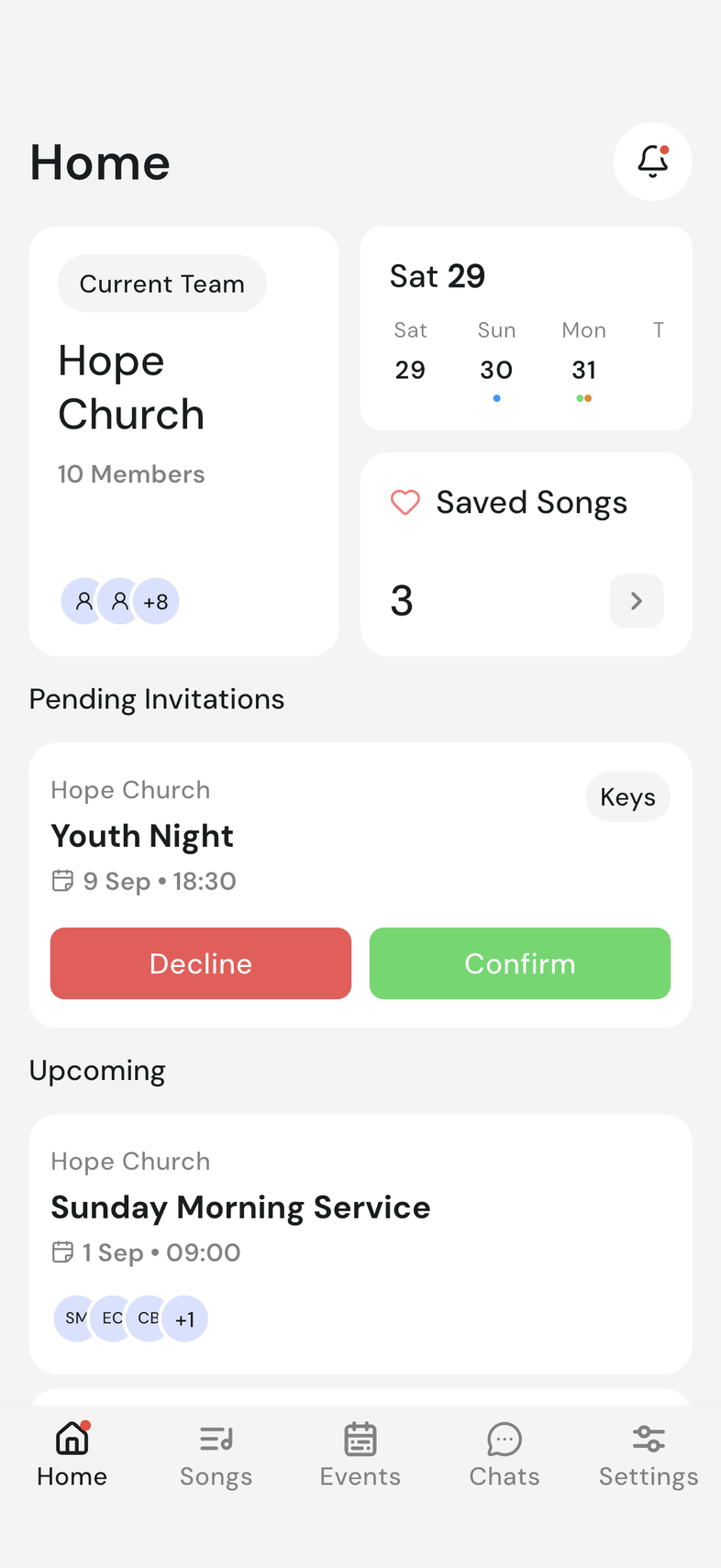
What's happening
- Home: see your selected team, saved songs, and a preview of your schedule, including pending invitations and upcoming events. The bell at the top keeps you up to date with your notifications.
- Songs: your team's whole song library, with search and filters.
- Events: every event and rehearsal your team has planned.
- Chats: your team chat, plus a chat for each event.
- Settings: your profile, your teams, and how OnStage looks and behaves.
Four things sit at the center of all of it:
- Plan the event. An event holds the date, the running order, and every song and moment in it.
- Schedule the people. Invite people to positions and see who has answered.
- Share the songs. One library of chords and lyrics that everyone reads from.
- Keep everyone talking. A chat for your team, and a chat for each event.
Because the plan lives in one place, a change reaches everyone at once. Nobody has to send out a new version.
Where things work
OnStage runs on Apple devices (iPhone, iPad, and Mac), Android, and on the web through the OnStage Web App. Sign in with the same Apple or Google account on any device to access the same teams, events, and songs.
The layout follows the screen. On a phone the five tabs sit along the bottom. On a tablet or in a wide browser window they become a rail down the left side, which leaves more room for a setlist or a chord chart.
Almost everything works everywhere. These are the exceptions.
| Feature | Web | iPhone & iPad | Android |
|---|---|---|---|
| Push notifications | ✓ | ✓ | |
| Reply from a notification | ✓ | ✓ | |
| Home screen widget | ✓ | ✓ | |
| Calendar sync | ✓ | ✓ | |
| Share into OnStage from another app | ✓ | ✓ | |
| Referrals and free months | ✓ | ✓ | |
| Cancel your subscription | ✓ | ✓ | |
| Rate OnStage | ✓ | ✓ | |
| Drag and drop files onto a song | ✓ | ||
| Drag to reorder a setlist | ✓ | ✓ | |
| Swipe to remove a setlist item | ✓ | ✓ |
Good to know
- Home is the quickest way to find and respond to pending invitations.
- You can belong to multiple teams and switch between them. Rehearsals and events are planned in the same place.
- Your personal settings, like capo, autoscroll speed, and annotations, are yours and don't affect anyone else.
- Two-column song reading is available on tablets and wide browser windows, but not on phones.
- Your songs, events, schedules, and chat are available across all devices.