Import songs from PDF or ChordPro
Bring the chord sheets you already have into your library, up to 40 files at a time.
Who can do this: Owner, Admin, Editor. What the roles mean Paid plan: This needs a paid plan. What's included
Steps
- On the Songs page, click the arrow on New song.
- Click Import from PDFs or Import ChordPro files.
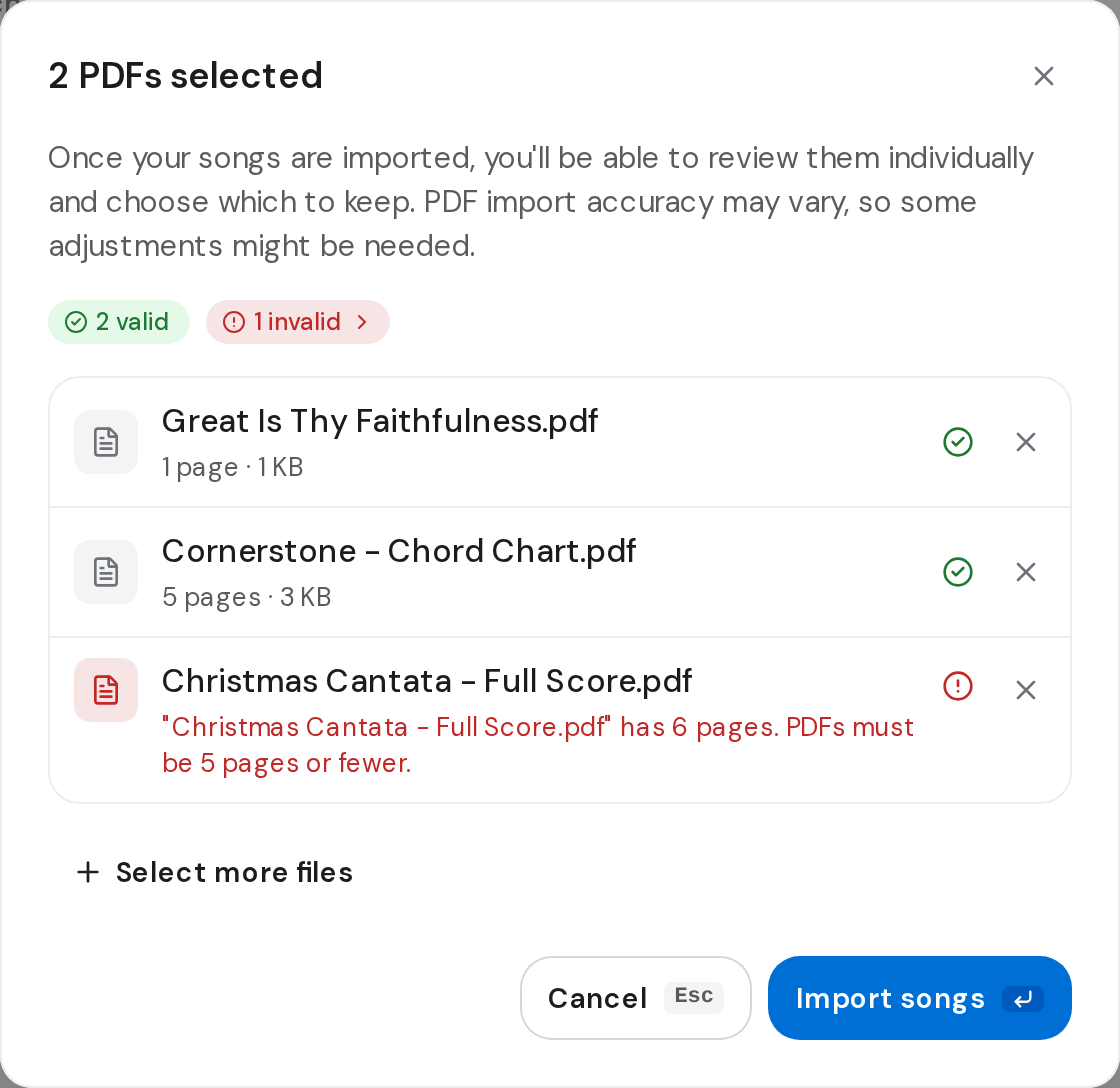
- Drag your files into the box, or click it to choose them. Click Select more files to add others.
- Click Import songs. A banner reads Importing your songs.
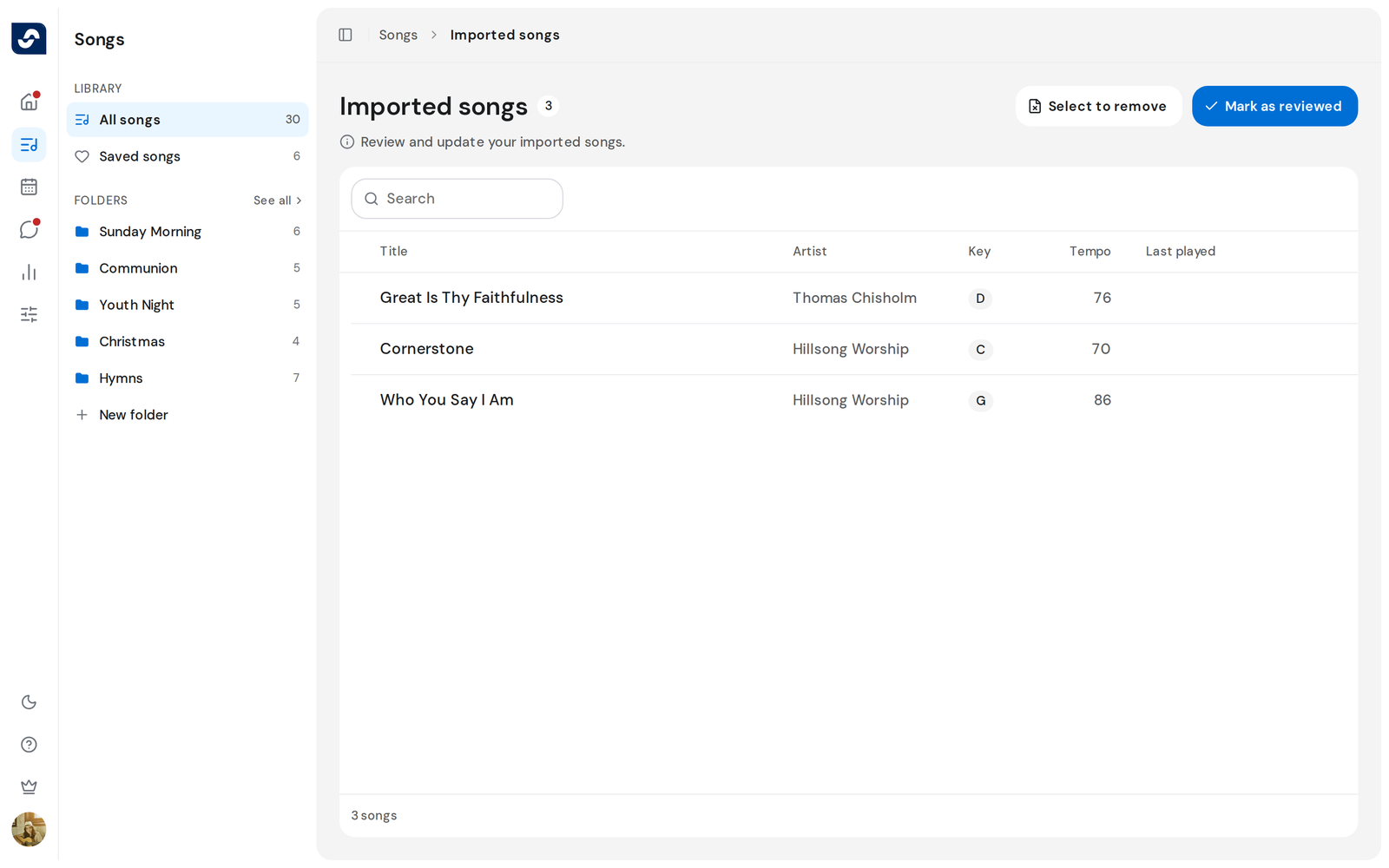
- When it says Songs imported, click See all. Imported songs lists them.
- Open each song and fix anything that came across wrong. Then click Mark as reviewed.
Good to know
- Each PDF can have up to 5 pages and be up to 4 MB. Each ChordPro file must be under 512 KB.
- Files that can't be read are listed and skipped. The rest still import.
- Select to remove on Imported songs deletes songs you don't want.
- Without a paid plan, both menu items explain the paid plan instead of opening the import.