Rewrite a song in a new key
Use this when the chords themselves were written in the wrong key, for example a chord sheet copied in A for a team that always plays it in G.
Who can do this: Owner, Admin, Editor. What the roles mean
Steps
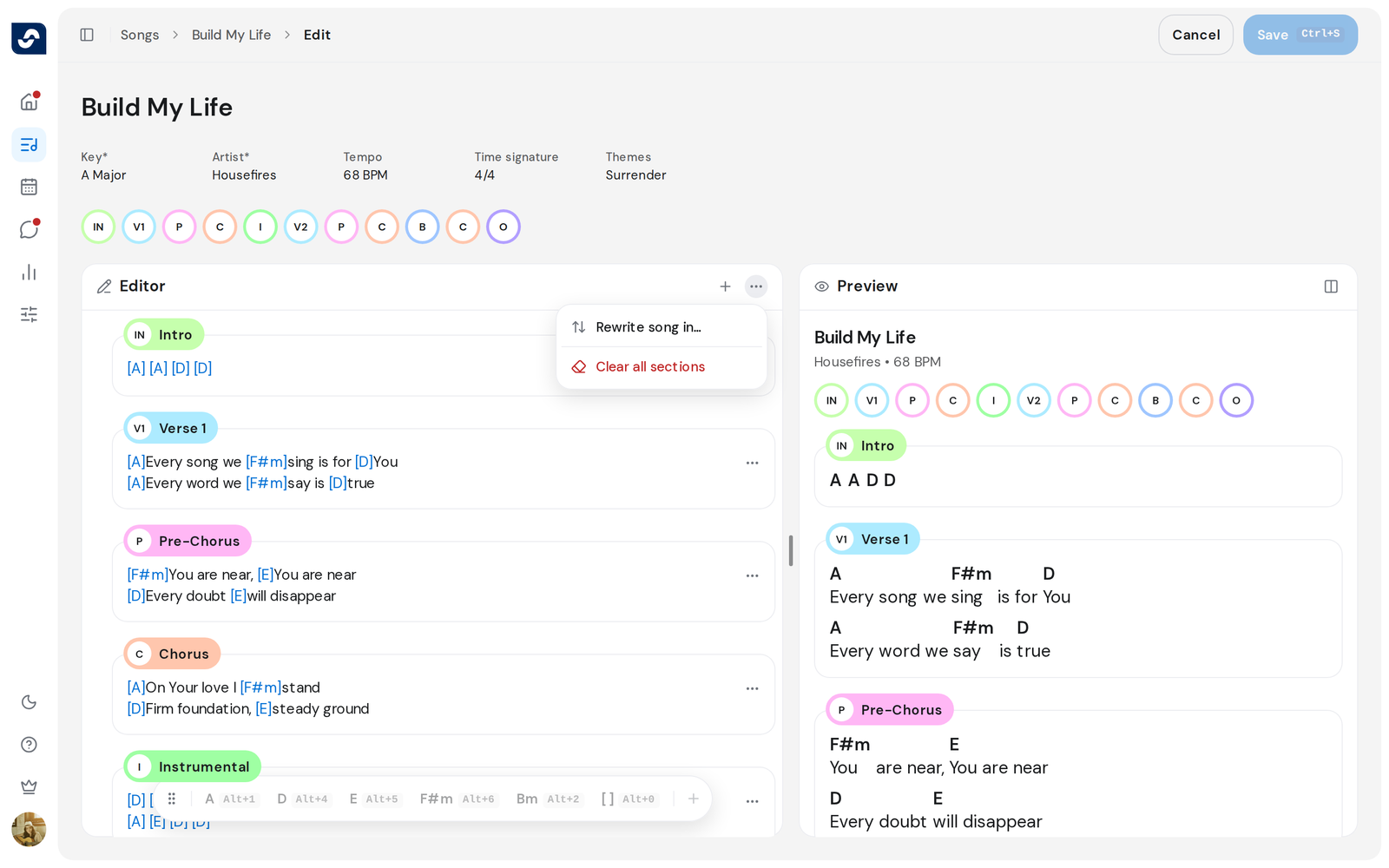
- Open the song and click Edit at the top right.
- In the Editor pane, click the three dots and choose Rewrite song in….
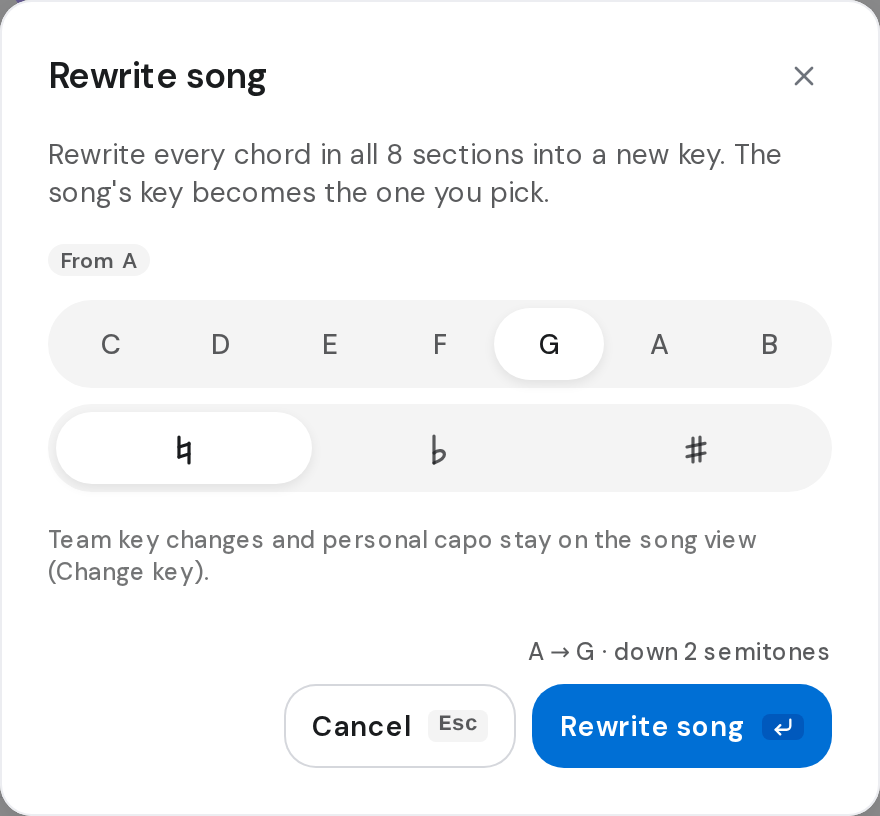
- Click the new note, and ♭ or ♯ if you need one. The badge shows the key it starts from, such as From A.
- Check the line at the bottom, for example A → G · down 2 semitones.
- Click Rewrite song. Every chord in every section moves to the new key.
- Click Save, or press ⌘ S (Mac) or Ctrl S (Windows).
Good to know
- Rewrite song changes the chords as they are stored, and the song's key becomes the one you picked, for the whole team.
- To play in another key this week, change the key on the song instead. The chords stay as written and the song shows them moved. Keys and capo
- Nothing is saved until you click Save. Leave the editor without saving and the chords stay as they were.
- Rewrite song in… is greyed out until the song has a key and sections.