Organize songs with themes
Themes like Easter or Communion tag songs by when you sing them. Give a song a theme, then filter the library by it.
Who can do this: Owner, Admin, Editor. What the roles mean
Steps
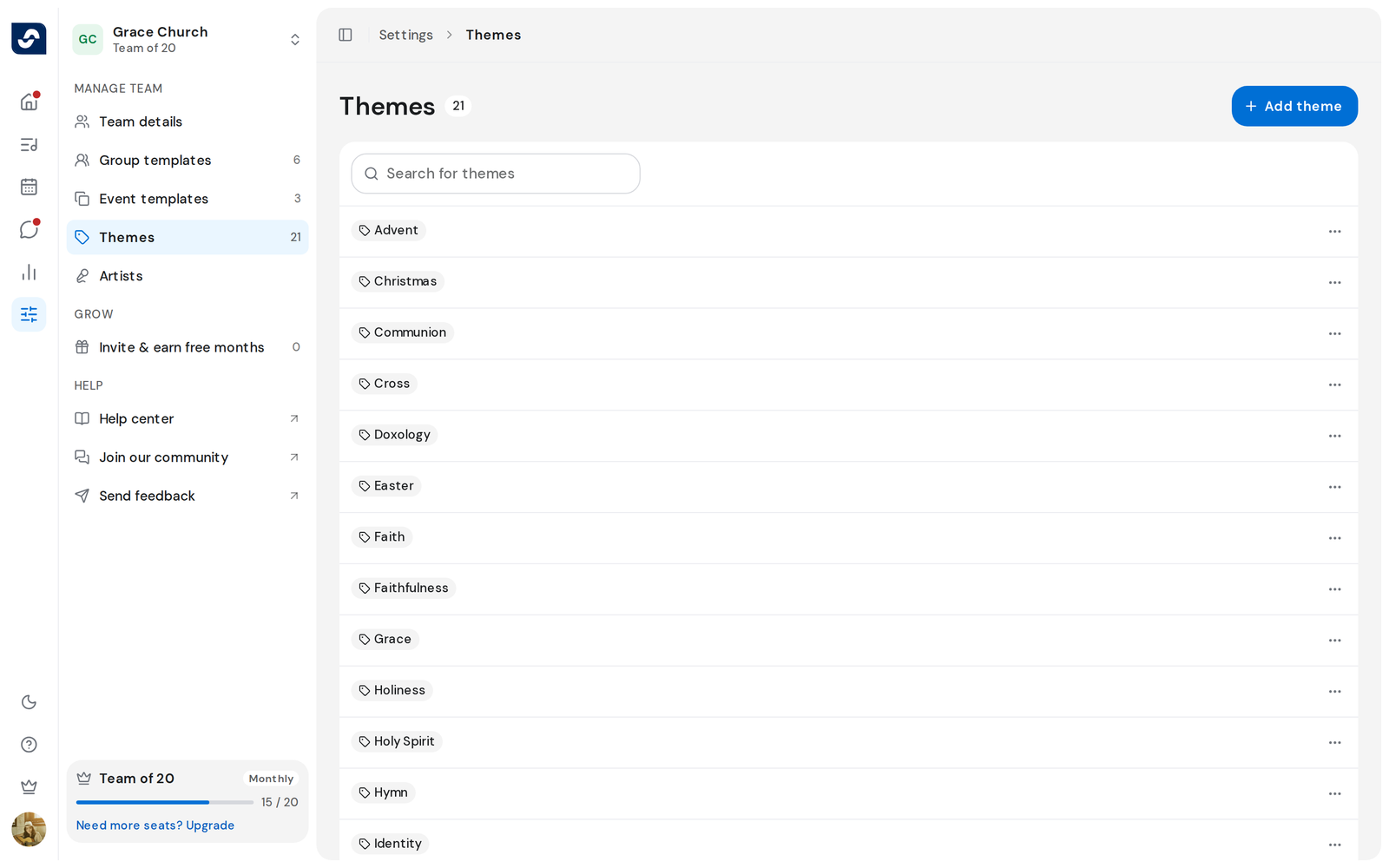
- Click Settings in the left rail, then Themes in the side panel. The count beside Themes is how many your team has.
- To find one, type in Search for themes.
- To add one, click Add theme, type the name under Theme, then click Add theme in the dialog.
- To rename one, click ⋯ at the right of its row, then Rename. Type the new name and click Save.
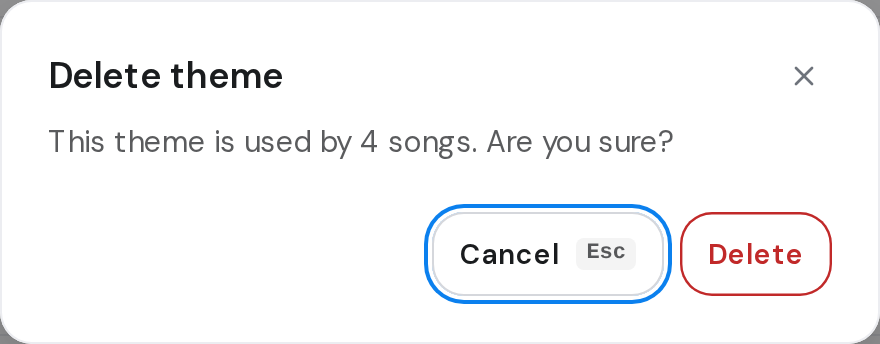
- To delete one, click ⋯, then Delete.
Good to know
- A theme that no song uses is deleted at once. One in use asks first and says how many songs have it.
- A theme name can be up to 40 characters. A name your team already has is refused.
- To put themes on a song, open it in the editor. Each song takes up to 4. Edit a song's details
- Renaming keeps the theme on all its songs.