Save a song and find your saved songs
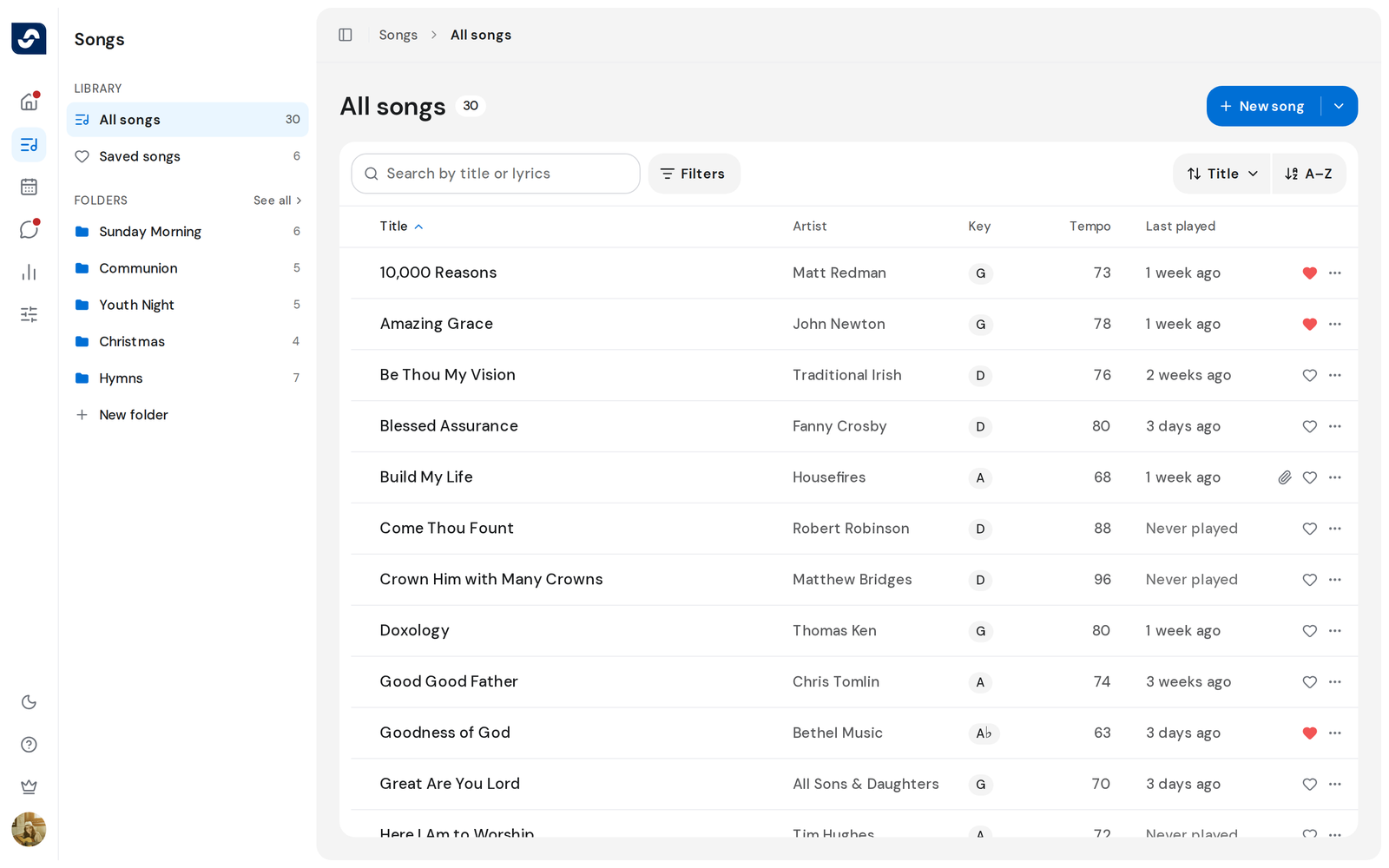
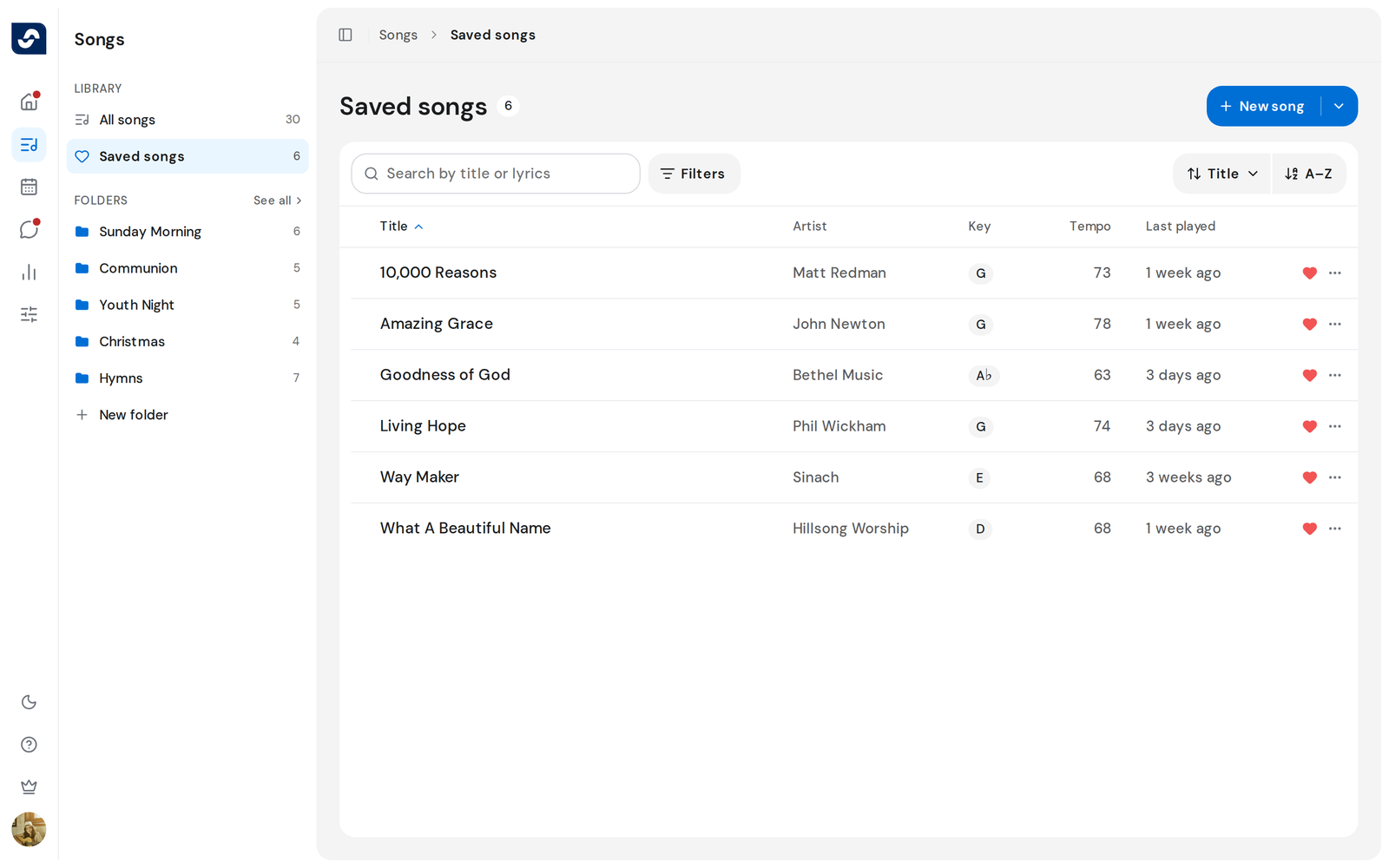
The heart on a song is yours. Saving a song puts it in Saved songs, ready for the next time you plan or rehearse.
Steps
- On the Songs page, click the heart at the right of a song's row. It fills in.
- Click Saved songs in the side panel. The number beside it is how many you have saved.
- Click a song to open it.
- To unsave a song, click its filled heart again.
Good to know
- Saving is personal. Nobody else sees what you saved, and nothing changes for the team.
- On a wide window, Home shows a Saved songs card that opens the same list. Your Home page
- When you add songs to an event, Saved in the picker shows only your saved songs. Add songs to the setlist
- Unsaving takes the song off your list. It stays in the team's library.