Edit a song's details
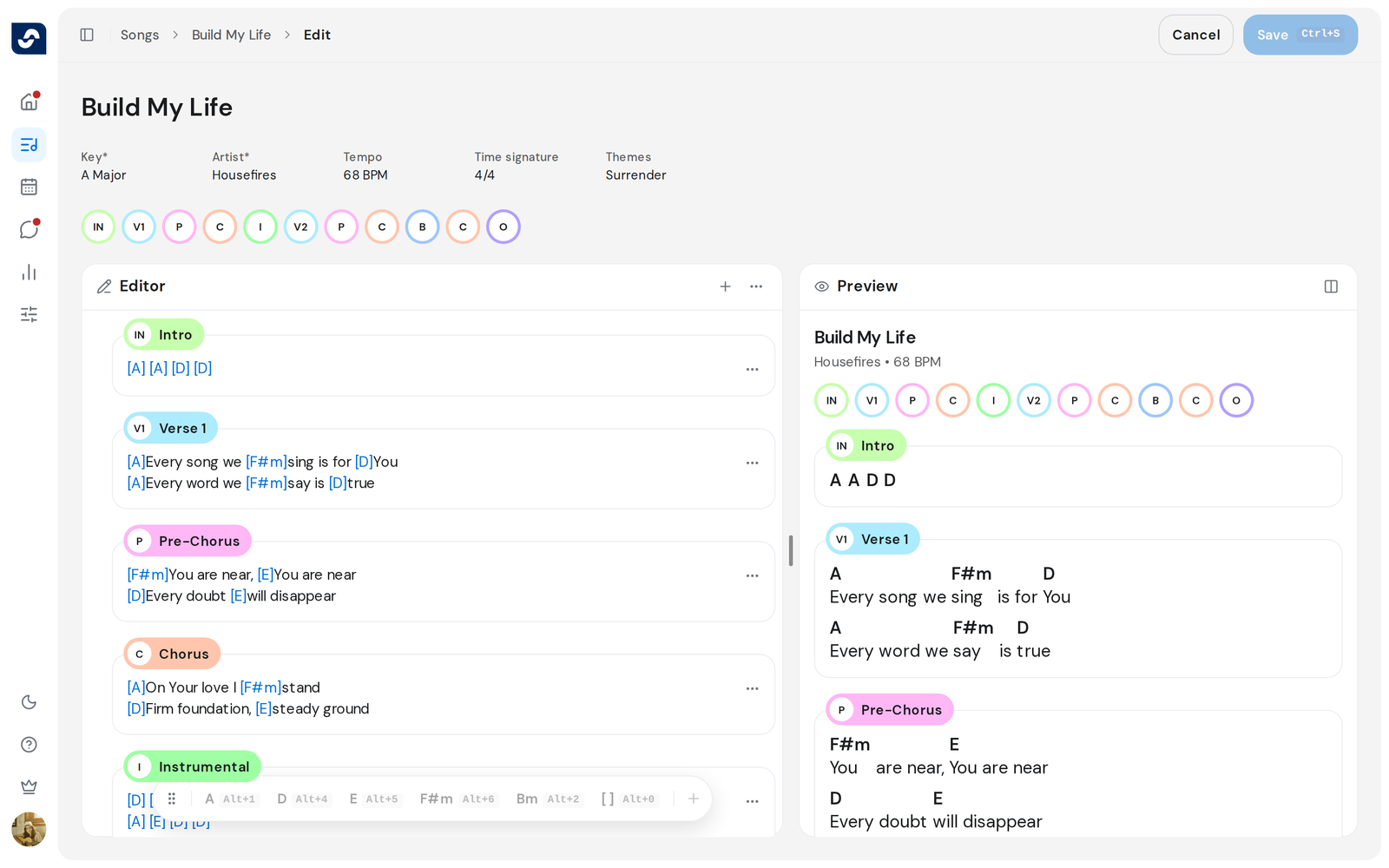
A song's details are the title and the facts under it: key, artist, tempo, time signature and themes. They sit at the top of the editor.
Who can do this: Owner, Admin, Editor. What the roles mean
Steps
- Open the song and click Edit at the top right.
- To change the title, click it and type.
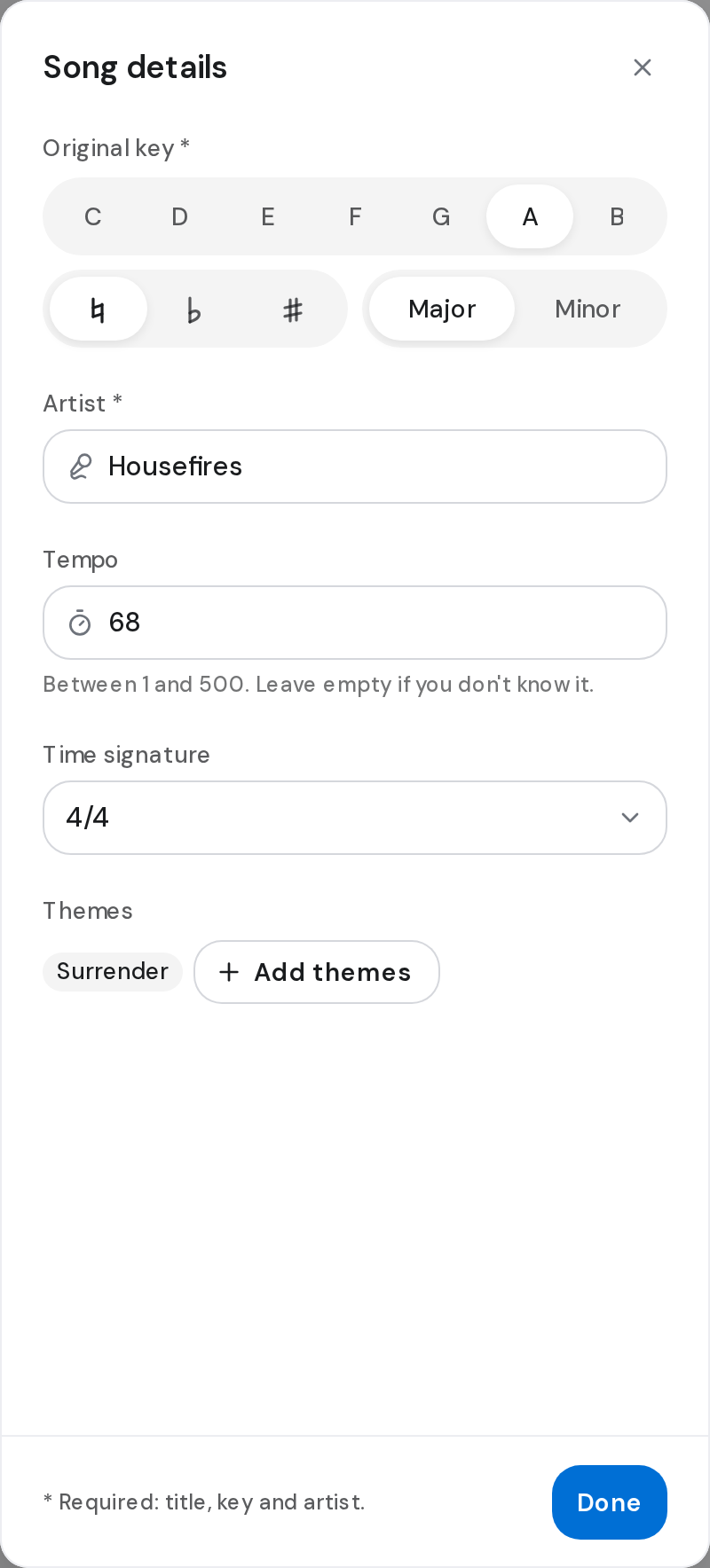
- Click Key, Artist, Tempo, Time signature or Themes. Song details opens on that field.
- Choose the Original key: a note, ♭ or ♯ if needed, and Major or Minor.
- Click Artist to search the list, or type a new name and create it. Click Save in the picker.
- Type the Tempo in BPM, pick a Time signature, and click Add themes to choose up to 4. Click Done.
- Click Save at the top right, or press ⌘ S (Mac) or Ctrl S (Windows).
Good to know
- Title, key and artist are required. Tempo must be between 1 and 500, or left empty.
- To change the key your team plays in, use the key on the song page instead. Keys and capo
- To rename without opening the editor, use Rename in a song's ⋯ on the Songs page.