Delete a song
Deleting a song takes it out of the library for the whole team. There is no undo, so check the title first.
Who can do this: Owner, Admin, Editor. What the roles mean
Steps
One song
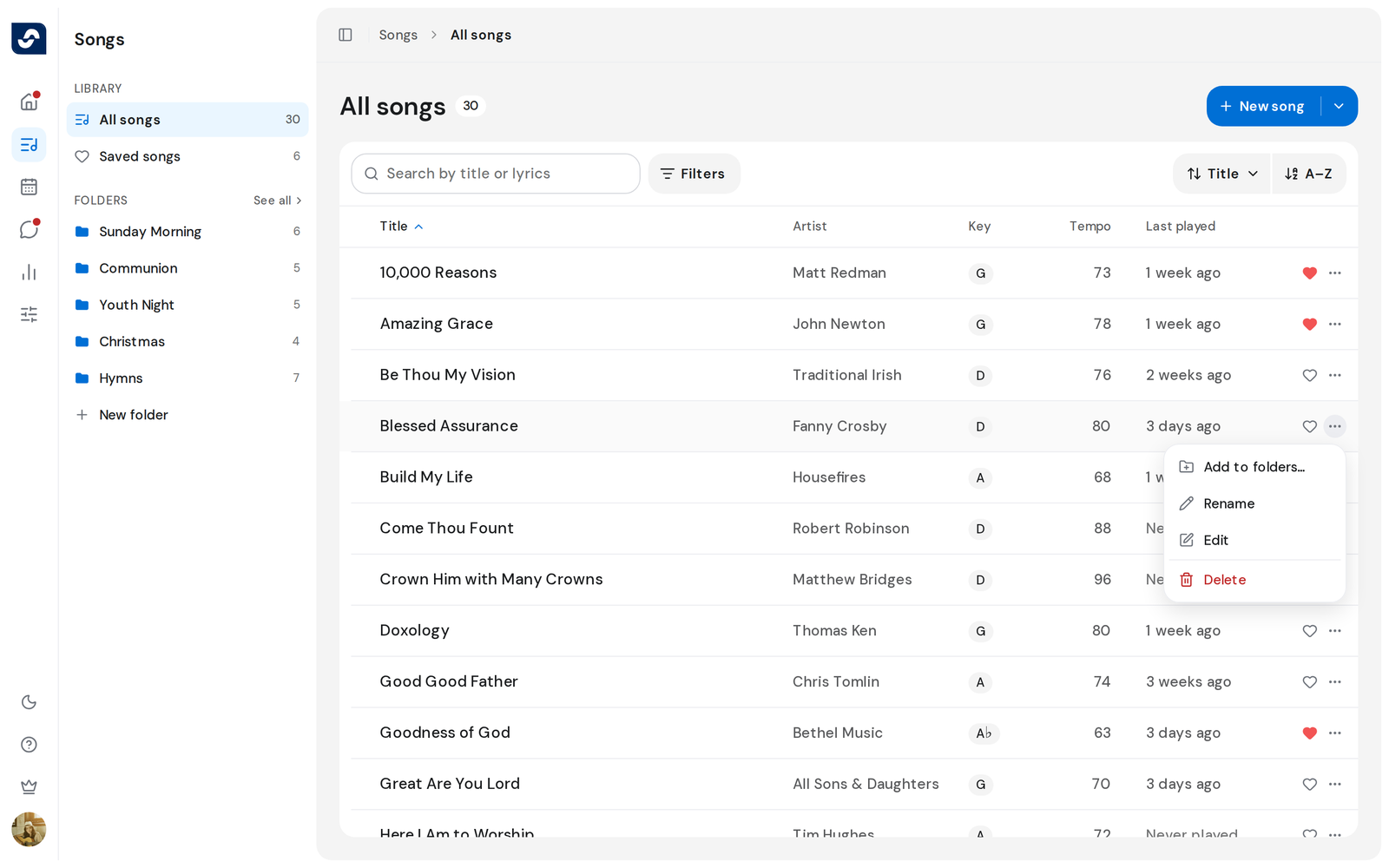
- On the Songs page, click ⋯ at the right of the song's row.
- Click Delete, then Delete again in Delete songs.
Several songs
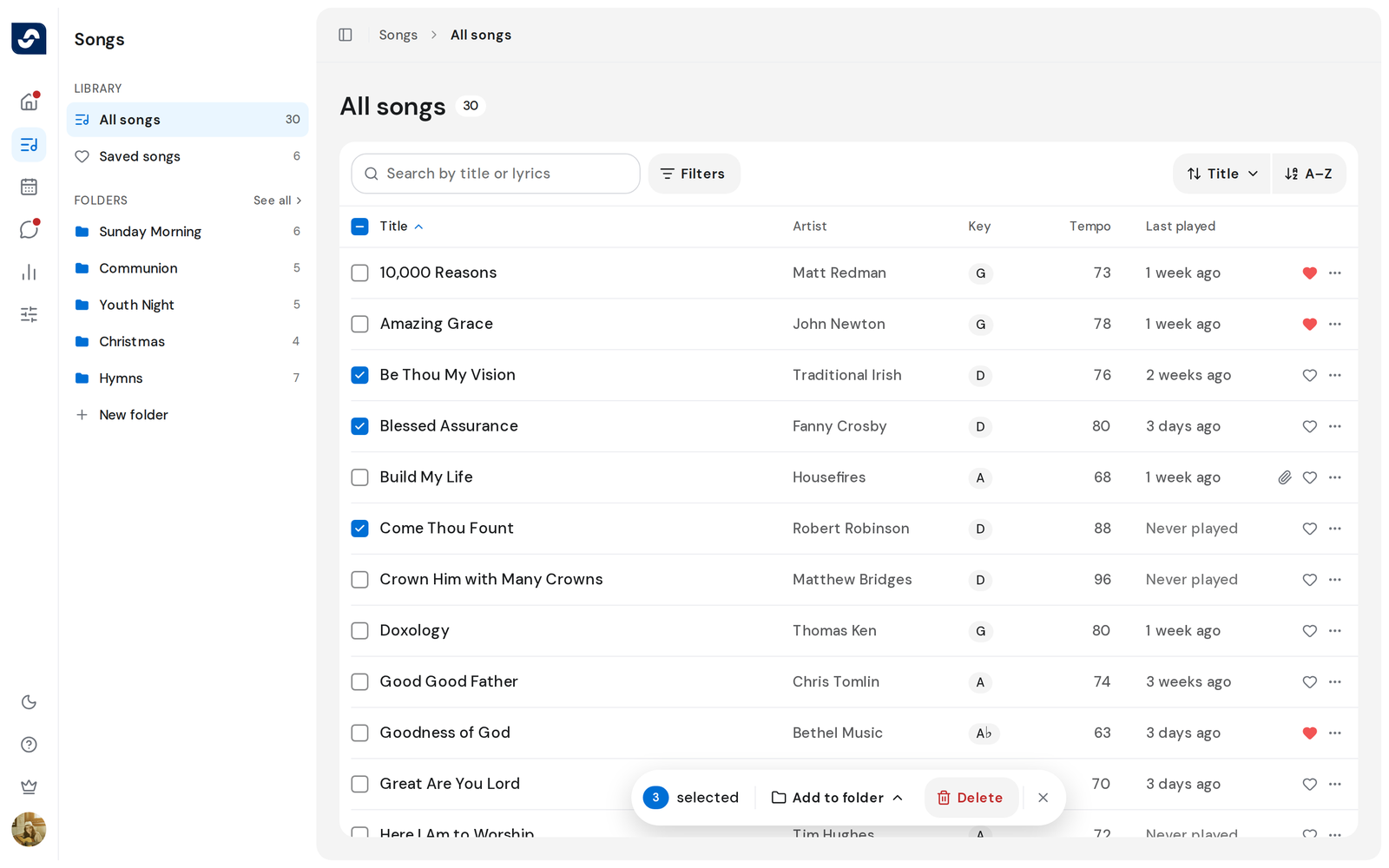
- Tick the box at the left of each song, or the box at the top of the list to tick every song shown.
- In the bar at the bottom, click Delete, then confirm with Delete.
Good to know
- A deleted song also leaves every folder. To only take it out of one folder, use Remove from instead. Organize songs into folders
- From the song itself, open Preferences and click Remove song. It is not there when you opened the song from an event.
- Anyone who opens a deleted song sees Song not found.
- If some songs fail to delete, they stay ticked so you can try again.