Add songs to the setlist
Pick the songs for a service from your library.
Who can do this: Owner, Admin, Editor, Scheduler. What the roles mean
Steps
- Open the event and click Open full setlist.
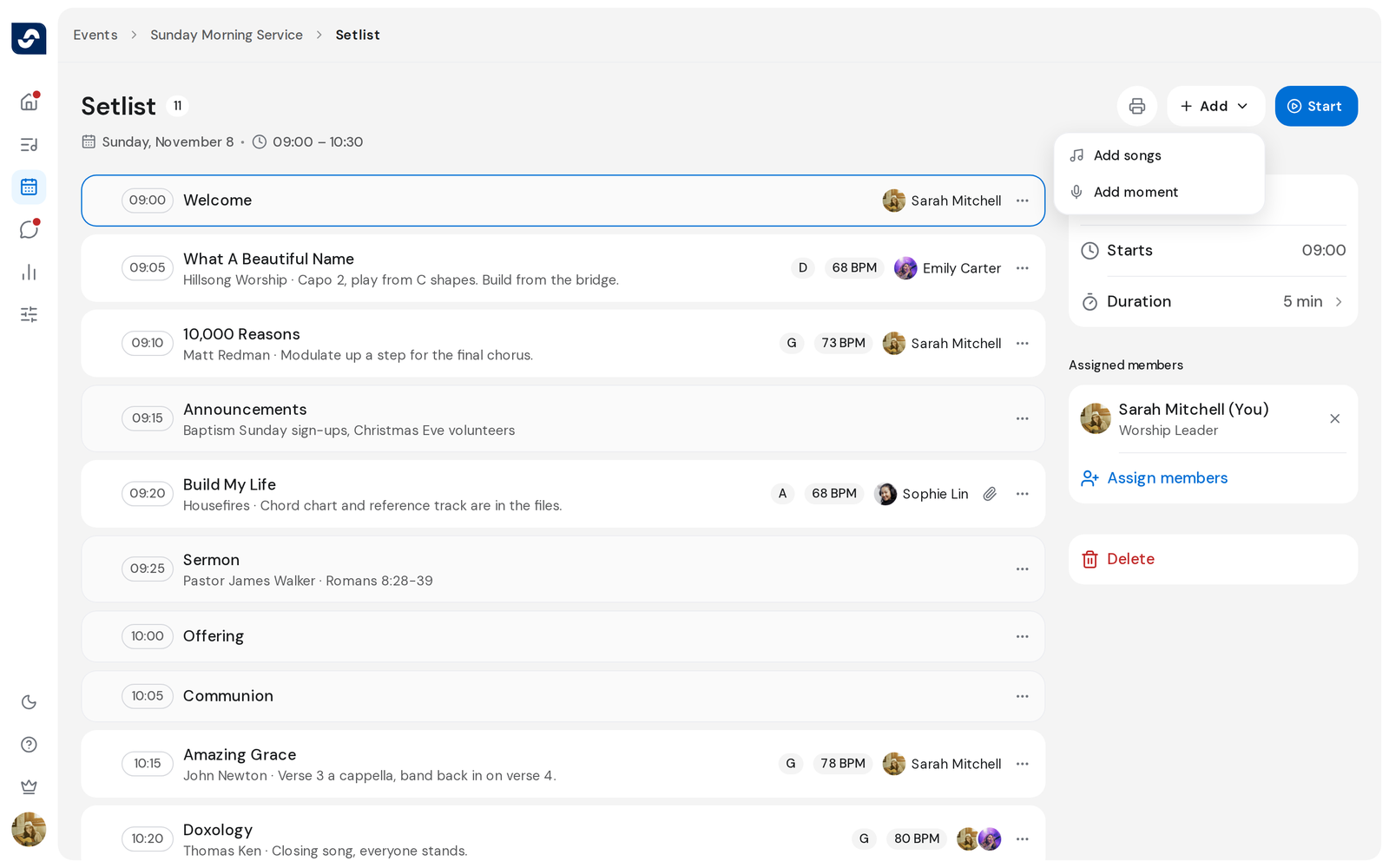
- Click Add, then Add songs.
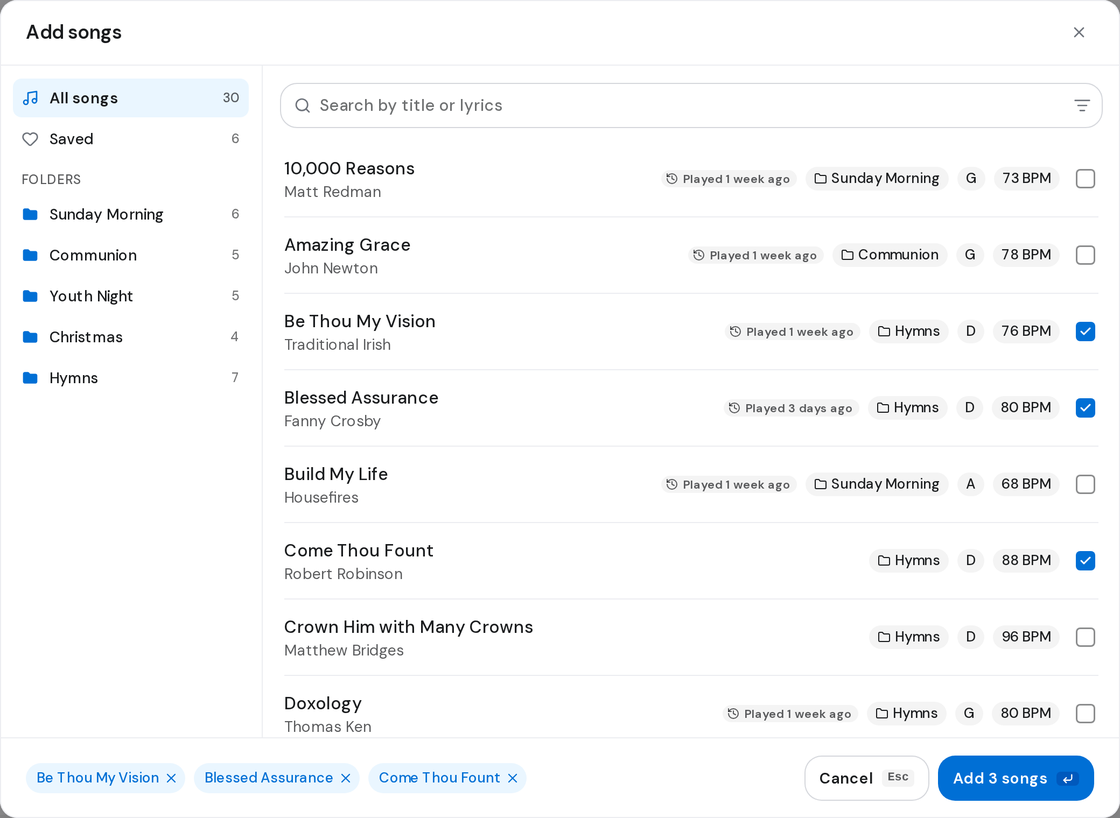
- On the left, choose All songs, Saved, or one of your folders.
- Search or use the filters to narrow the list.
- Tick each song you want.
- Click Add N songs.
Good to know
- You can also click Add songs on the event page, under the setlist preview.
- New songs go to the end. Move them where they belong. Change the order of the setlist
- Press Enter to add the ticked songs, or Esc to close.
- To take a song off, click the three dots on its row, then Delete.