Create an event template
A template holds what most of your services share: the moments, the groups and positions, the location and reminders.
Who can do this: Owner, Admin, Editor. What the roles mean
Steps
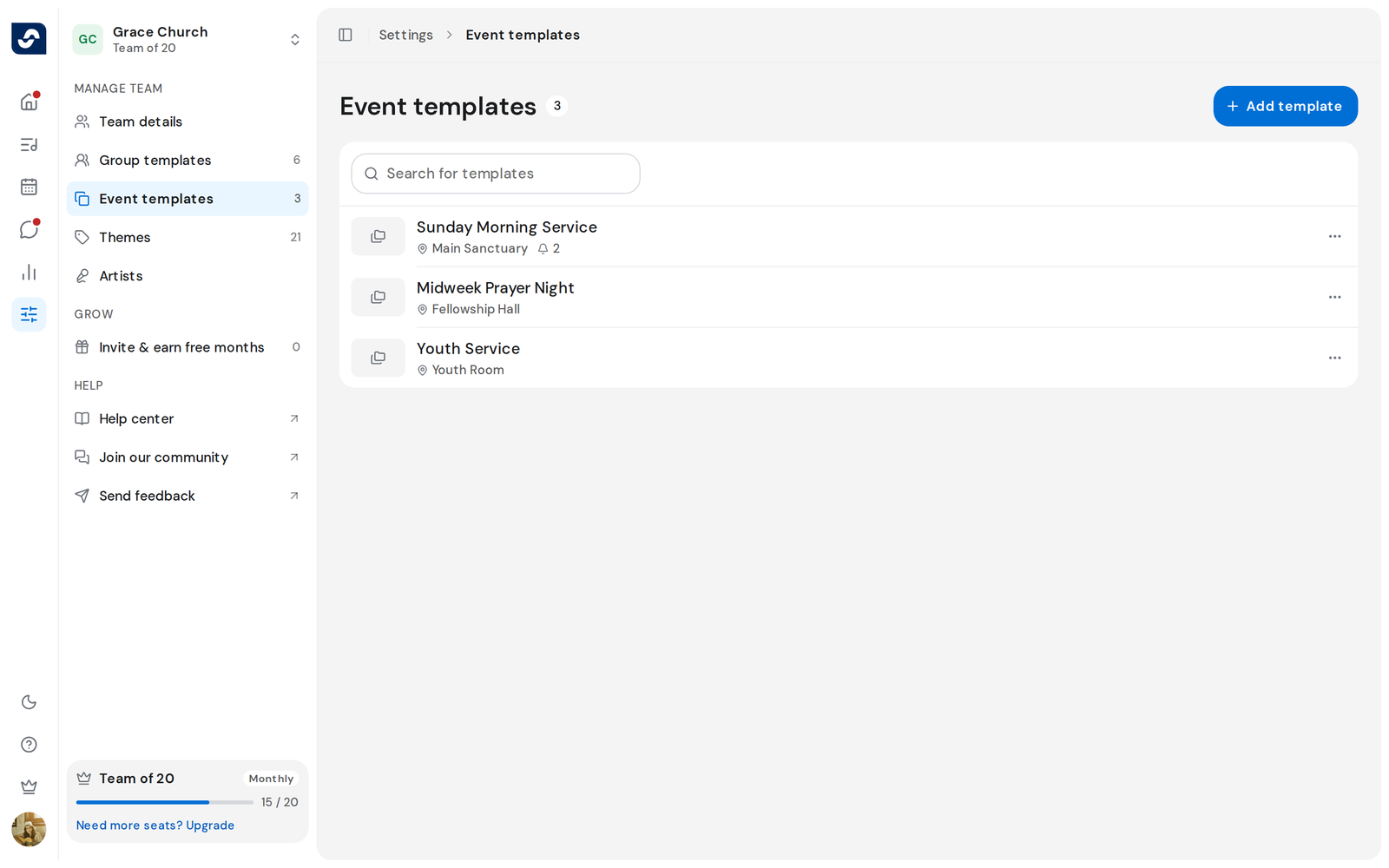
- Click Settings in the rail, then Event templates.
- Click Add template, type a Name and click Create.
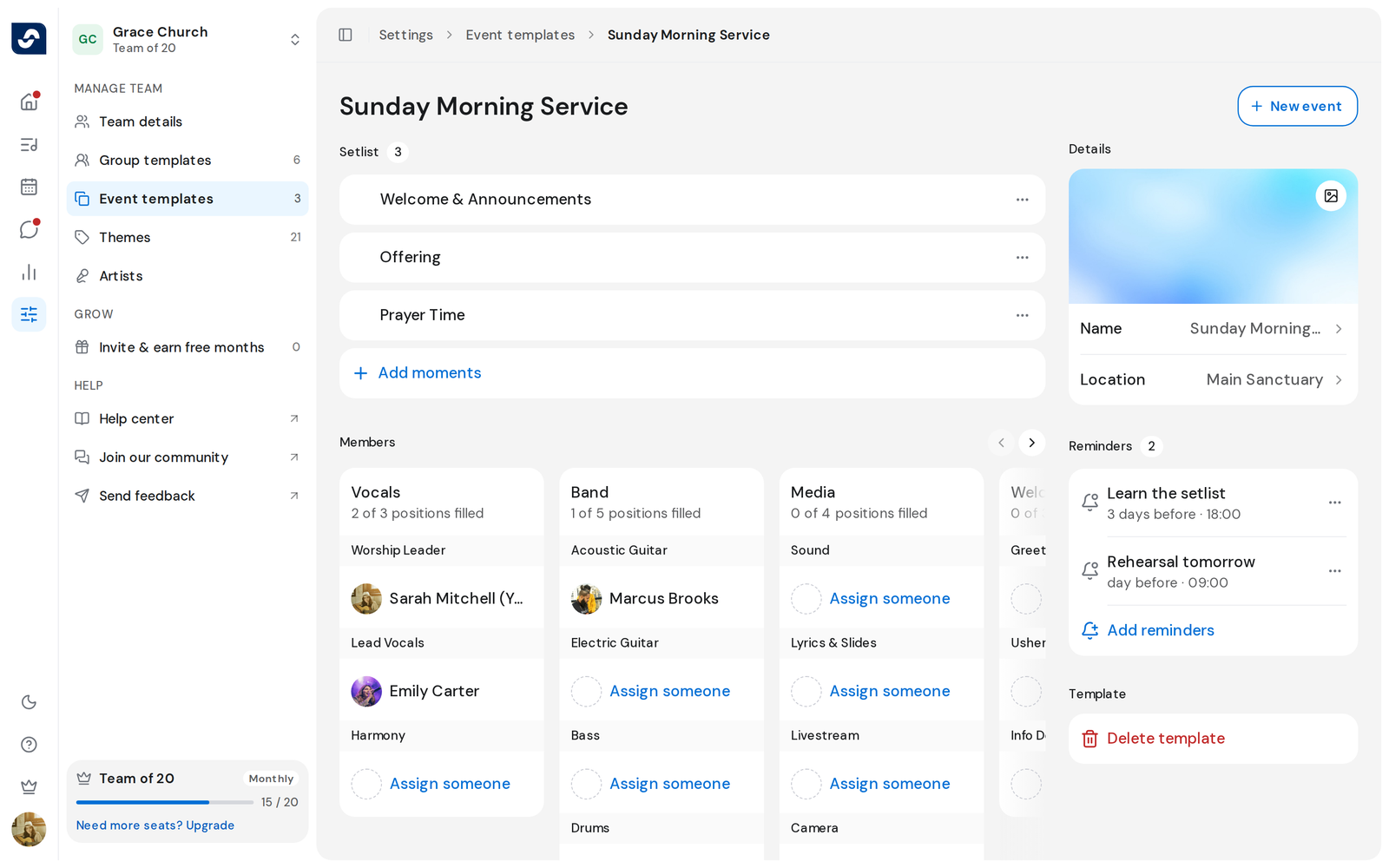
- Under Setlist, click Add moments and add the parts of the service.
- Under Members, choose the groups and positions you usually need.
- Under Details, add a cover with Choose image and a Location.
- Under Reminders, click Add reminders if you want them.
- Click New event at the top to plan an event from it.
Good to know
- Each change saves on its own, so there's no Save button.
- Template setlists hold moments only. Songs are added on each event.
- Reminders in a template need a paid plan.
- To remove a template, click Delete template on its page.