Create an event
Set up a new event with its name, date, time and the people you need on it.
Who can do this: Owner, Admin, Editor, Scheduler. What the roles mean
Steps
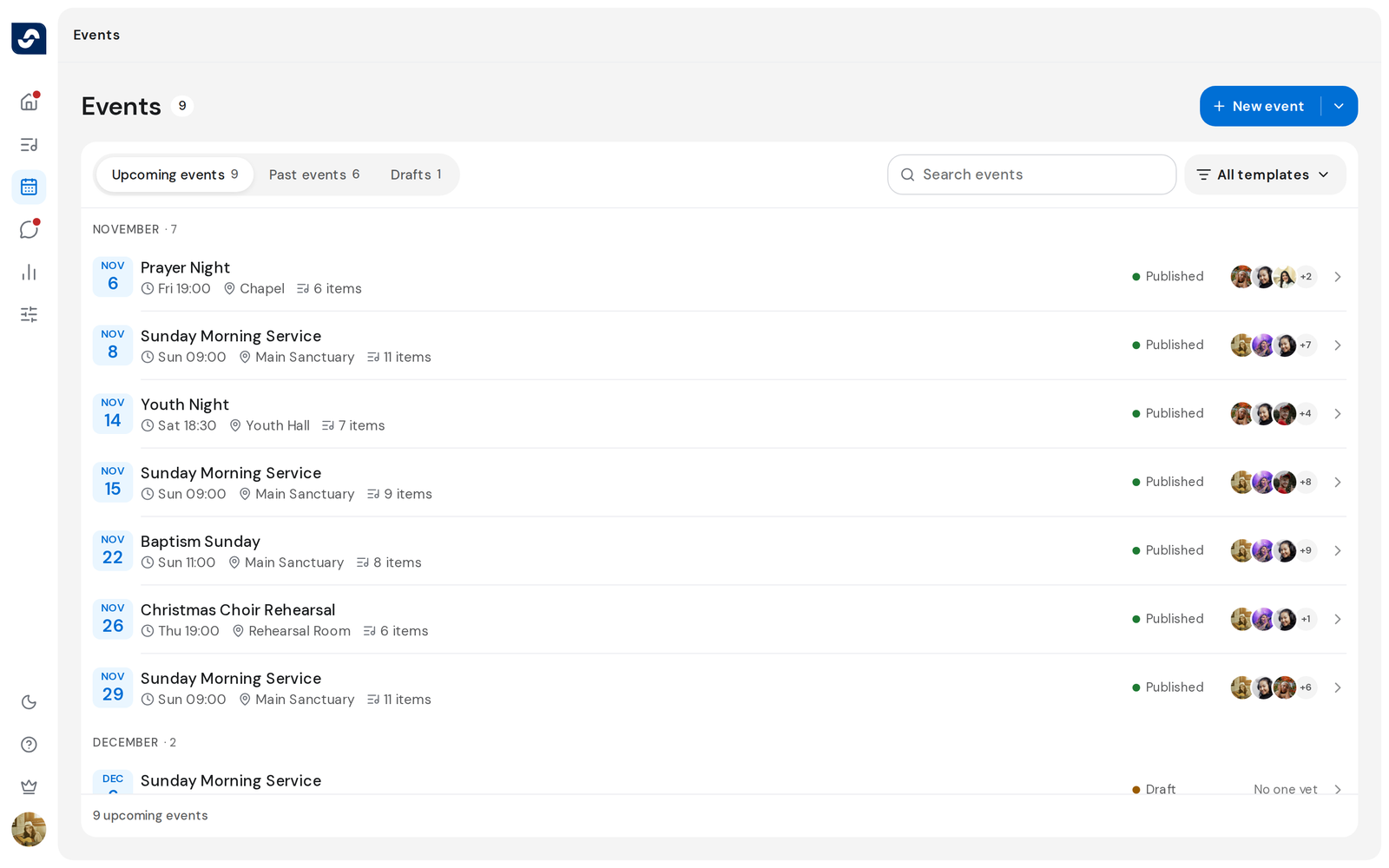
- Click Events in the rail, then New event.
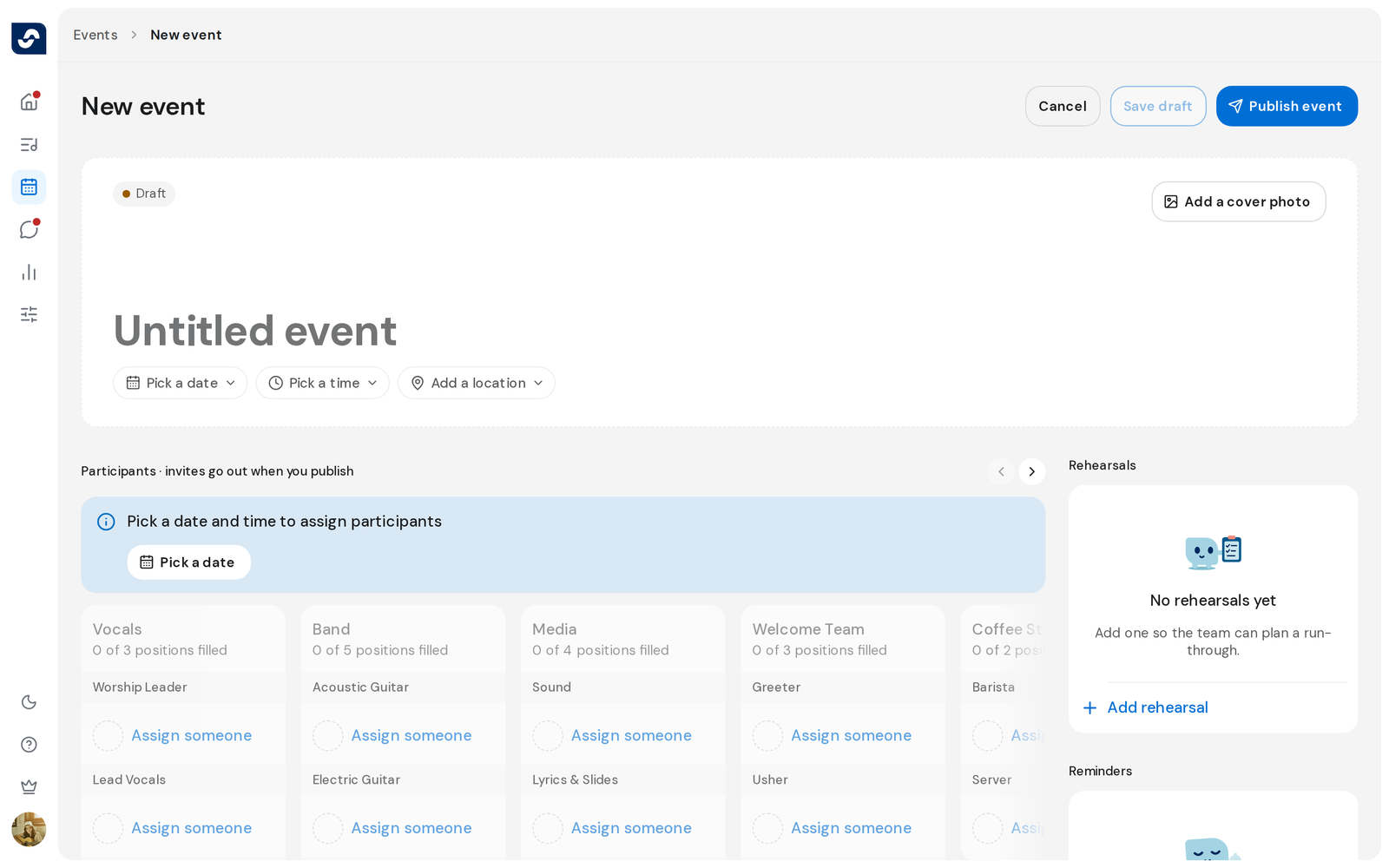
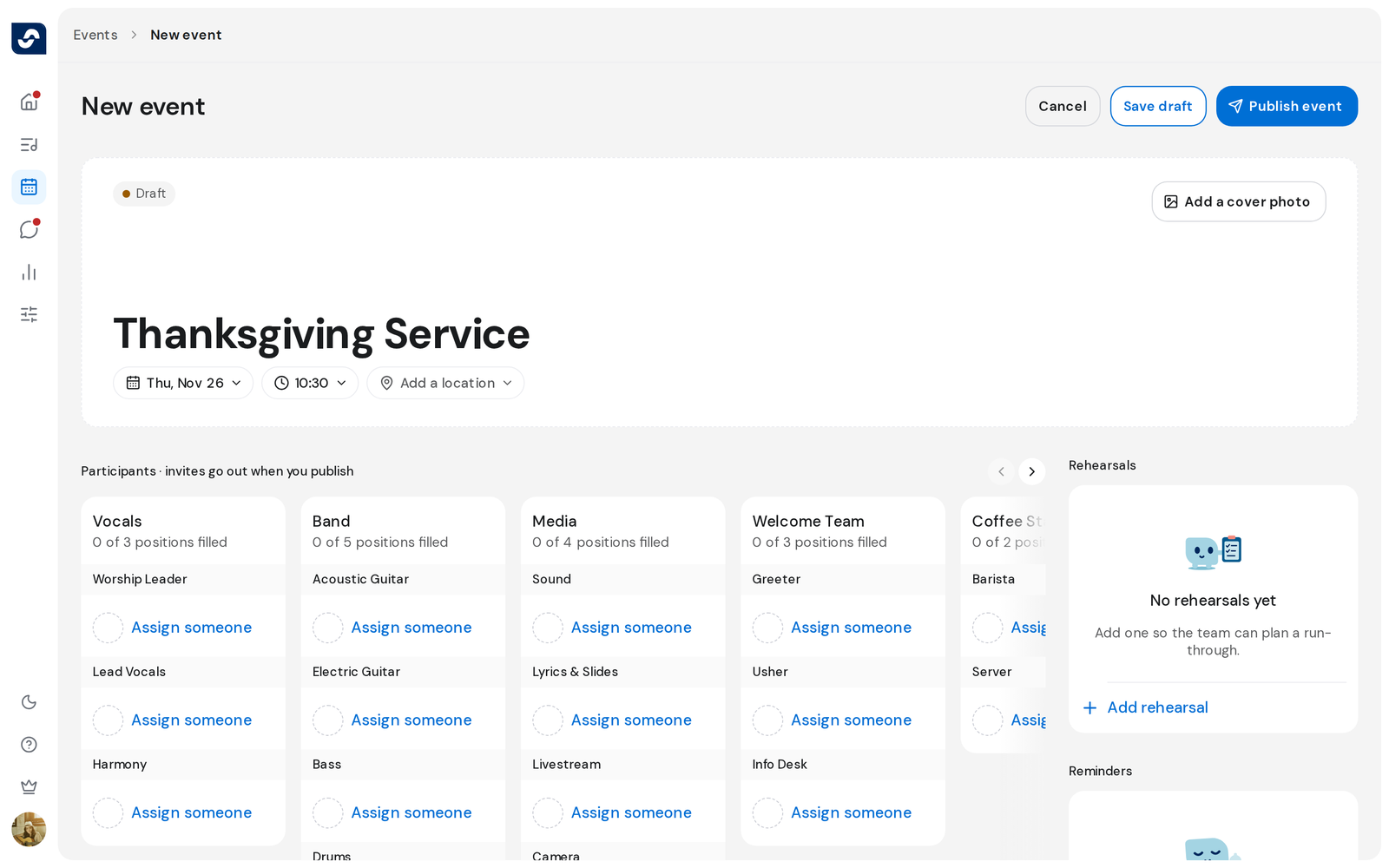
- Click Untitled event at the top and type the event's name.
- Click Pick a date and choose the day, then Pick a time and choose the hour and minutes.
- Click Add a location and Add a cover photo if you want them.
- Under Participants, add people to the positions in each group.
- In the side column, add Rehearsals and Reminders if the event needs them.
- Click Save draft, or Publish event to invite everyone now.
Good to know
- Participants stays locked until you pick a date and time.
- A draft needs a name. Publishing also needs a date.
- Cancel, or leaving the page with changes, asks Discard this event? Discarding deletes the draft.
- You add the setlist once the event is saved, from its page. Add songs to the setlist