Invite someone to a position
Put people into a position on an event (Drums, Lead Vocal, Sound) so they get an invitation and can answer it.
Who can do this: Owner, Admin, Editor, Scheduler. What the roles mean
Steps
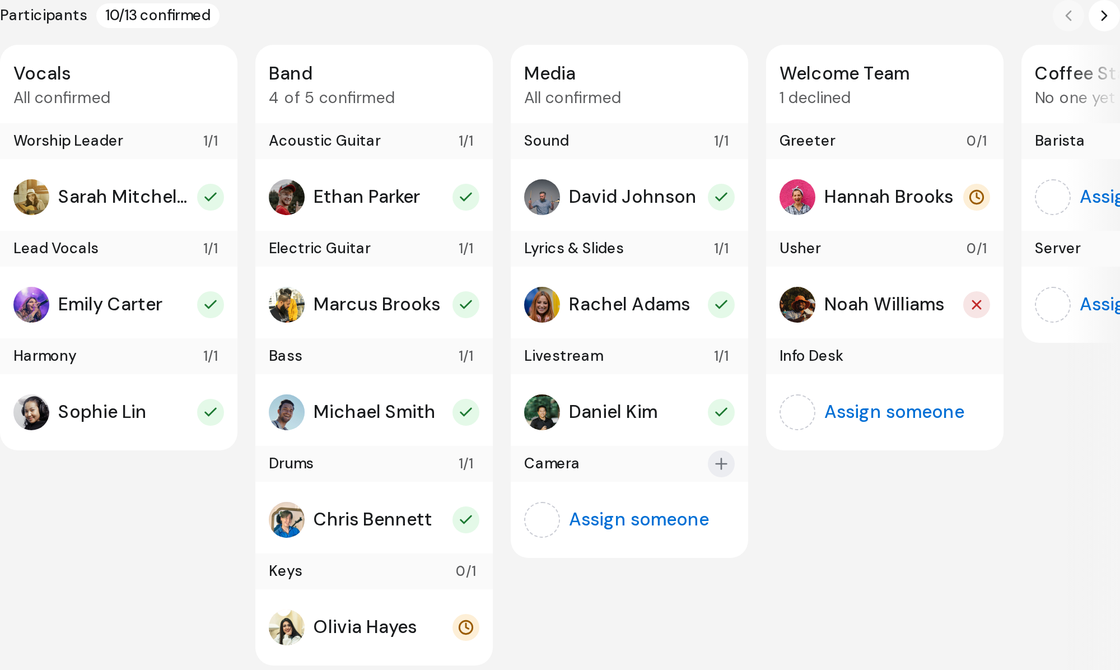
- Open the event and find Participants, one card per group.
- Point at a position and click the plus button beside its name. On an empty position you can click Assign someone instead.
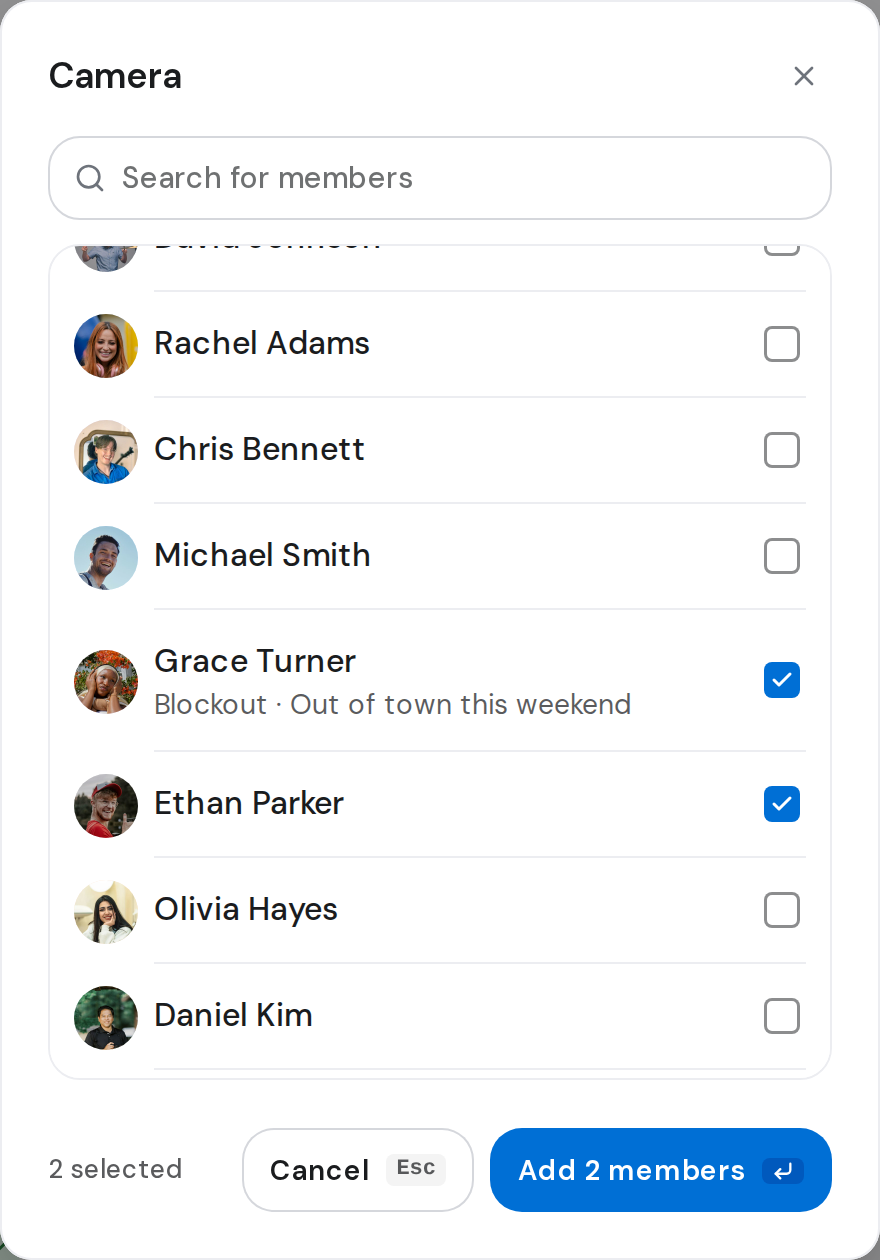
- Tick each person you want. Use Search for members if the list is long.
- A line under a name shows Blockout and a reason if they're away, or Busy and another event they're on.
- Click the add button, such as Add 2 members.
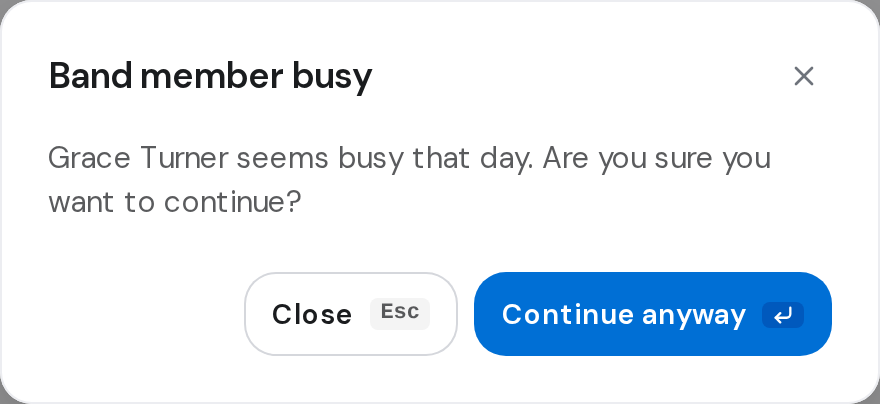
- If anyone you picked is away, Band member busy names them. Click Continue anyway, or Close to change your picks.
Good to know
- On a published event, they're invited straight away: Invite sent to 1 member.
- On a draft, nobody hears yet. The toast says Invites go out when you publish. Publish an event
- Clicking a group's card opens its positions, with Add beside each. Picking someone away there offers Keep anyway or Replace.
- If you add yourself, you're confirmed automatically.