Answer an event invitation
When someone schedules you for an event, the invitation waits for your answer on Home.
Steps
Confirm or decline
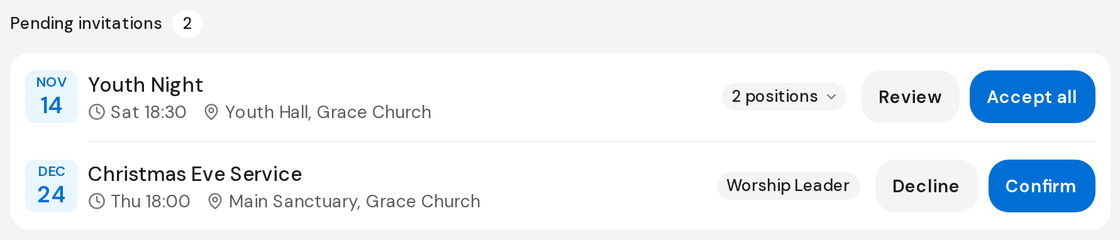
- Click Home in the left rail and find Pending invitations.
- Each row shows the event, when and where it is, and your position.
- Click Confirm if you can be there, or Decline if you can't.
When you're invited to more than one position
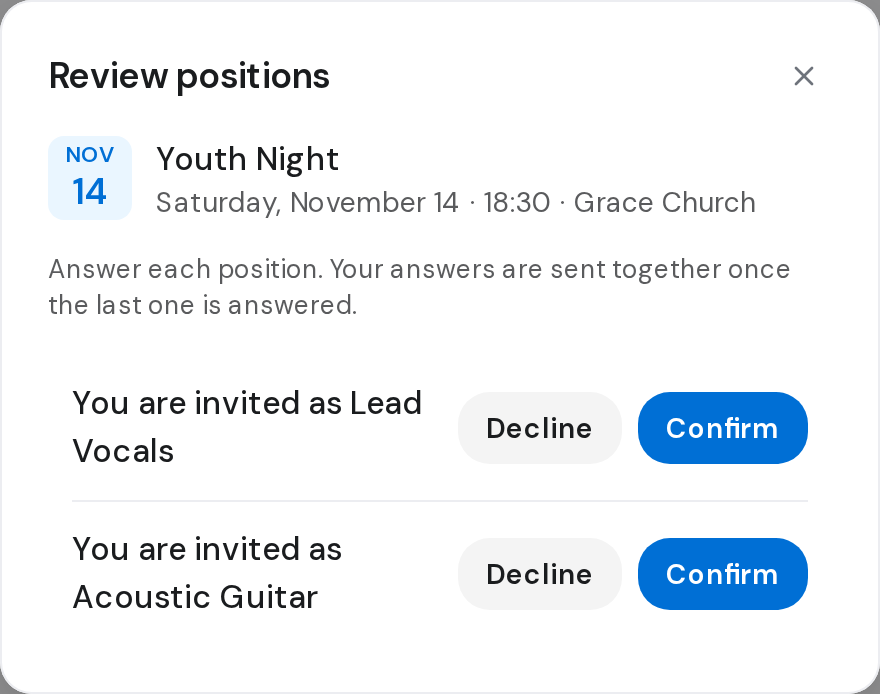
- Click Accept all to take every position, or Review to answer each.
- In Review positions, click Confirm or Decline on every row. Your answers are sent together once the last one is answered.
Pull out after confirming
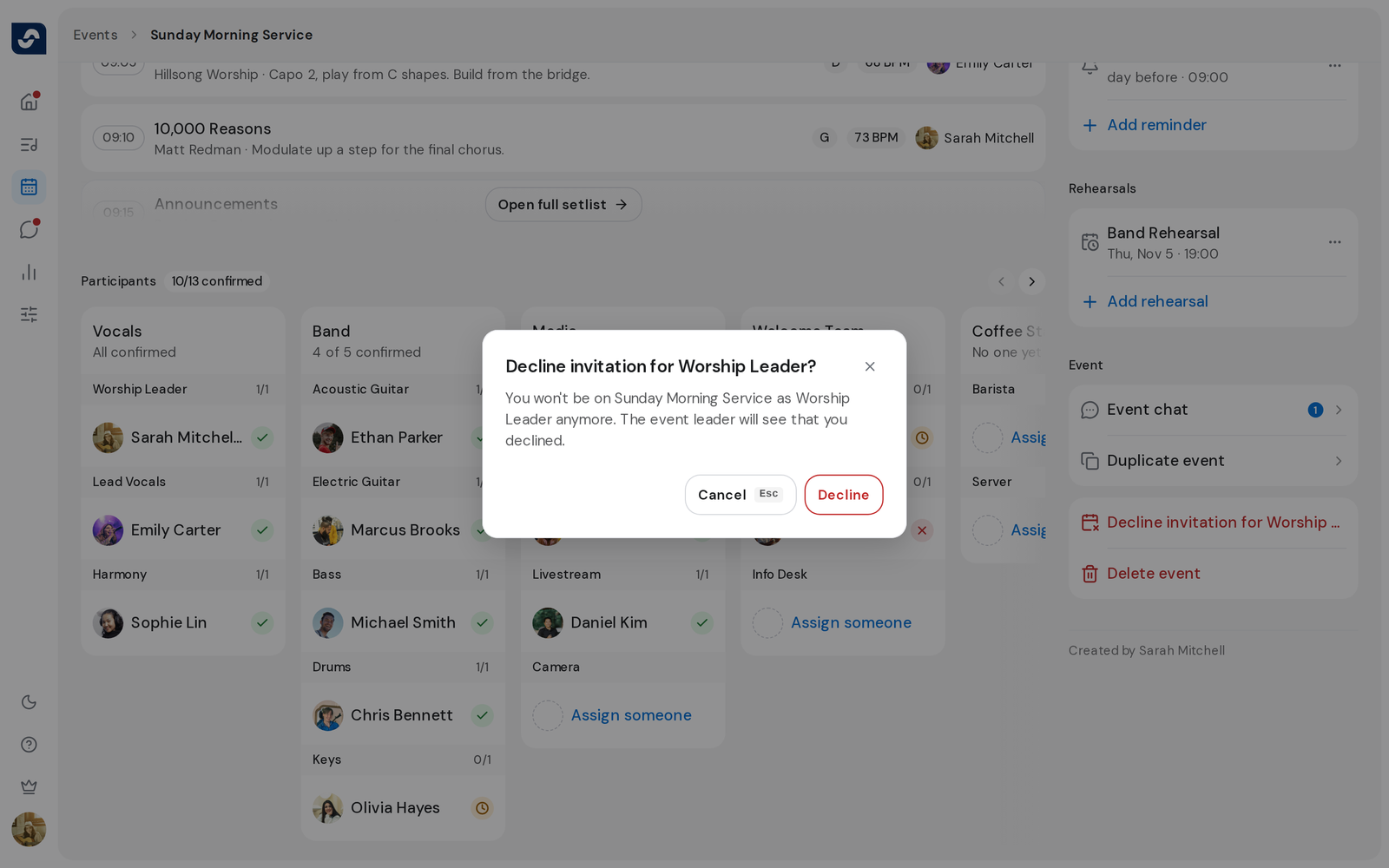
- Open the event. In the Event section, click the decline option for your position, such as Decline invitation for Keys.
- Click Decline to confirm. The event leader sees that you declined.
Good to know
- After Decline on Home, Undo shows for a moment. Then the planner is notified.
- Closing Review positions early sends nothing.
- Declining your last position on an event takes you back to Events.
- Add a blockout so you aren't asked again for those dates. Add a blockout when you're away