Set event reminders
Reminders tell the people on an event about it ahead of time, from the same day up to 60 days before.
Who can do this: Owner, Admin, Editor, Scheduler. What the roles mean
Paid plan: This needs a paid plan. What's included
Steps
- Open the event.
- In the side column, under Reminders, click Add reminder.
- Tick the saved reminders you want and click Done.
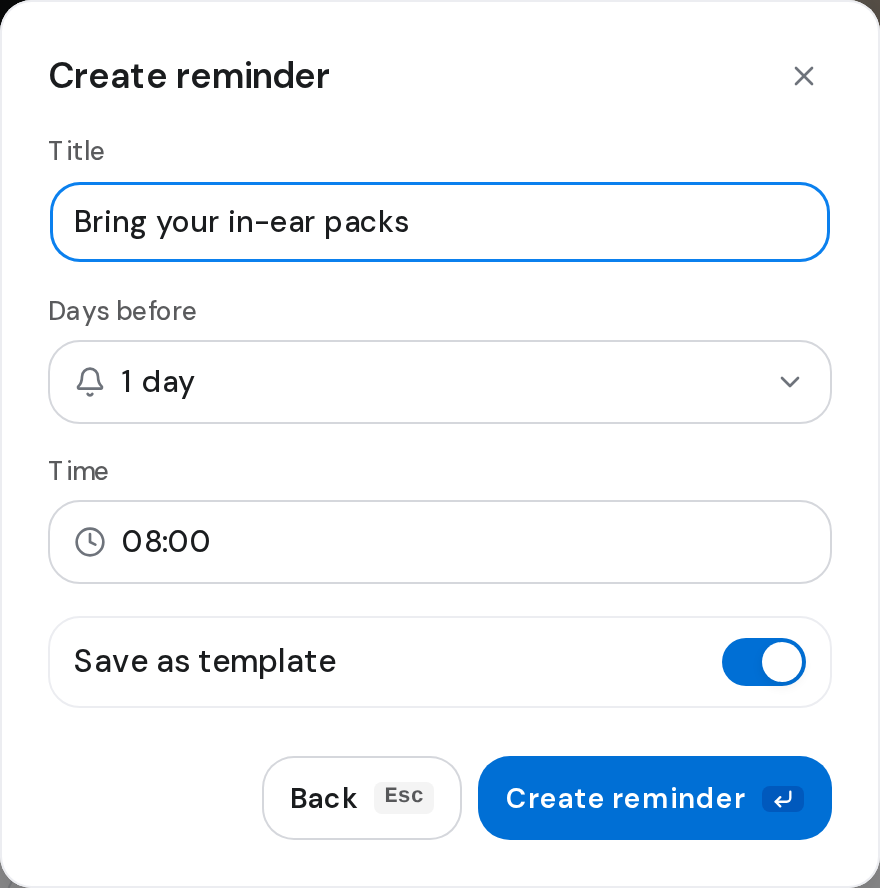
- Or click Create new reminder, type a Title, and pick Days before and Time.
- Leave Save as template on to reuse it on other events, or turn it off for this event only, then click Create reminder.
Good to know
- Each reminder shows when it goes out, such as 2 days before · 08:00.
- To change one, click the three dots on its row, then Edit. This changes this event only.
- Save as template shows for Owners, Admins and Editors.
- Members don't see the reminders section.