Duplicate an event
Copy an event to plan the next one without starting from scratch.
Who can do this: Owner, Admin, Editor, Scheduler. What the roles mean
Steps
- Open the event you want to copy.
- In the side column, under Event, click Duplicate event.
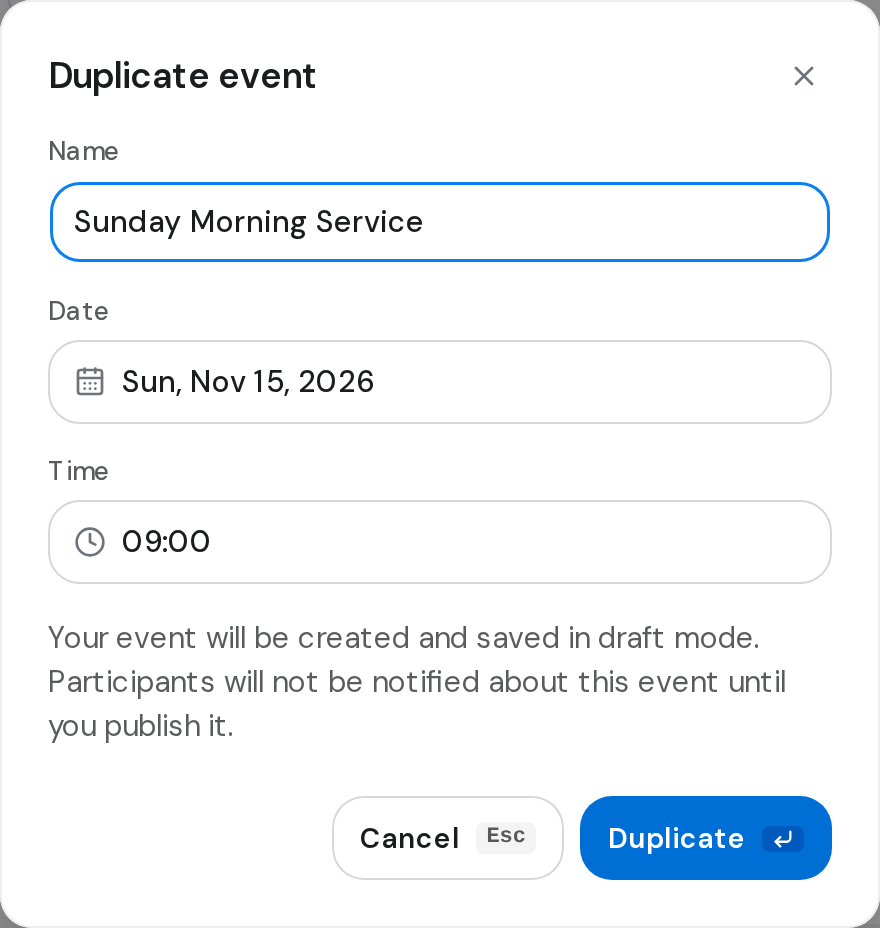
- Change the Name, Date and Time for the new event.
- Click Duplicate.
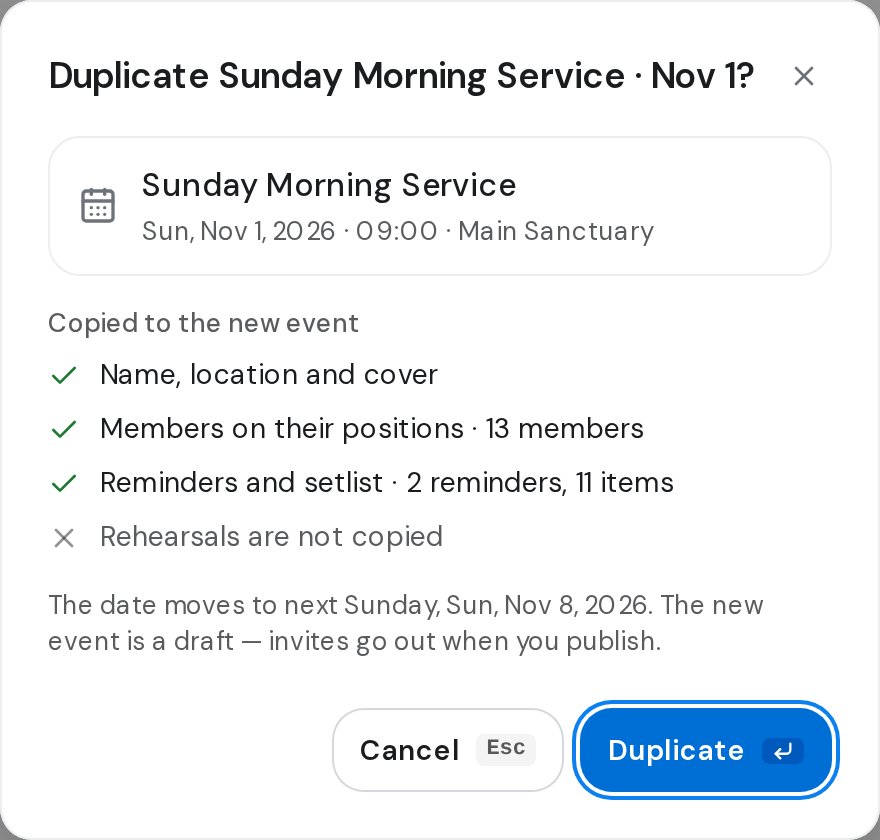
To copy your most recent event instead, click the arrow next to New event on the Events page, choose Duplicate last event, and click Duplicate.
Good to know
- The copy keeps the name, location, cover, people on their positions, reminders and setlist.
- Rehearsals are not copied.
- Duplicate last event puts the copy on the same weekday, a week on, and keeps it in the future.
- The copy is saved as a draft, so nobody gets an invite until you publish it. Publish an event