Export the setlist
Download the setlist to print it or share it outside OnStage.
Paid plan: This needs a paid plan. What's included
Steps
- Open the event and click Open full setlist.
- Click Export.
- Choose PDF, ChordPro File or Text file.
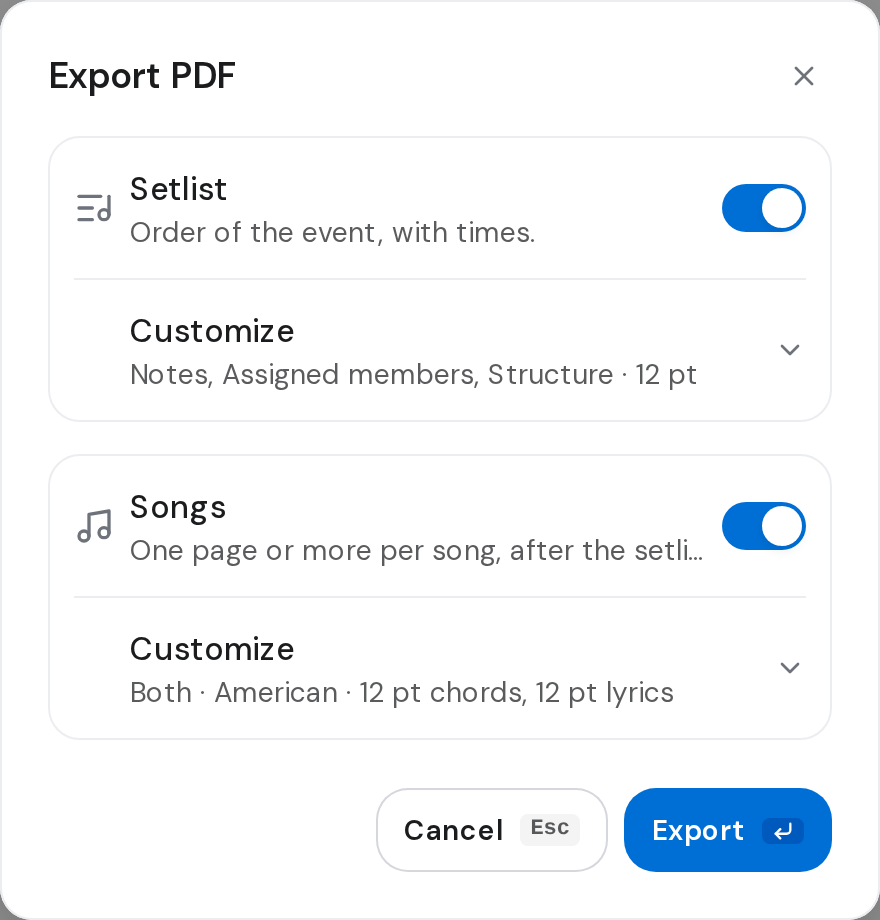
- For a PDF, choose what goes in: Setlist, the order of service with times, and Songs, each song on its own pages after it.
- Click Customize under Setlist or Songs to change how each looks, if you want.
- Click Export.
Good to know
- Everyone on the team can export, Members too.
- Until your team upgrades, Export says Exporting needs a paid plan. Choose a plan and upgrade on the web
- To export one song, open it instead. Export a song as PDF, ChordPro or text