Invite people to your team
Share a link or code anyone can use, or invite one person by email or username.
Who can do this: Owner, Admin. What the roles mean
Steps
Copy the link or code
- Click Settings in the left rail. Team details opens.
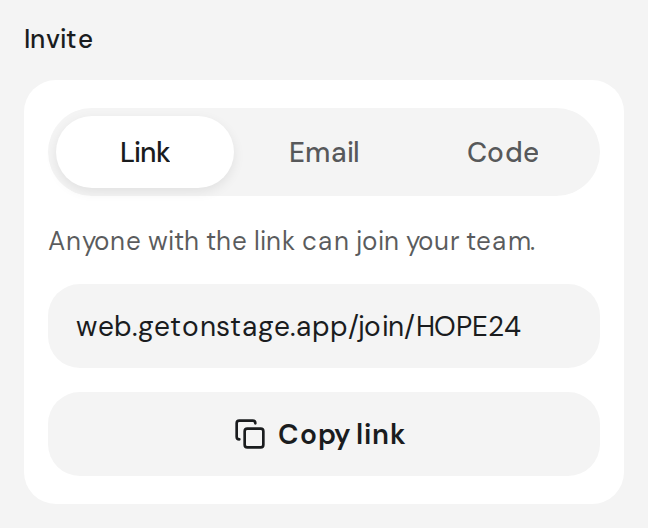
- On the Invite card, click Copy link, then paste it in a message.
- For the code instead, click Code, then Copy code.
Invite one person
- On the Invite card, click Email, then Invite by email or username, or Invite on the Members page.
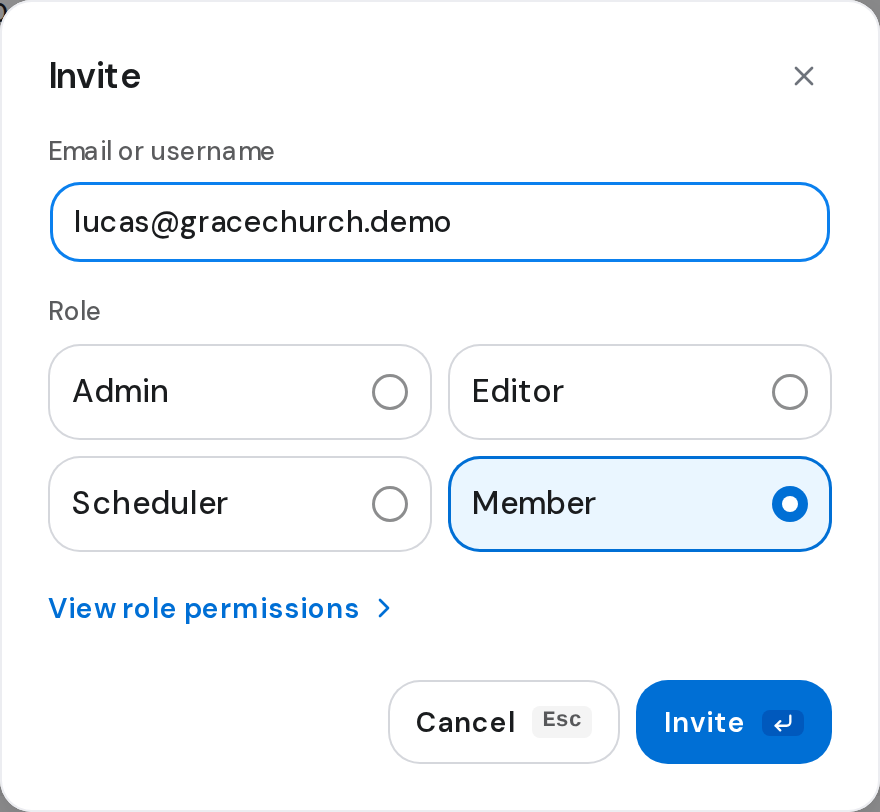
- Type their email or username, then choose what they'll be under Role, such as Member.
- Click Invite. They show as Invited until they accept.
Resend an invitation
- Open the invited person's page from Members and click Resend invitation.
The banner on Home
While you're alone on the team, Home offers Copy invite link. The banner goes once someone joins or is invited.

Good to know
- User not found means nothing matches. Team member already exists means they're already on the team or invited.
- At your plan's member limit, a paywall opens instead. What's included
- Anyone with the link or code joins when they sign in. Join a team