Set up a song's structure
Sections are the pieces a song is built from: Verse, Chorus, Bridge, and the rest. The Structure tab sets which ones the song has, what order they run in, and how many times a part repeats.
Who can do this: Owner, Admin, Editor. What the roles mean Online only: You need internet for this. Why buttons disappear offline
Steps
Build the structure
- Open the song, tap the gear icon at the top right, then tap Edit Song.
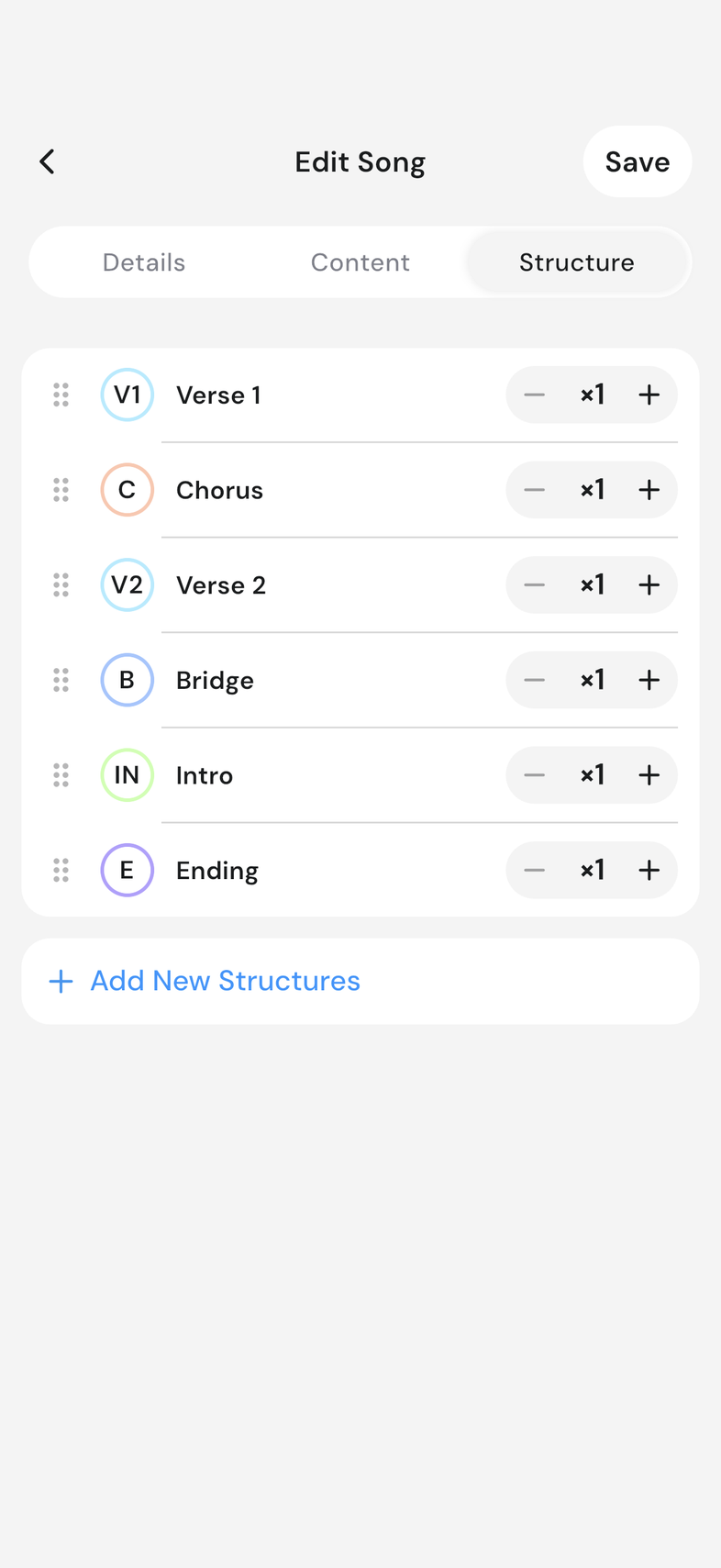
- Go to the Structure tab.
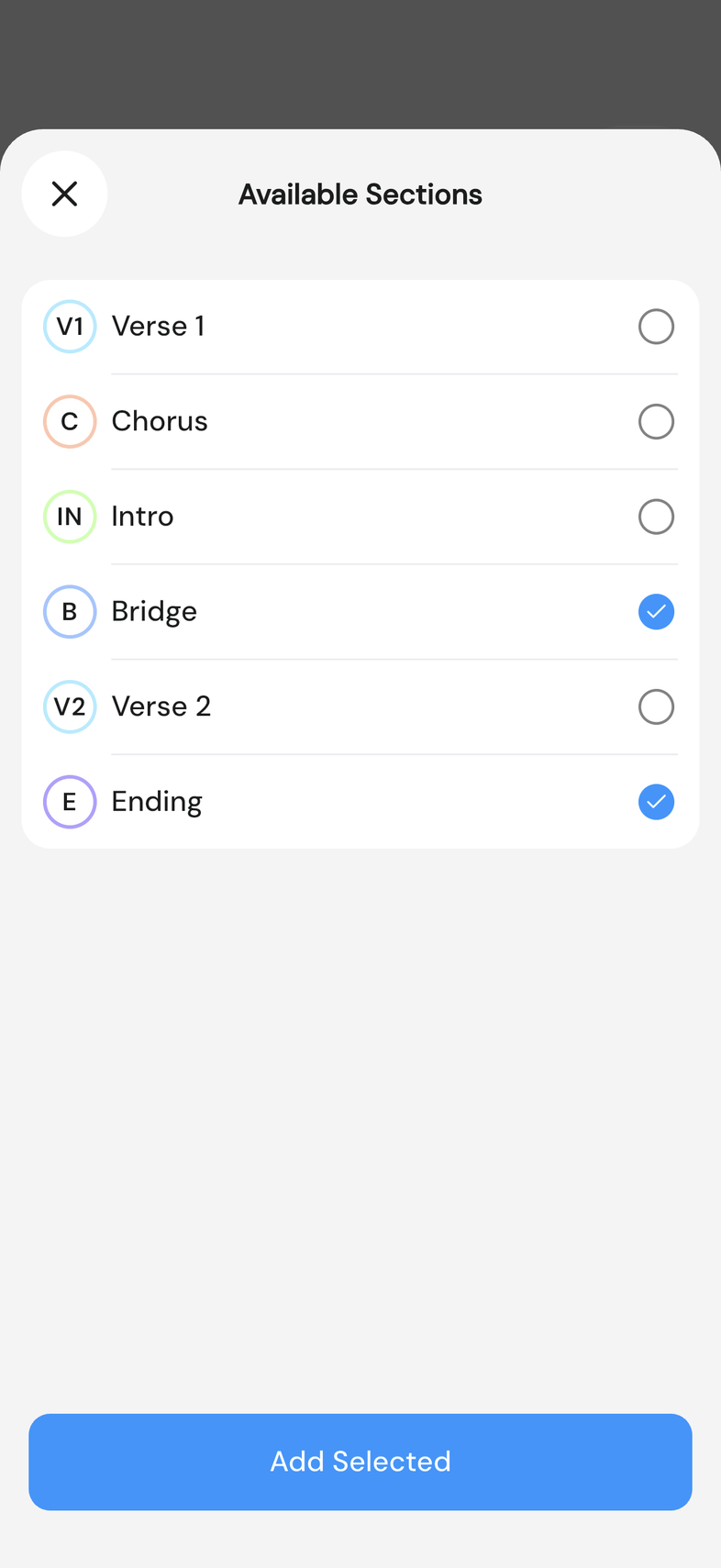
- Tap Add New Structures. Available Sections opens. Tick the parts you want, then tap Add Selected.
- Drag a part by the handle on its left to move it up or down. Swipe a part left and tap Delete to take it out.
- Tap Save.
Repeat a part
When you play a chorus twice, say so on the section instead of adding it to the song again.
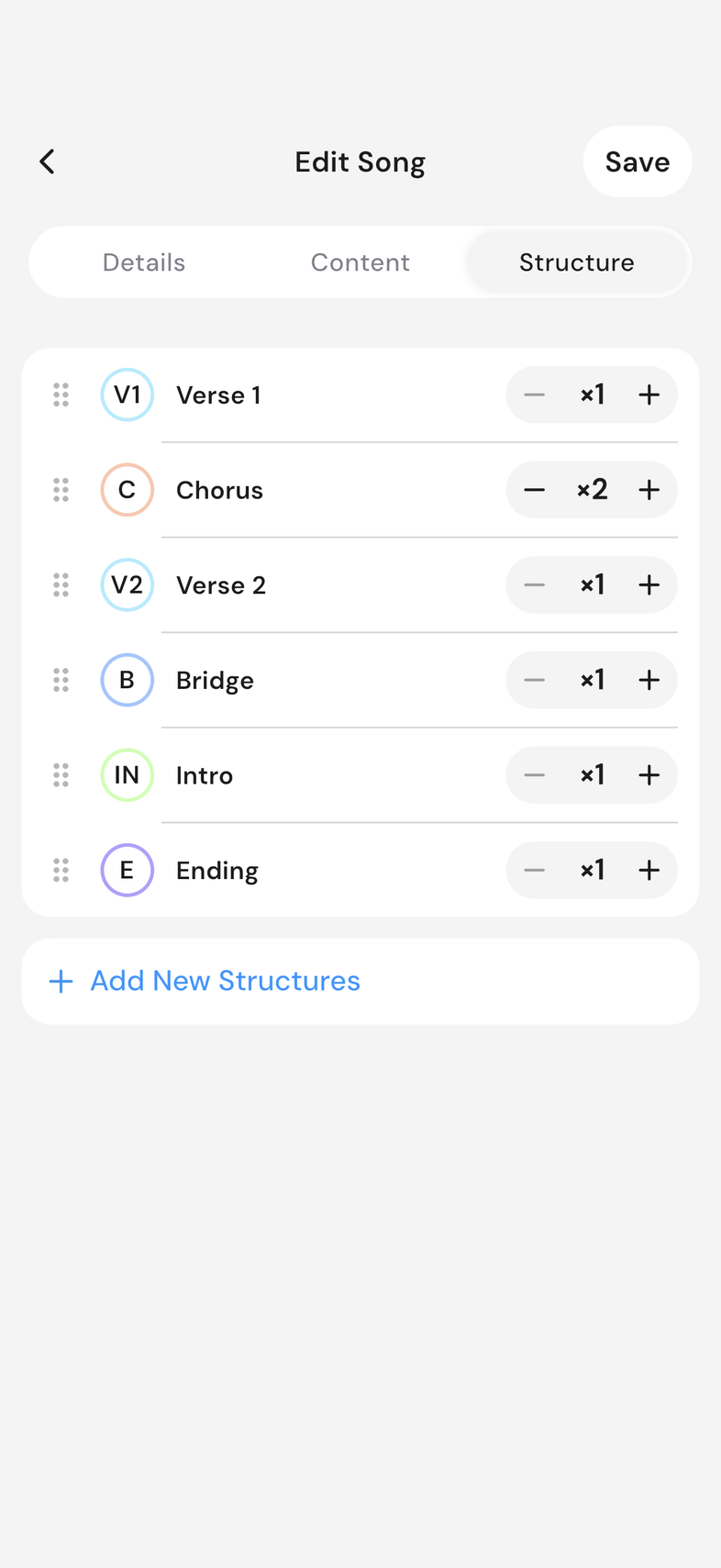
- On the Structure tab, find the part you play more than once. It shows ×1 at its right. Tap the plus to raise the count: ×2, ×3, and so on.
- Tap the minus to bring it back down. It stops at ×1.
- Tap Save.
Good to know
- Parts of the same type number themselves: two verses become Verse 1 and Verse 2. To change what a part is, go to the Content tab, open the section's three-dot menu and tap Change Section. Every part you add gets its own box on the Content tab.
- On a wide screen the tab shows Current Structure and Available Structures side by side, and you drag between them.
- ×1 is the normal state and shows nothing extra on the song. Once a part is above ×1, everyone reading the song sees the count next to its name. With autoscroll on, a repeated part is written out as separate passes so the scroll matches what you play. Compact View hides the count on the song while it is on.