Save a song and find your saved songs
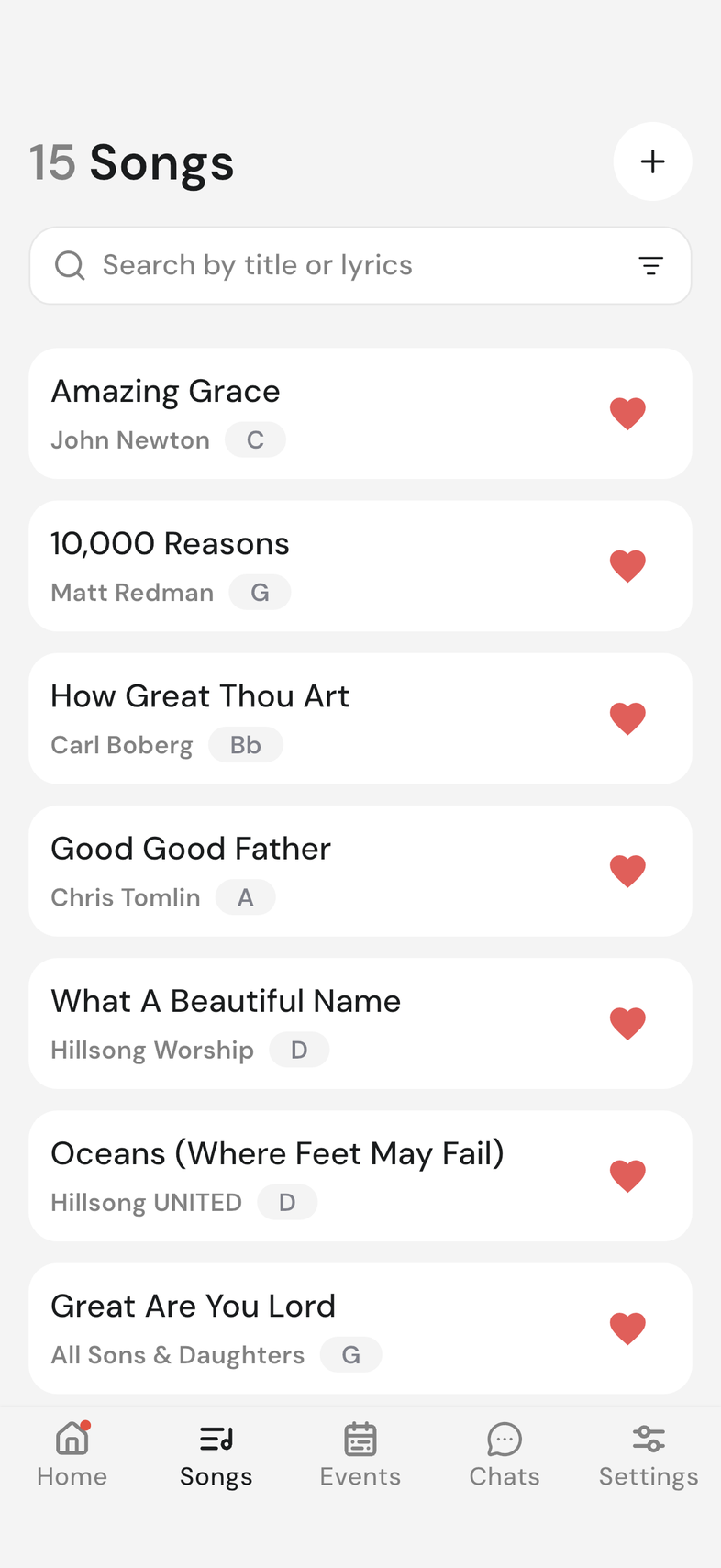
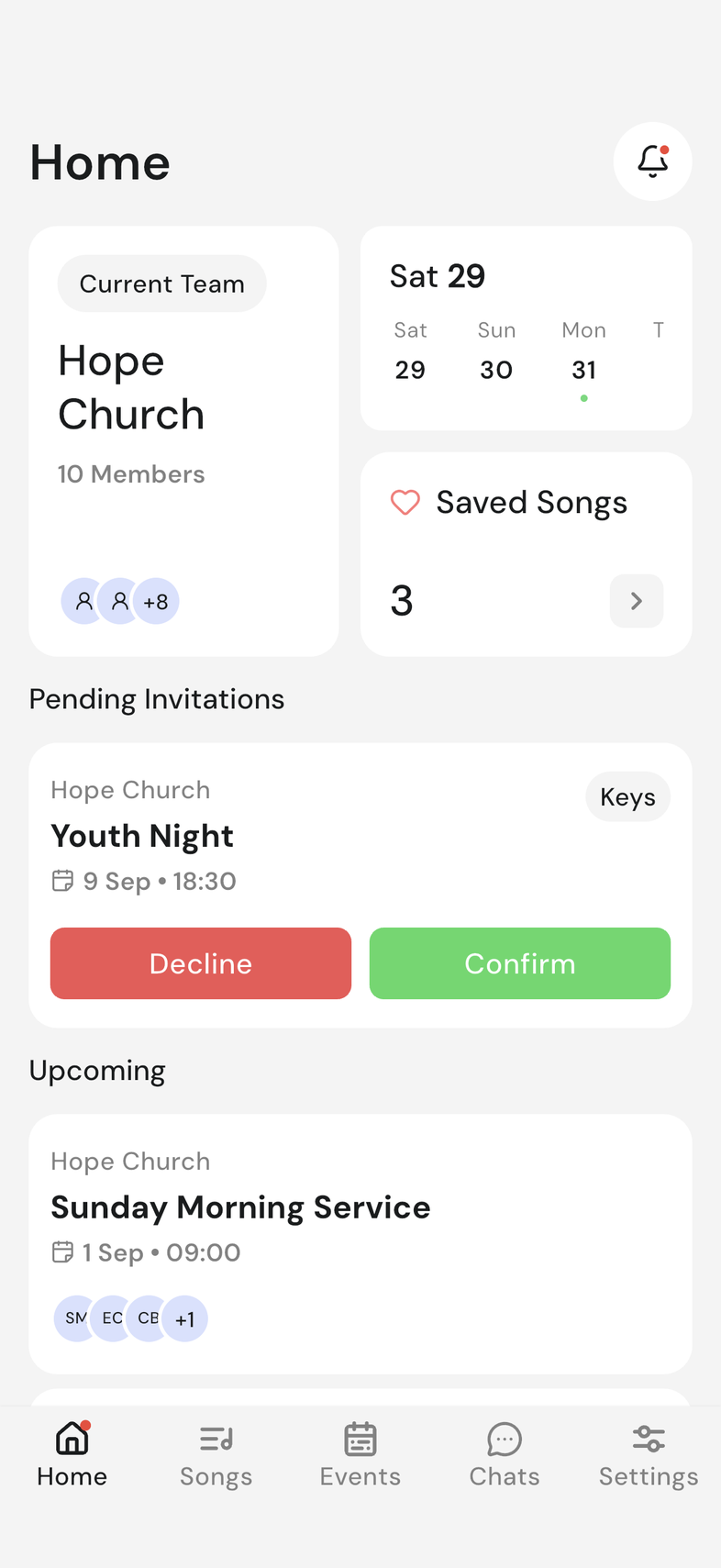
The heart on a song is yours. Saving a song puts it in Saved Songs on your Home screen, ready for the next time you need it.
Steps
- Open the Songs tab.
- Tap the heart on the right of a song. It turns red.
- Go to the Home screen.
- Tap the Saved Songs tile. The number on the tile is how many you have saved.
- Tap a song to open it, or use Search songs to find one.
- To unsave a song, tap its red heart again.
Good to know
- Saving is personal. Nobody else sees what you saved, and nothing changes for the team.
- Your saved songs live on Home, not in the Songs tab.
- Unsaving takes the song off your list. It stays in the team's library.
- When adding a song to an event, you can choose to browse only your Saved Songs. Build the setlist