Add a song
Create a new song in your team's library. Everyone on the team can then open it, read the chords, and use it in an event.
Who can do this: Owner, Admin, Editor. What the roles mean Online only: You need internet for this. Why buttons disappear offline
Steps
-
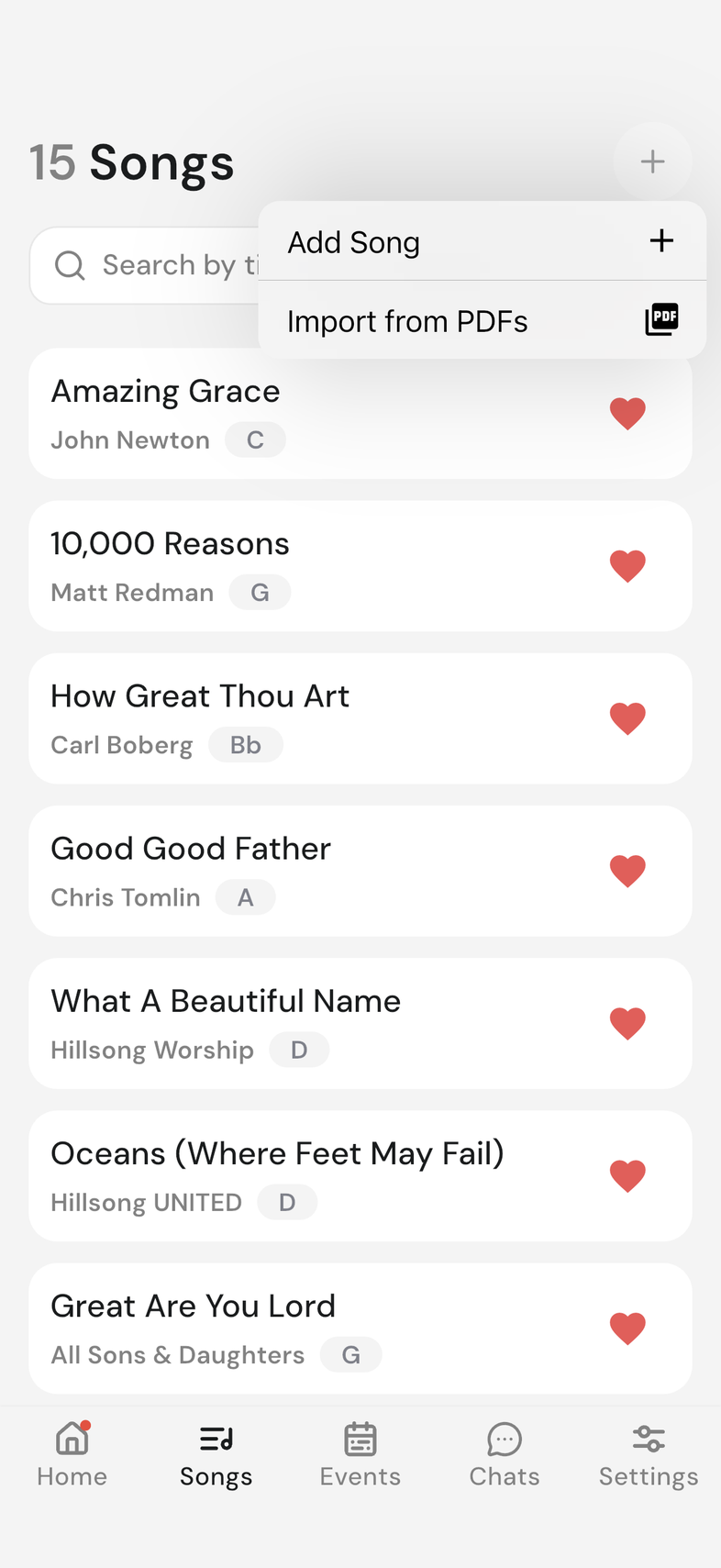
Open the Songs tab.
-
Tap + at the top of the screen.
-
Tap Add Song. The song editor opens.
-
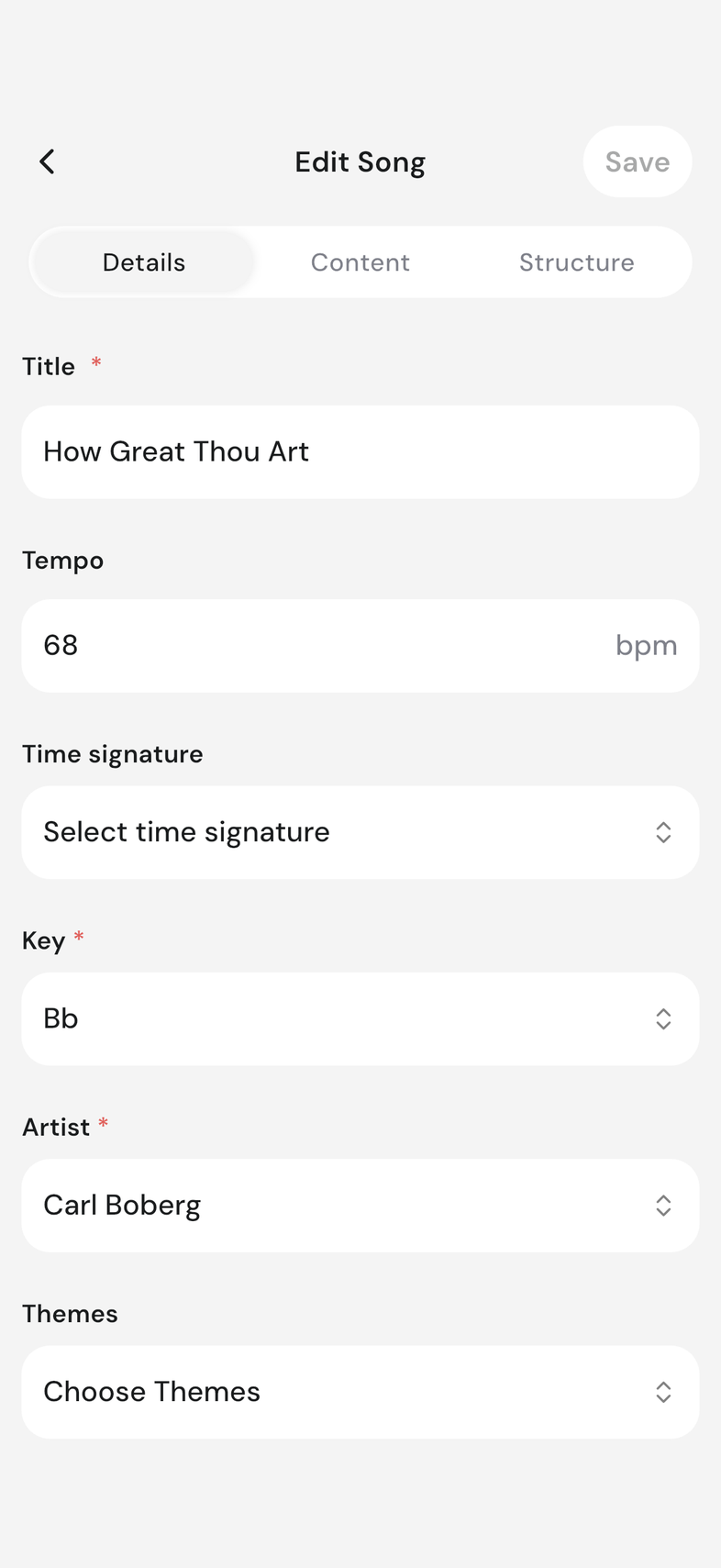
On the Details tab, fill in the song name, artist and key. Edit a song's details
-
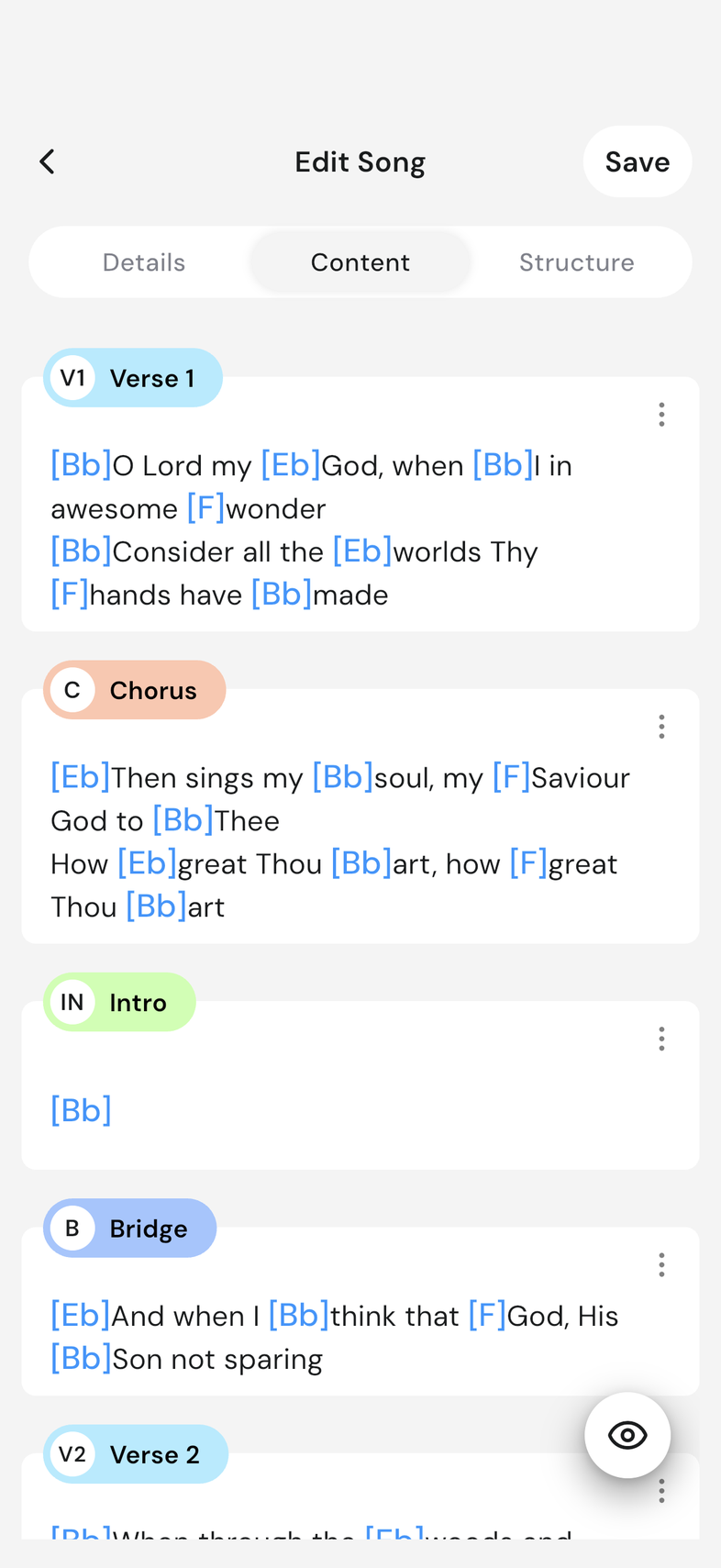
Move to the Content tab to add your sections, chords and lyrics. Write chords and lyrics
-
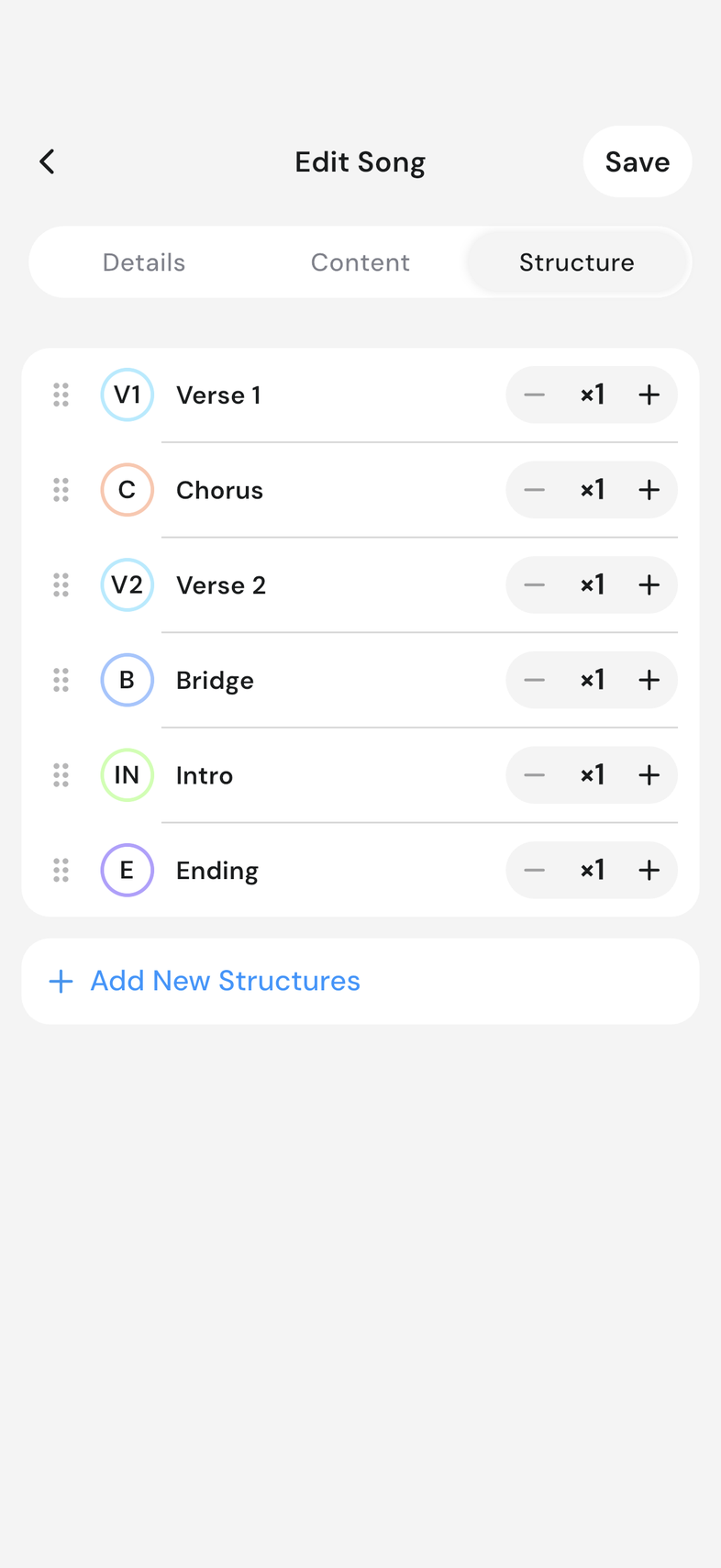
Move to the Structure tab to set the order the song is played in. Set up a song's structure
-
Tap Save.
Good to know
- A song needs a name, an artist and a key before it will save.
- If you leave the editor without adding a name, the song is discarded.
- Save stays greyed out until you change something.
- New songs are visible to your whole team straight away.