Edit an event, or delete it
An event can be changed after you create it, moving the date lets you tell the team in the same tap, and everything here lives in one place: Event Settings.
Who can do this: Owner, Admin, Editor, Scheduler. What the roles mean Online only: You need internet for this. Why buttons disappear offline
Steps
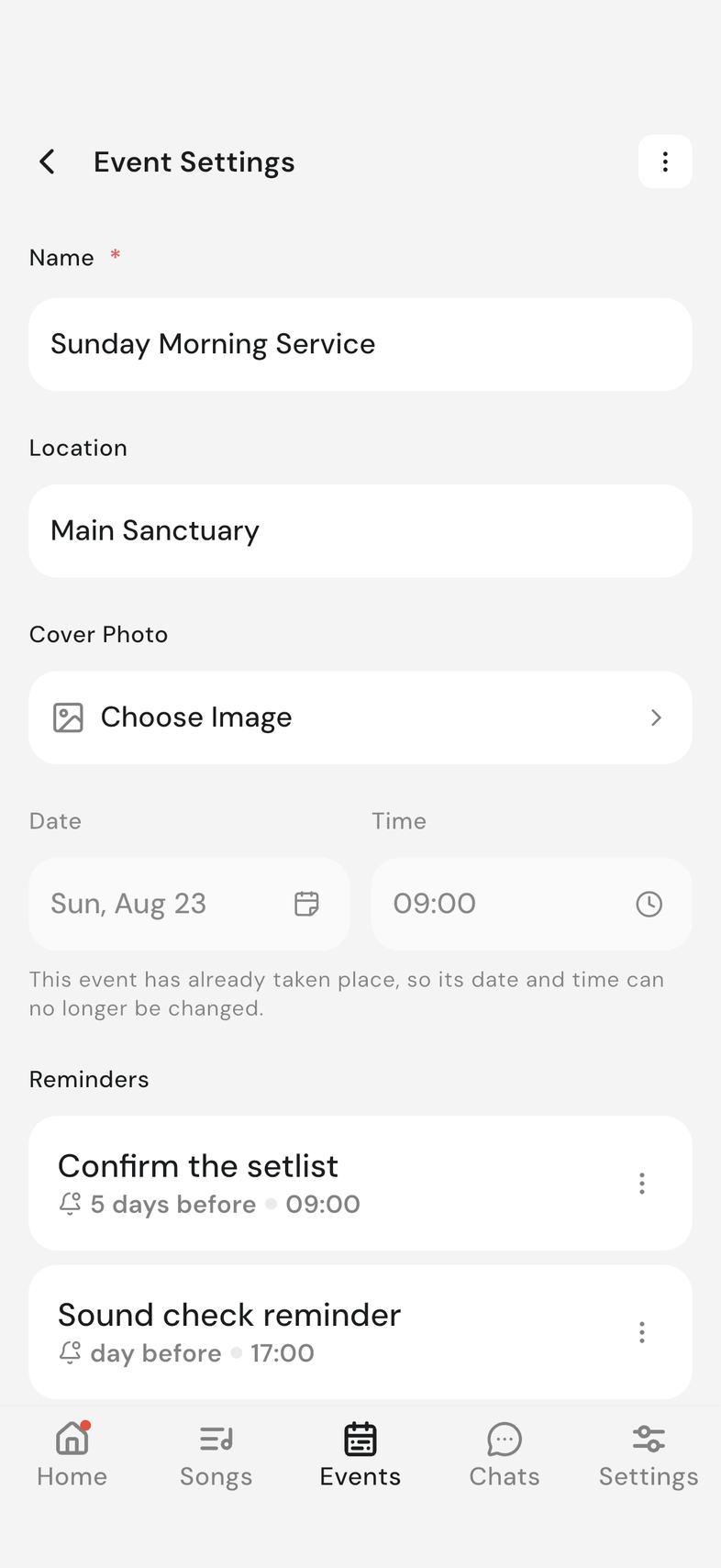
Open the event and tap the settings icon at the top right. Event Settings opens. Every action below starts here.
Edit an event's details
- Change what you need: Name, Location, the cover photo, or the date and time.
- A button appears at the bottom once something changes. Tap Update.
- If you changed the date or time, it reads Update and Notify Team instead. Tapping it saves the change and tells everyone on the event.
- If someone on the event is away on the new date, Someone has a blockout appears. Tap Continue Anyway to keep the date, or Close to pick another.
Add or change the cover photo
A cover sits at the top of the event, so your team spots the right one at a glance.
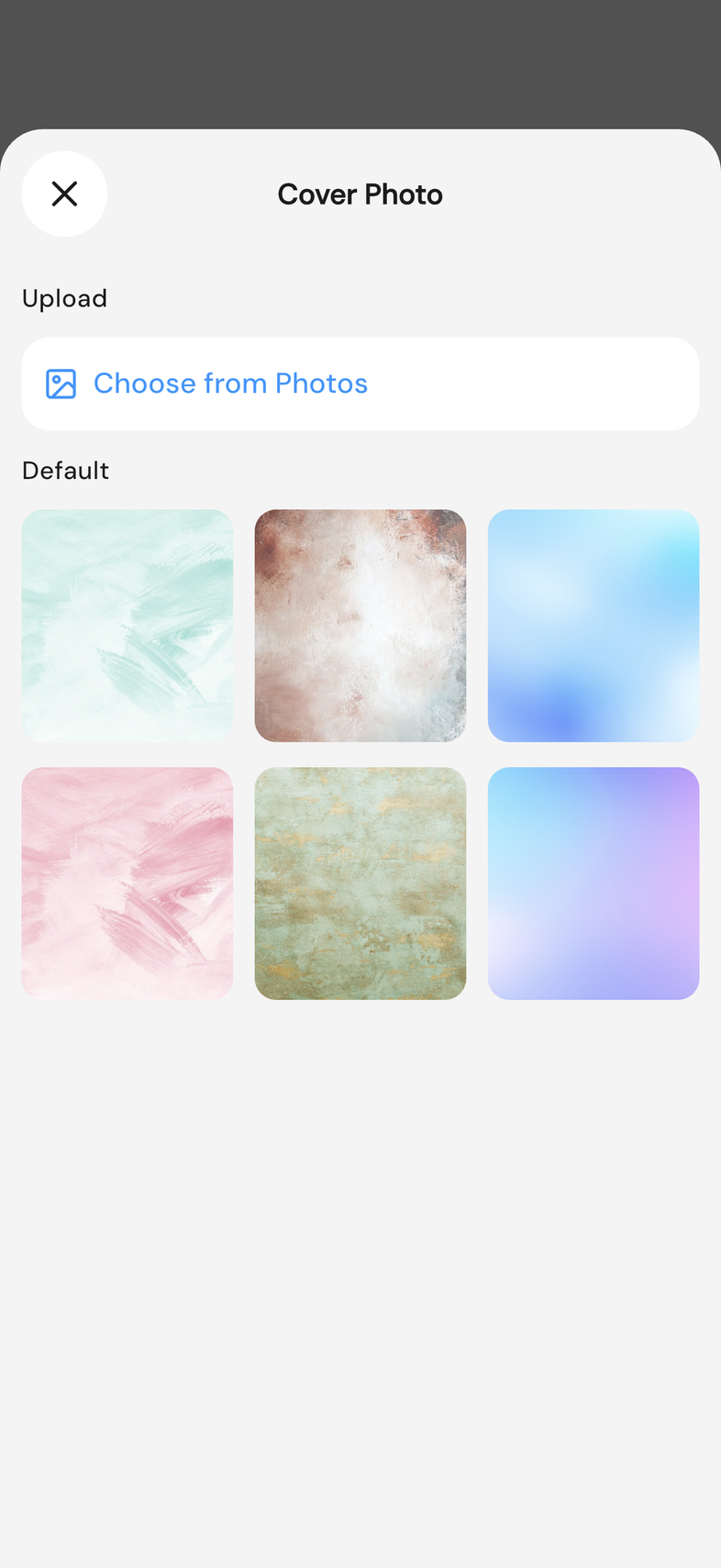
- Under Cover Photo, tap Choose Image.
- Under Default, tap one of the ready-made covers to use it.
- To use your own picture instead, tap Choose from Photos under Upload.
- Choose the picture, crop it, and confirm.
On web that row reads Upload from Files instead of Choose from Photos. Your own picture is cropped to a wide shape before it's added, so a wide shot works best. A template holds a cover of its own, set the same way. Event templates
Why the date locks after an event starts
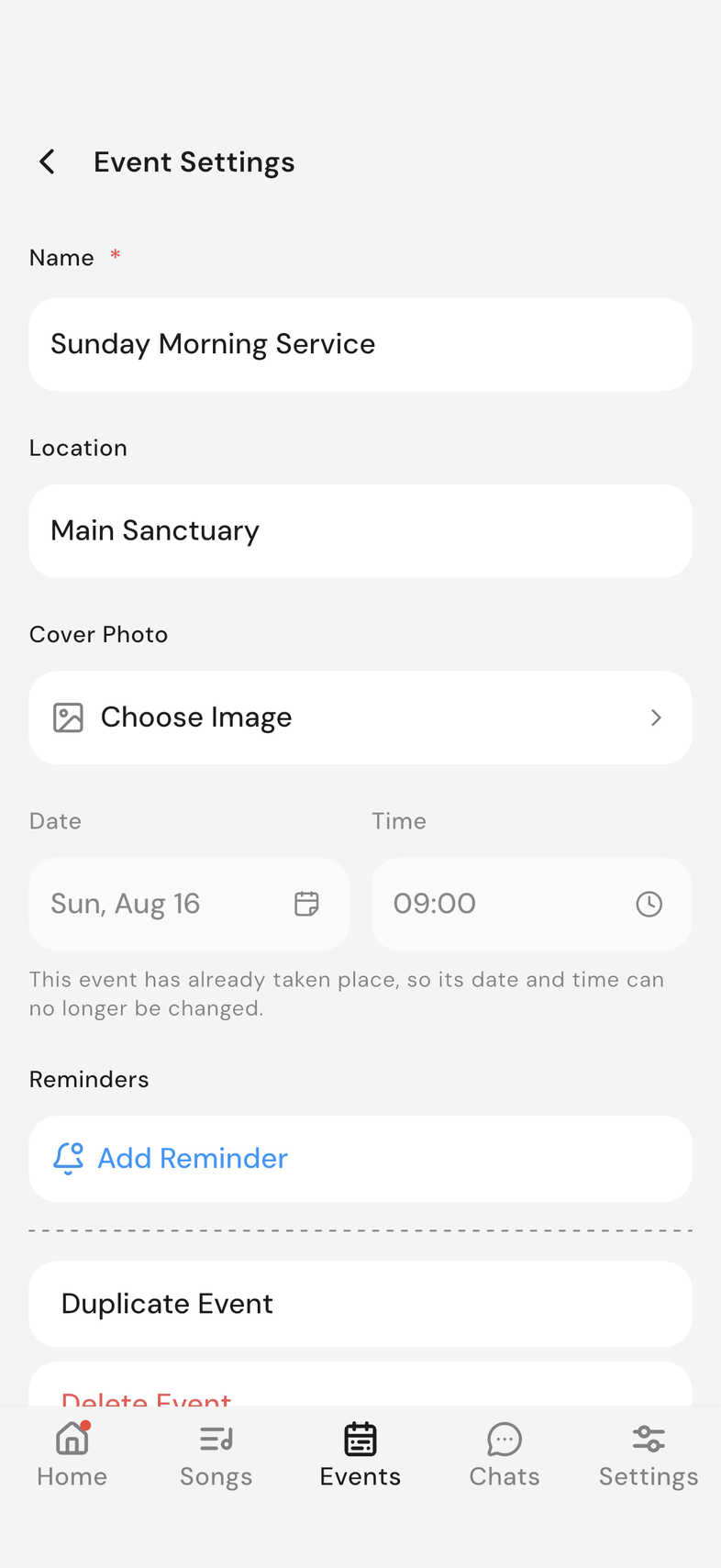
The date and time field stops accepting changes 12 hours after the event's start time. Once they pass, the field is fixed and a line under it reads "This event has already taken place, so its date and time can no longer be changed."
Everything else on a past event still edits normally: name, location, cover photo, setlist and participants. To run the same service again, tap Duplicate Event. It asks for a new name and date, and is saved as a draft, so nobody is notified until you publish it.
Delete an event
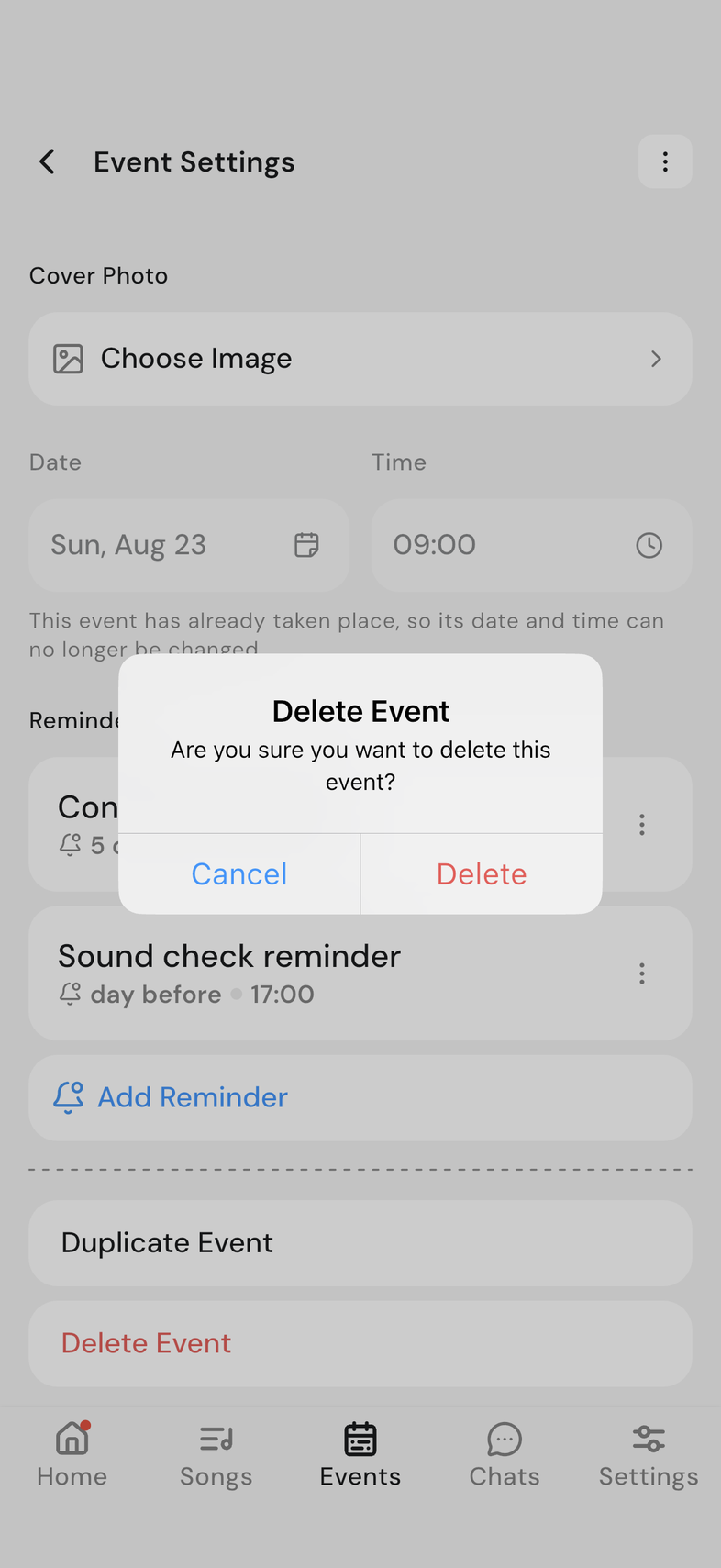
- Scroll to the bottom and tap Delete Event.
- Are you sure you want to delete this event? appears. Tap Delete.
The event goes for the whole team, not only for you, and it can't be brought back. You land on the Events tab, and the event is gone from the list. If the event is only moving, change the date instead of deleting it. If you want the same setup on another day, duplicate it before you delete it. Duplicate an event
Good to know
- Event Settings also holds Duplicate Event, reached from the same screen as everything above. Duplicate an event