Create an event from a template
Start from a template and the setlist, people, and reminders are already in place. You only add the date.
Who can do this: Owner, Admin, Editor, Scheduler. What the roles mean Online only: You need internet for this. Why buttons disappear offline
Steps
-
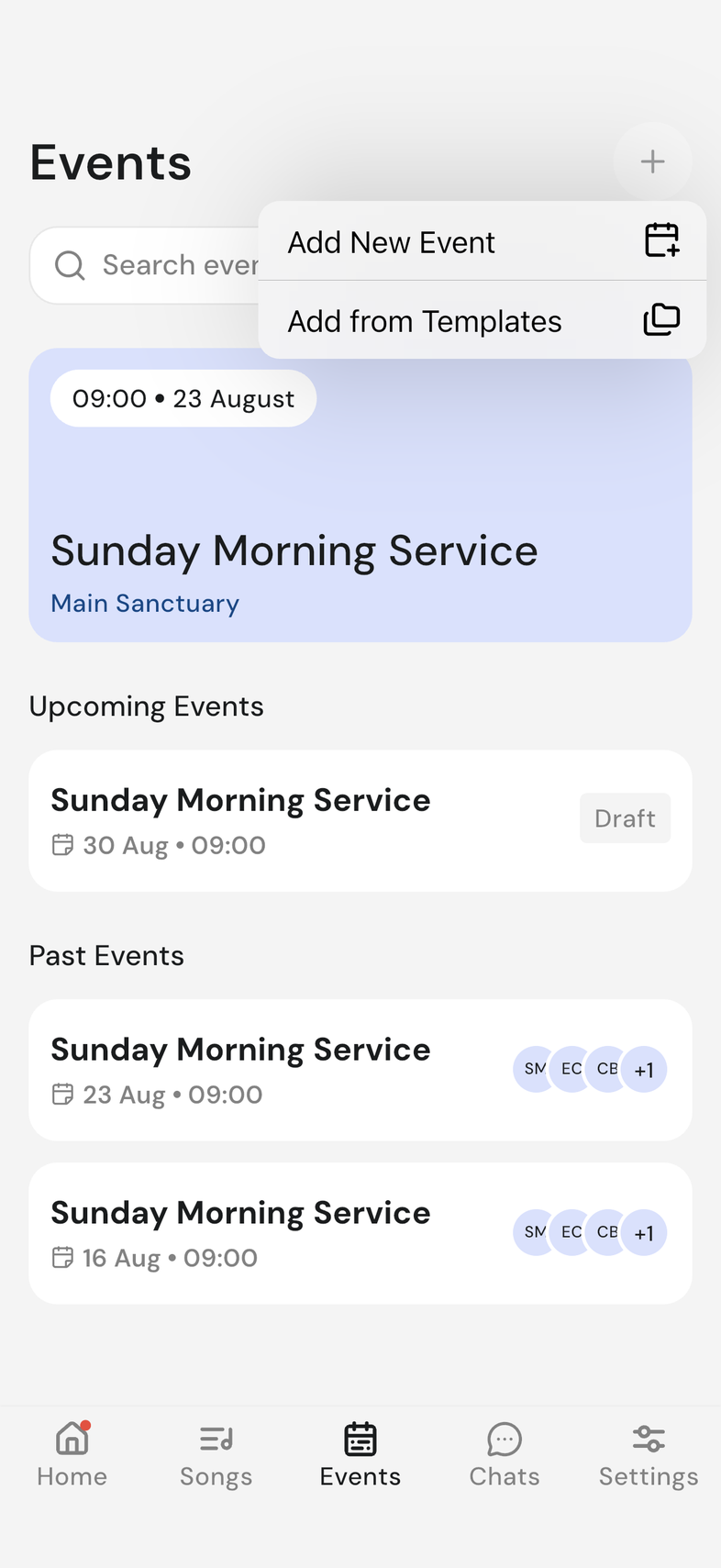
Open the Events tab and tap the plus icon at the top right.
-
Tap Add from Templates.
-
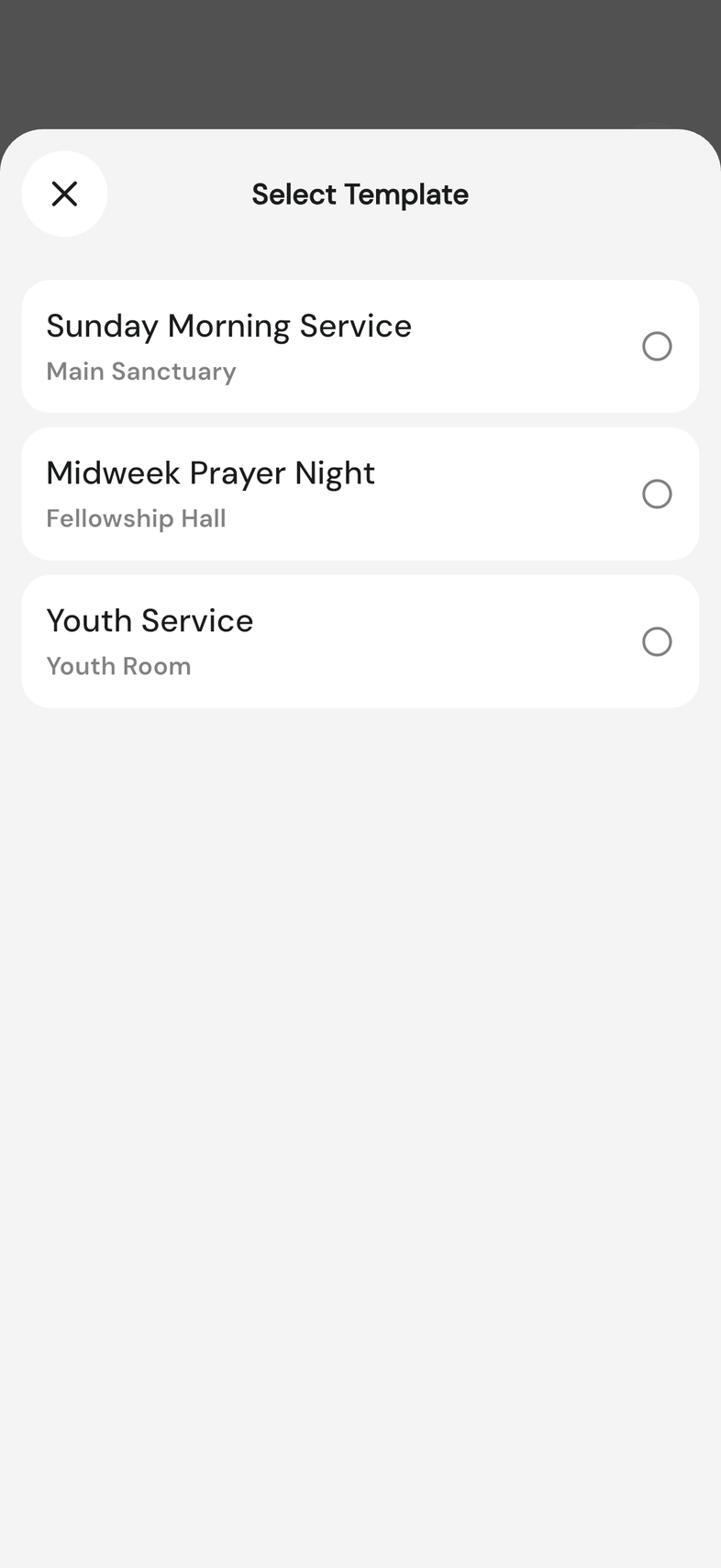
On Select Template, tap the template you want.
-
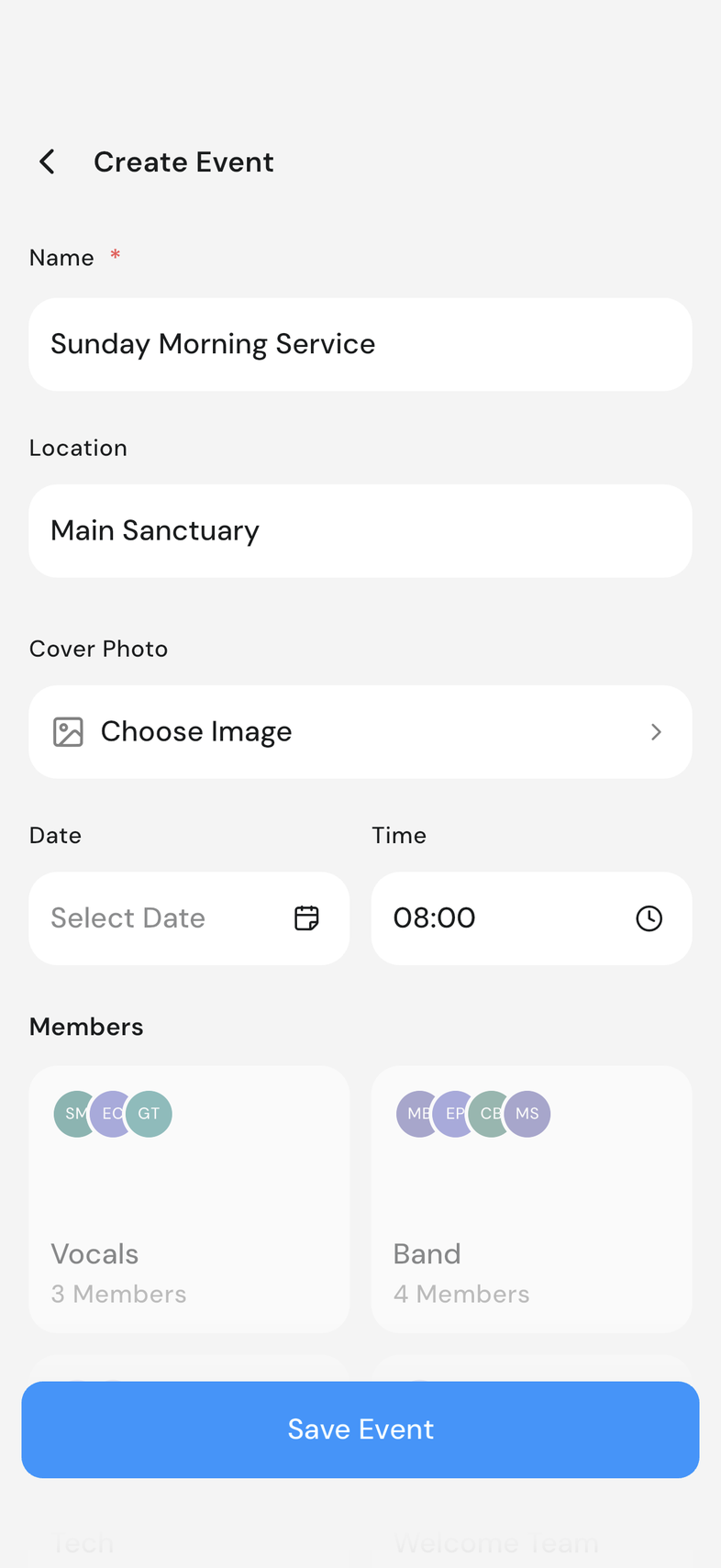
The event form opens filled in. Change Name or Location if needed.
-
Choose the date and time. It has to be in the future.
-
Check the people under Members and add anyone missing.
-
Tap Save Event.
Good to know
- The Members section stays greyed out until you choose a date and time.
- Each group card under Members shows how many people are in it. Tap one to see its positions.
- Rehearsals aren't part of a template. Add them on the event.
- Saving creates a draft. Publish an event so your team can see it