Invite someone to a position
Put people into a position on an event (Drums, Lead Vocal, Sound) so they get an invitation and can answer it.
Who can do this: Owner, Admin, Editor, Scheduler. What the roles mean Online only: You need internet for this. Why buttons disappear offline
Steps
-
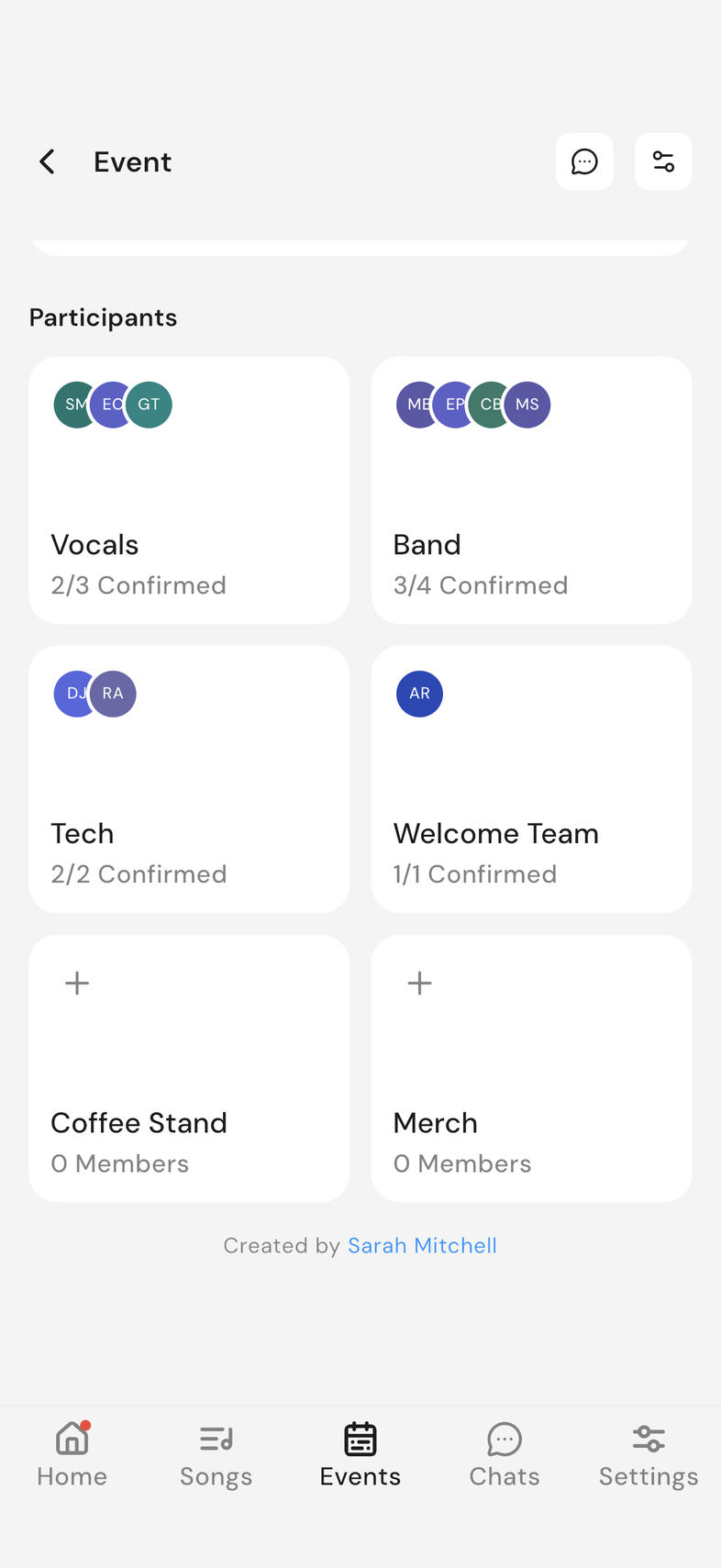
Open the event and scroll to Participants.
-
Tap the group card that holds the position you're filling.
-
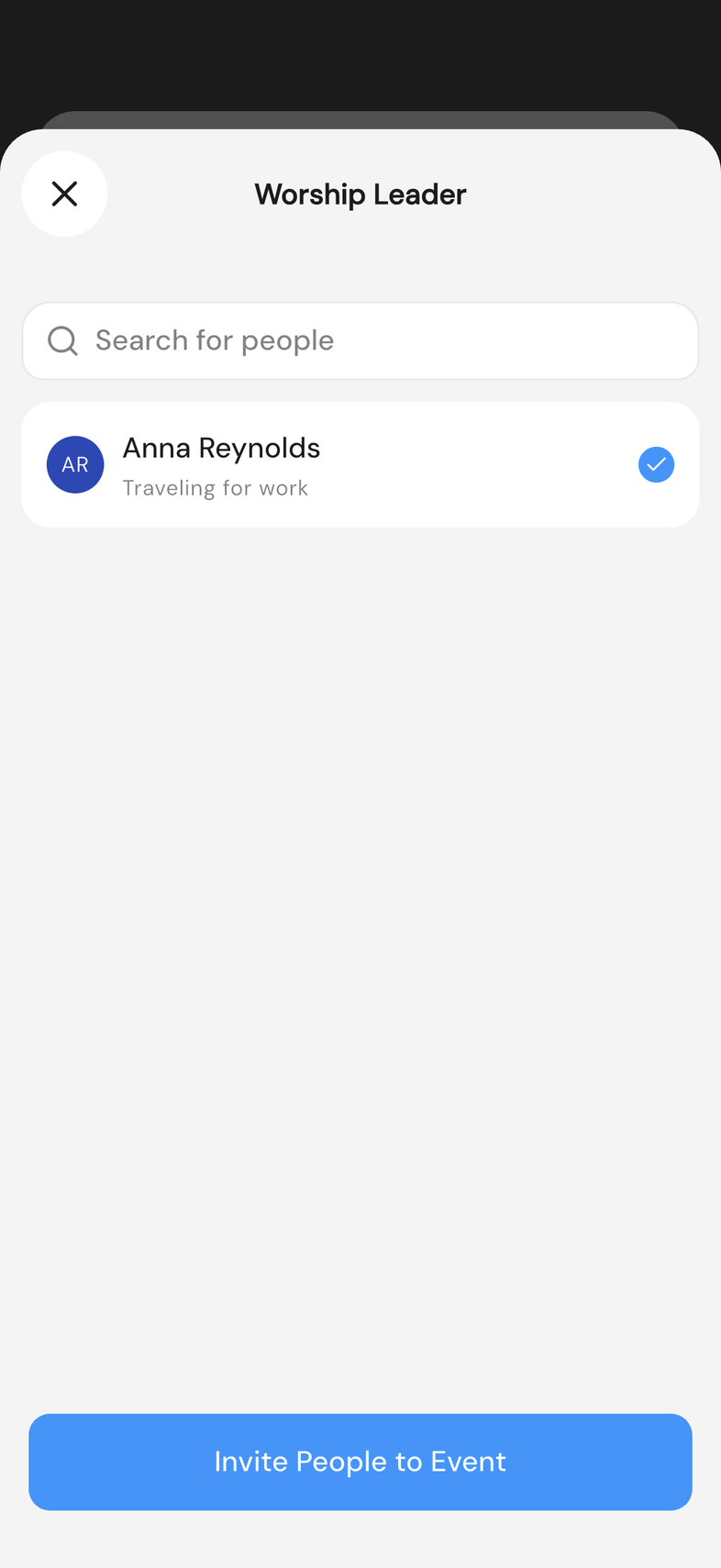
Find the position and tap Add beside its name.
-
Tap each person you want. Use the search bar if the list is long.
-
Tap Invite People to Event.
-
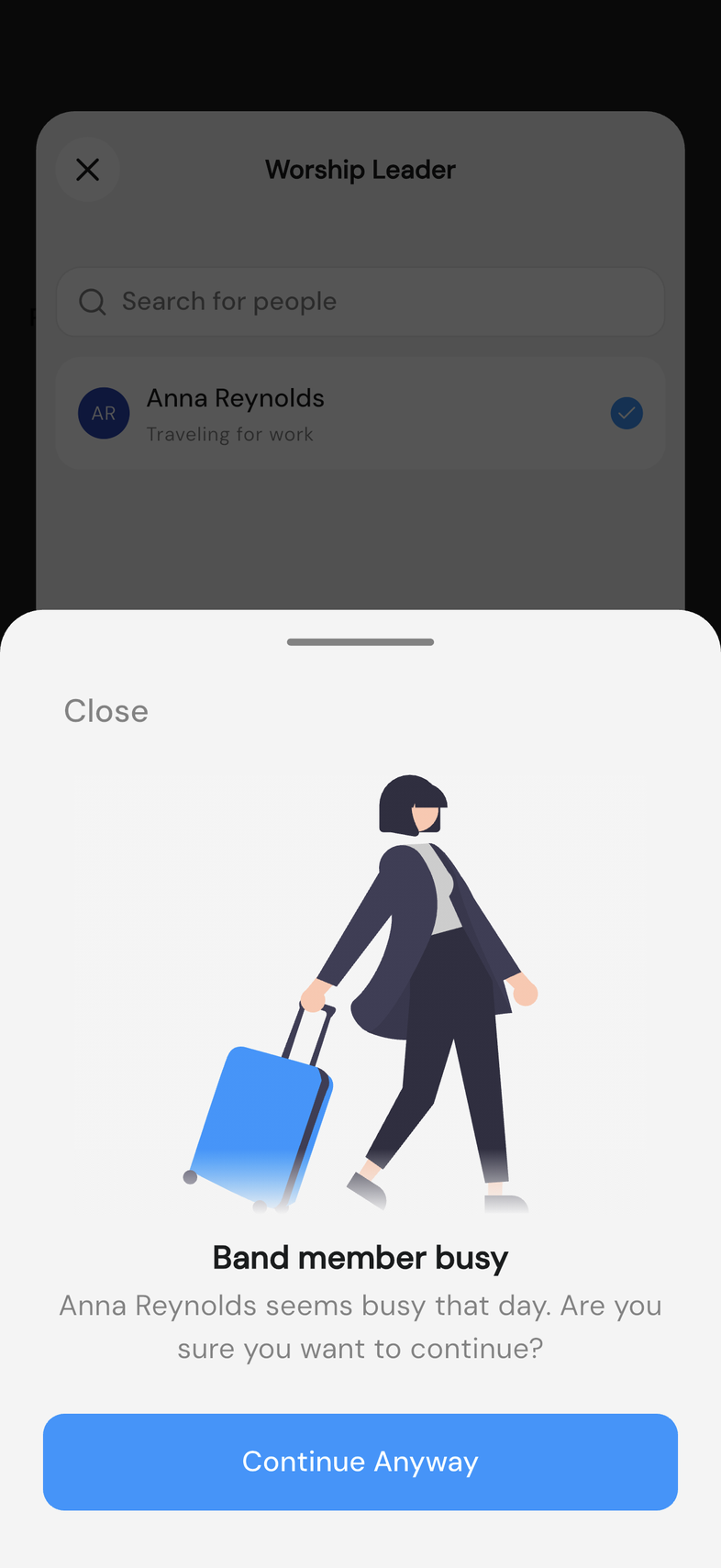
If anyone you picked is away that day, Band member busy appears and names them. Tap Continue Anyway to invite them anyway, or Close to change your selection.
Good to know
- Anyone with a blockout shows their reason under their name in the list, so you can see it before you pick them.
- Nobody hears about the event until it's published. Publish an event so your team can see it