Answer an event invitation
When someone schedules you for an event, the invitation waits for your answer on Home.
Steps
Accept or decline
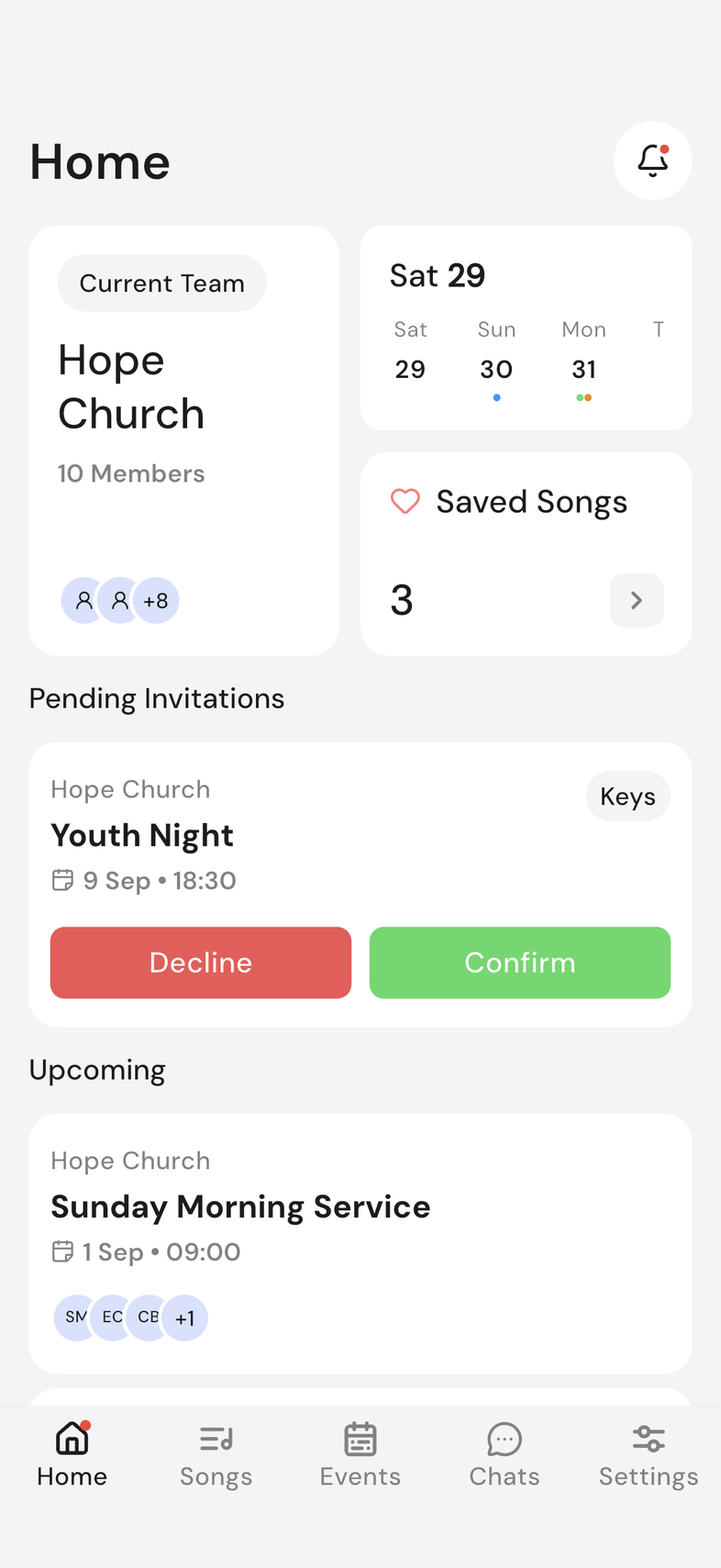
- Open OnStage. Home is the first screen.
- Scroll to Pending Invitations.
- Read the card. It shows the event name, your team, the date, the time, and the position you're invited to.
- Tap Confirm if you can be there, or Decline if you can't.
Once you answer, the card leaves Pending Invitations.
When you're invited to more than one position
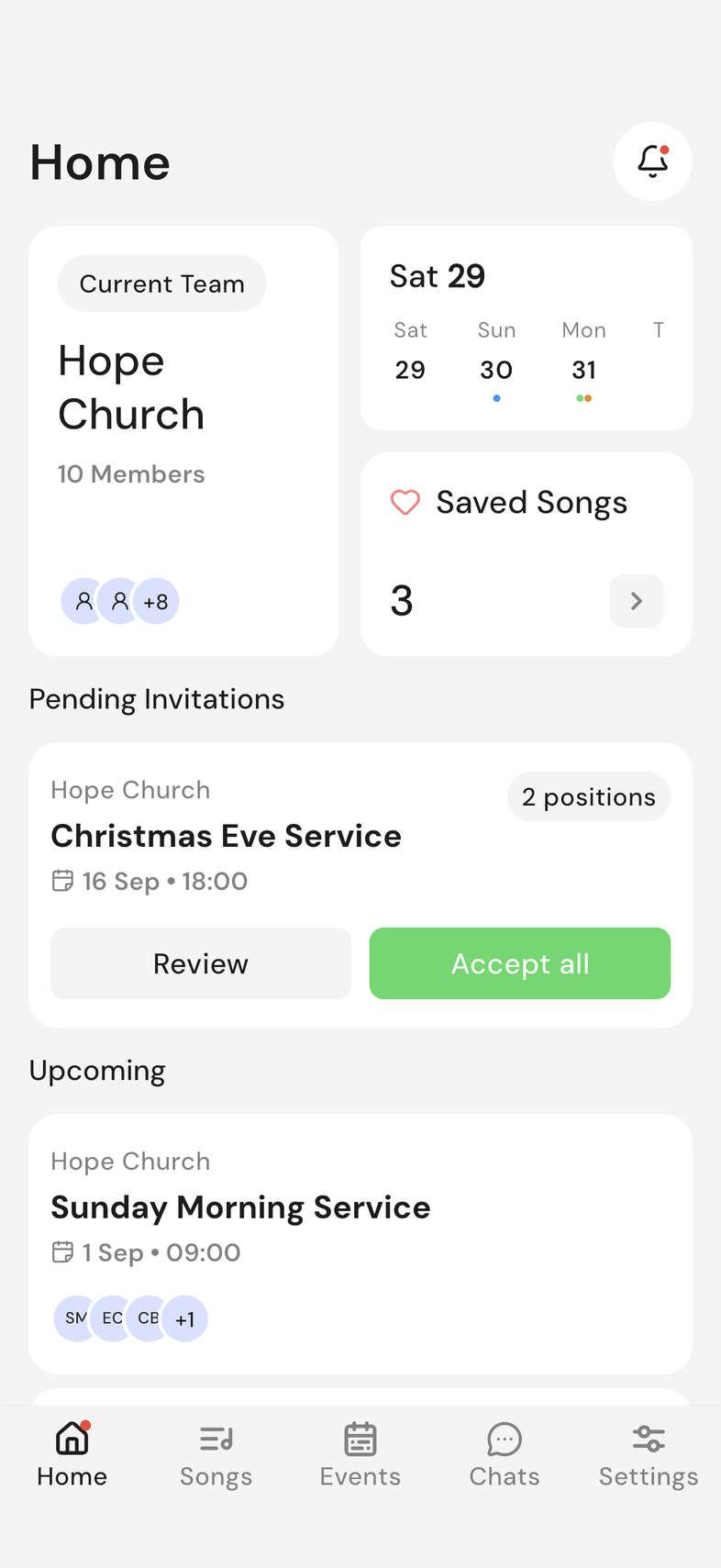
Sometimes you're needed in two places at one event: Keys and Backing Vocal, say. The card lists every position and gives you two ways to answer.
- Find the event under Pending Invitations.
- To say yes to everything, tap Accept all.
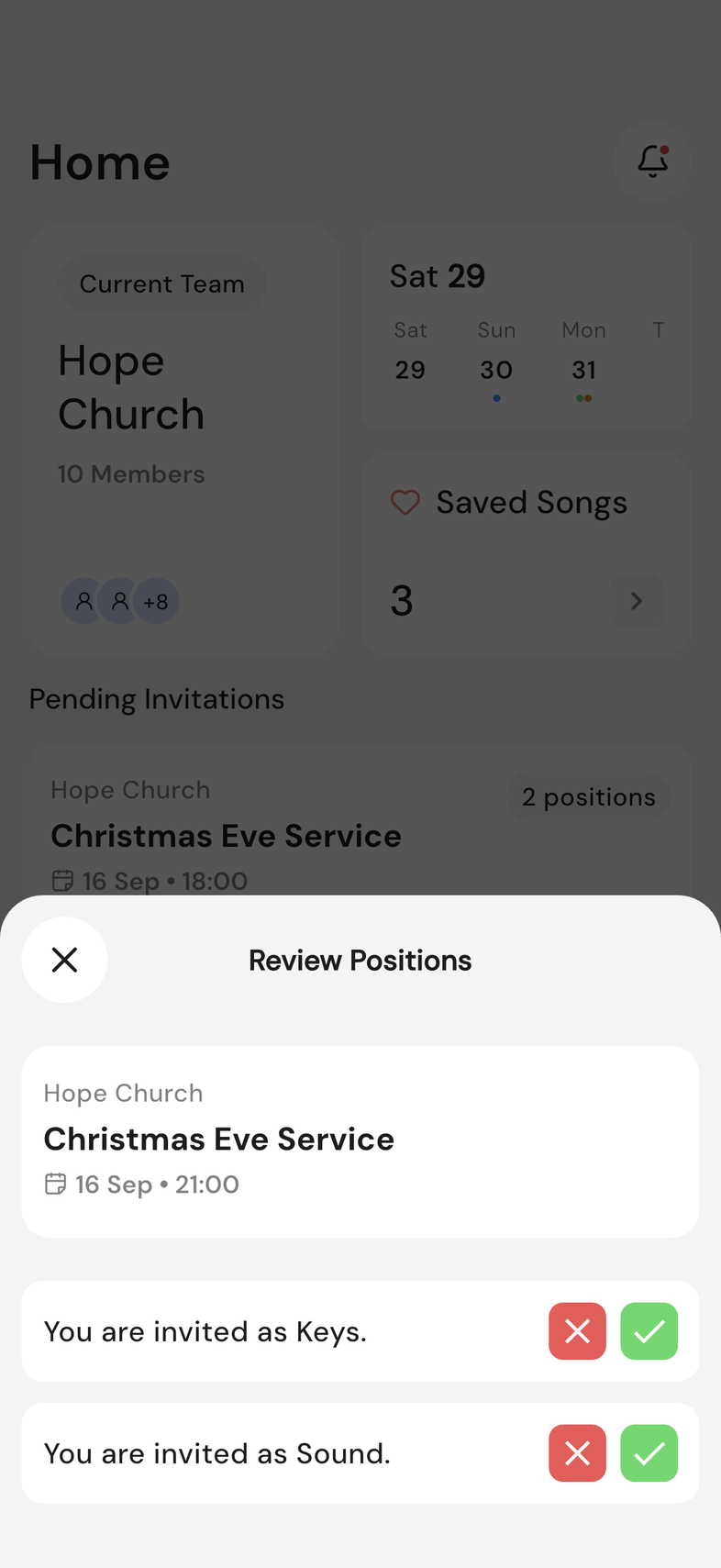
- To answer position by position, tap Review instead. Review Positions opens with one row per position.
- Tap the tick to take a position, or the cross to turn it down.
- Keep going until every row is answered. The sheet closes on its own once nothing is left.
An answered row shows Confirm or Decline in place of the buttons, so you can check what you chose.
Change your answer after accepting
You can withdraw from a position after saying yes, and whoever is scheduling will see it.
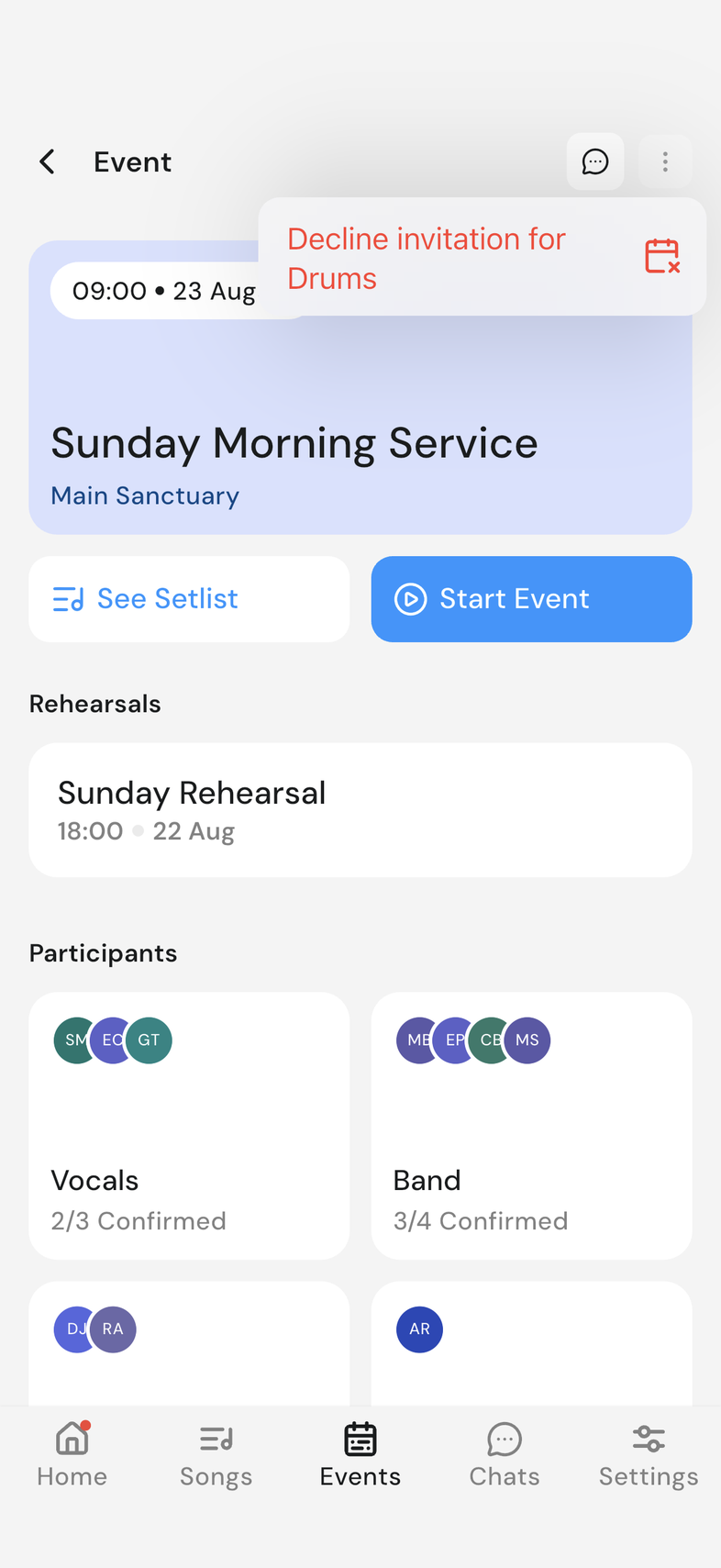
- Open the event from Home or the Events tab.
- Tap the menu icon at the top right.
- Choose the decline option for the position you can no longer cover. It takes effect right away, with no extra confirmation step.
If you can edit the event, the option sits in Event Settings instead of the menu.
Good to know
- Declining doesn't take you off the event: the person planning it sees your answer next to your name. An event reaches you once it's published, so one you've heard about may not be here yet.
- Turning down some positions and taking others is fine. You stay in the event for the ones you took. Turning down all of them takes you out of the event.
- If you accepted more than one position, you can decline one and stay on the others. Declining your last position on an event takes you back to the events list.
- Do it as early as you can, and add a blockout so you aren't asked again for those dates.