Cancel or resume your plan on the web
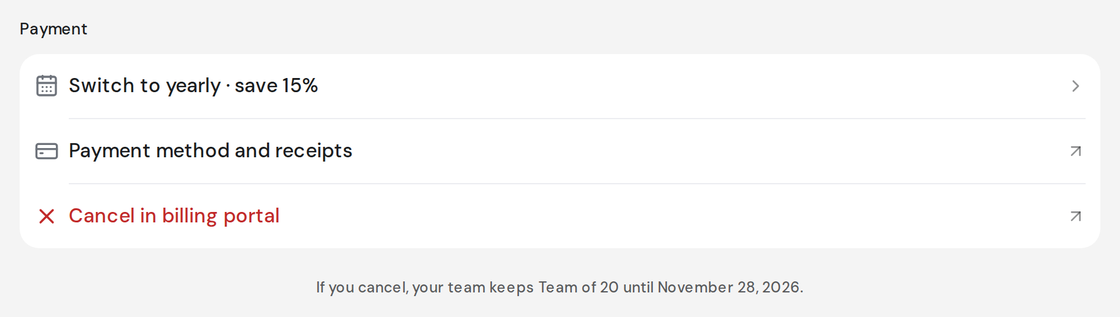
A plan bought on the web is cancelled in your billing portal. It keeps running until the end of the period you already paid for.
Who can do this: Owner. What the roles mean Paid plan: This needs a paid plan. What's included
Steps
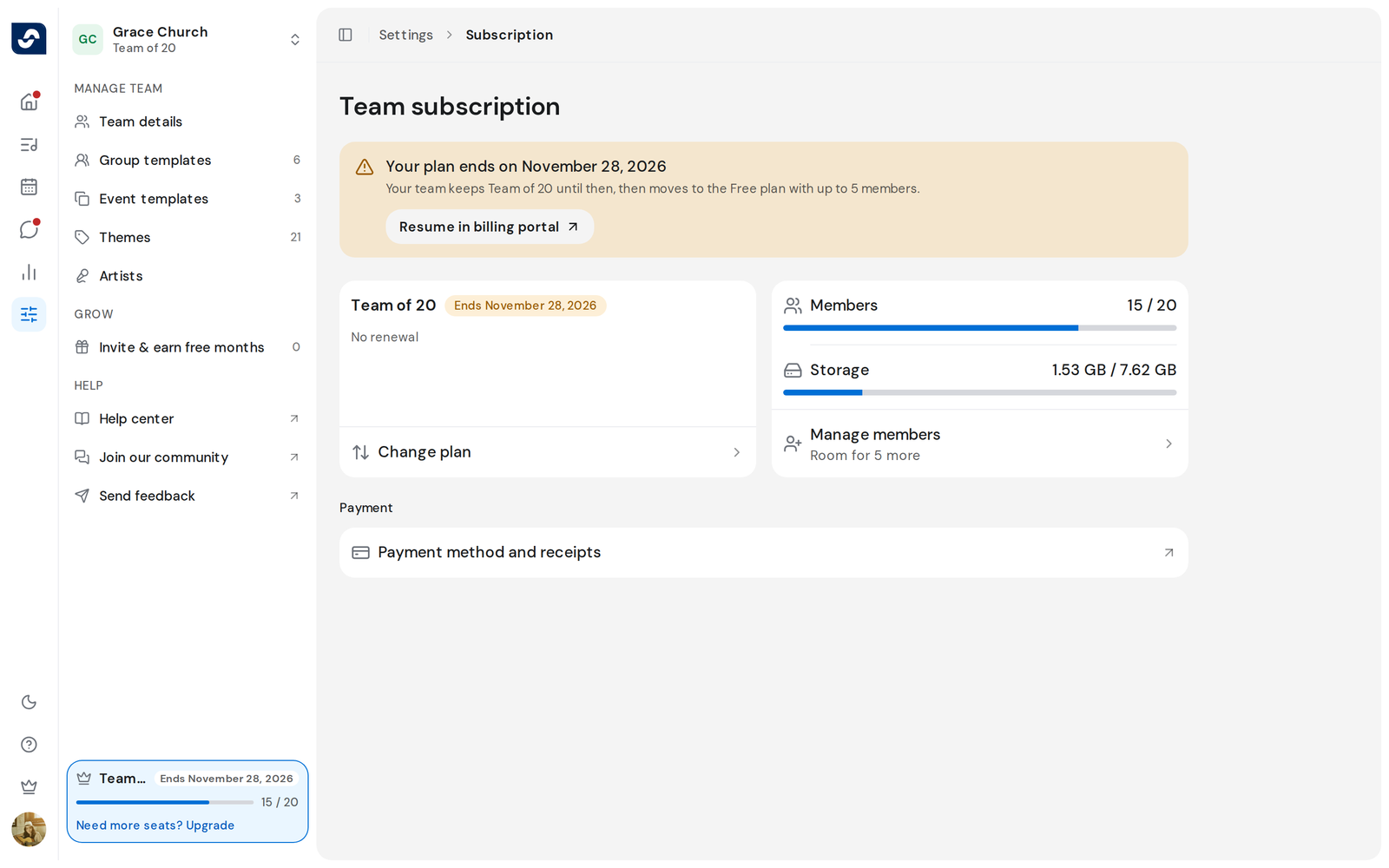
- Click Settings in the rail, then your plan card. Team subscription opens.
- Click Cancel in billing portal. The portal opens in a new tab.
- Cancel the OnStage subscription in the portal.
- Go back to the OnStage tab. The page updates and shows Your plan ends on and the date.
Change your mind
- Click Resume in billing portal on the same page and resume the plan there.
Good to know
- Until that date the team keeps the same members, storage and features, and the plan card shows Ends with the date. Then it moves to the Free plan.
- During a free trial, the page says the date to cancel by to avoid the first payment.
- A plan bought in the App Store or Google Play is cancelled there, not on the web.
- Your songs, events and chats stay when the plan ends.