Cancel your subscription
Cancelling starts in OnStage and finishes in the store that takes your payment. Nothing is cancelled until you finish there, and your plan keeps running to the end of the period you already paid for.
Who can do this: Owner. What the roles mean Paid plan: This needs a paid plan. What's included Where: iPhone, iPad and Android only. OnStage on phone, tablet and web Online only: You need internet for this. Why buttons disappear offline
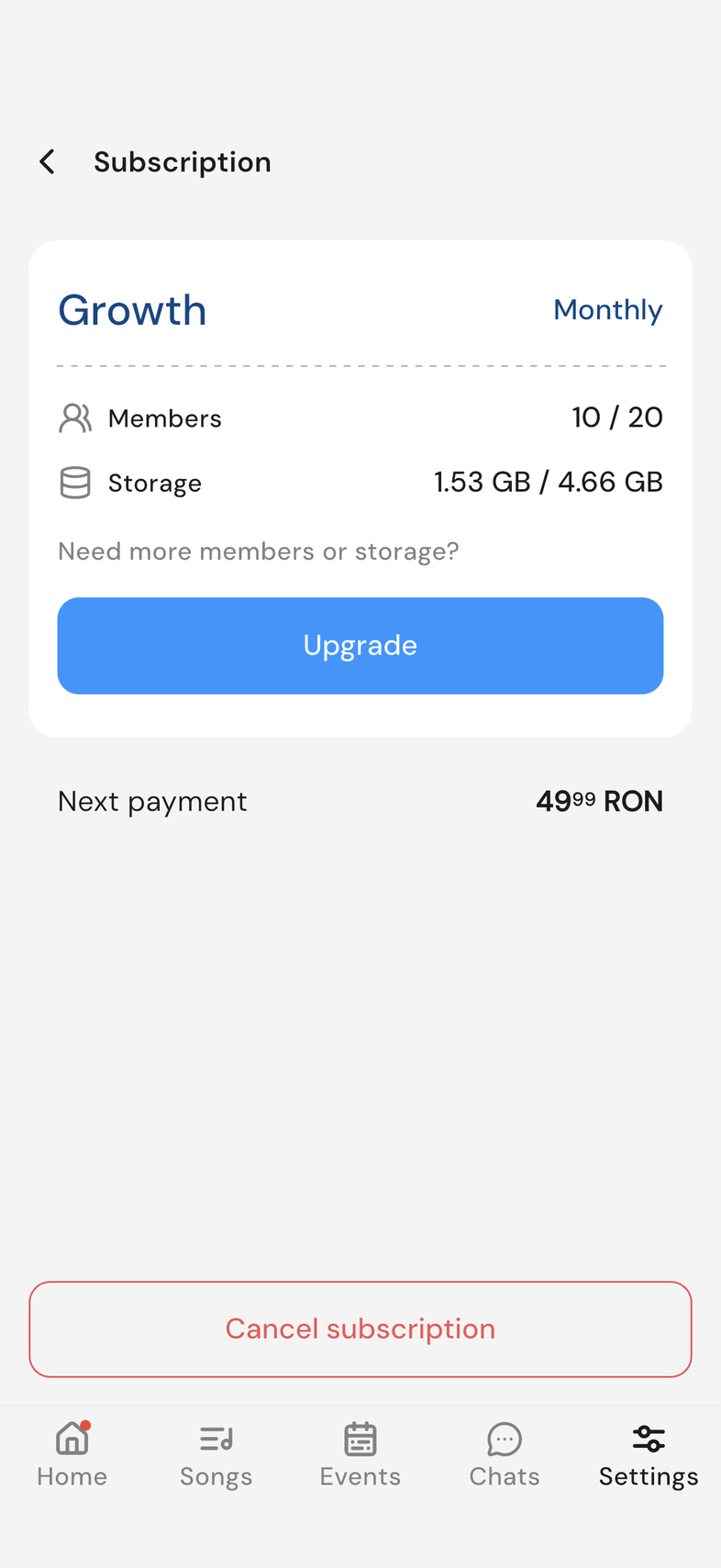
Steps
- Open Settings, then tap Subscription under your team's card.
- Tap Cancel subscription at the bottom of the screen.
- On Why are you leaving?, pick a reason and tap Submit answer.
- If an offer appears, tap Continue with cancelation to keep going.
- Your store's subscription page opens. Cancel the OnStage subscription there.
Offers you may see
Between the reason screen and your store, OnStage may offer you something to stay. Nothing has been cancelled at that point.
After you pick a reason and tap Submit answer, one or two offer screens can appear:
- How about a special offer? gives you 50% off for the next two months. Tap Unlock 50% off to take it.
- How about a free month on us? means your next payment costs nothing. Tap I'll take the free month.
Taking either one keeps your subscription running and ends the cancellation there. To carry on, tap Continue with cancelation at the bottom of the screen. Your store's subscription page opens and you finish there.
What happens after you cancel
Cancelling stops the next payment. It doesn't switch anything off today.
Your plan keeps running to the end of the period you already paid for. Everyone on the team carries on as normal until then, with the same member places and the same storage.
On the Subscription screen, Next charge on is replaced by Expires on and the date, so you can see exactly when it ends.
On that date the team goes back to Starter, the free plan, and the paid features lock again.
Good to know
- Your plan stays on until the end of the period you already paid for.
- Cancelling has to be finished in your store. If you stopped halfway, the plan is still active.
- I don't want to cancel on the reason screen backs out with nothing changed.
- You may see one offer, both, or neither.
- An offer you accept is applied through your store, the same way the plan was bought.
- If it can't be applied, Something went wrong. Please try again. appears and your plan carries on unchanged.
- Only the Owner sees any of this. The Subscription row isn't in anyone else's Settings.
Frequently asked questions
Do I lose access straight away?
No. The team keeps the same member places and the same storage until the period you have already paid for runs out.
Will I lose my songs?
No. Songs, events and files stay. What locks on that date is the paid features: This feature needs a paid plan.
Can I subscribe again?
Yes, from Subscription at any time. The plan applies the moment the store confirms it.