Restore a purchase
New phone, or a fresh install, and OnStage acts as though you never paid? Restore Purchase asks the store again and puts the plan back.
Who can do this: Owner. What the roles mean Paid plan: This needs a paid plan. What's included Where: iPhone, iPad and Android only. OnStage on phone, tablet and web Online only: You need internet for this. Why buttons disappear offline
Steps
- Open Settings, then tap Subscription under your team's card.
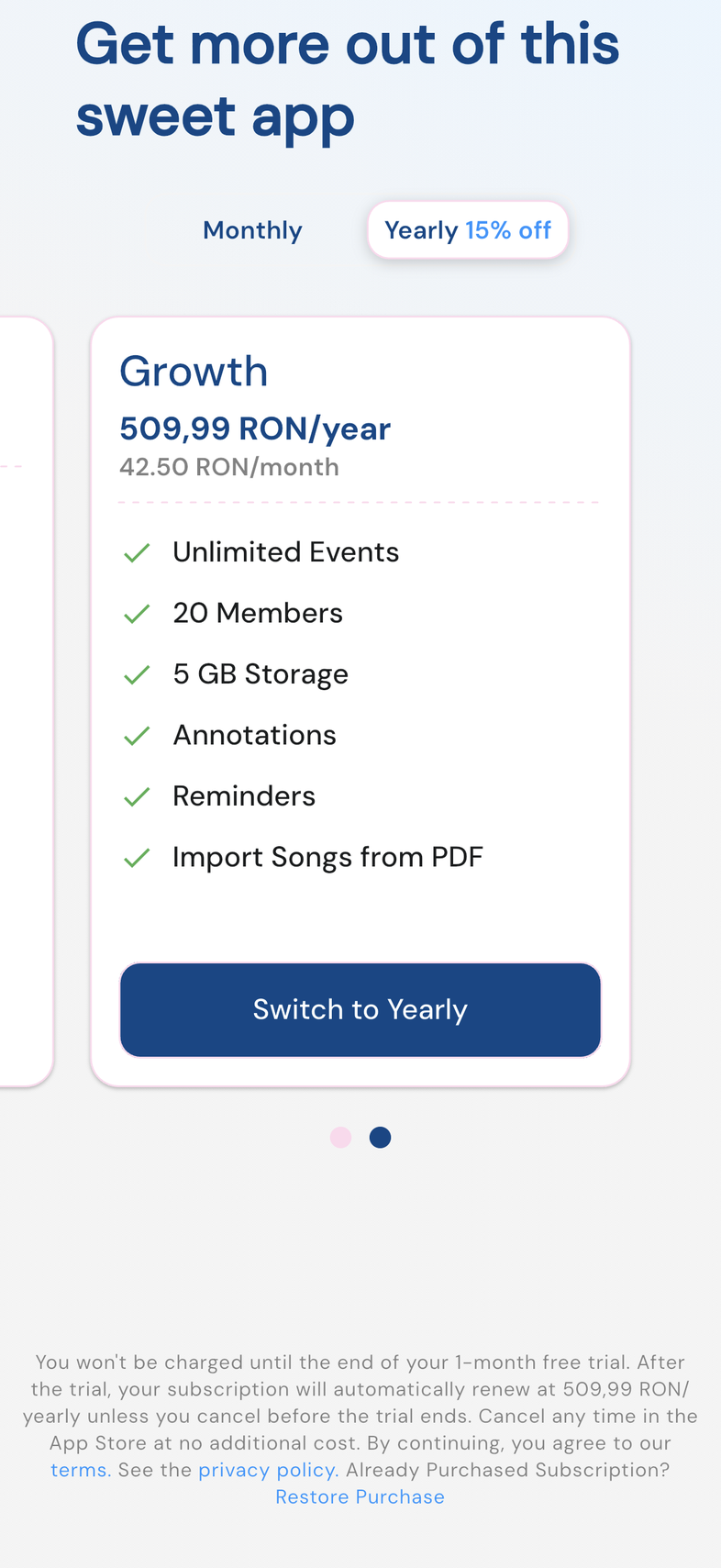
- Scroll to the small print below the plan cards.
- Next to Already Purchased Subscription?, tap Restore Purchase.
- Wait a moment, then check the screen shows your plan again.
Good to know
- Restoring never charges you. It only asks the store what you already own.
- Use the same store account that paid. A different Apple Account or Google account has no purchase to give back.
- Still nothing after restoring? Check you're signed in to the team that holds the plan: you can belong to several.