Privacy policy and terms of use
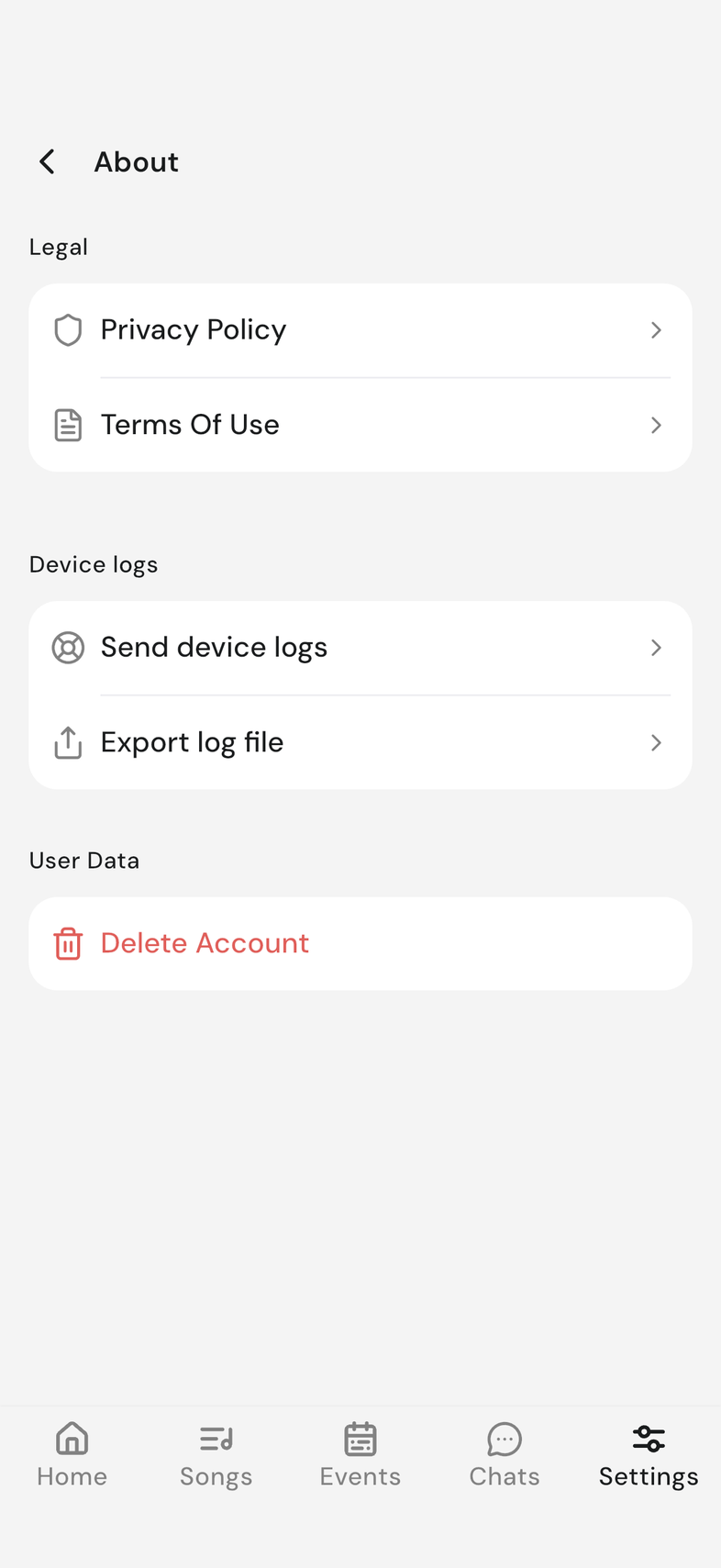
Both sit on the About screen, under Legal.
Steps
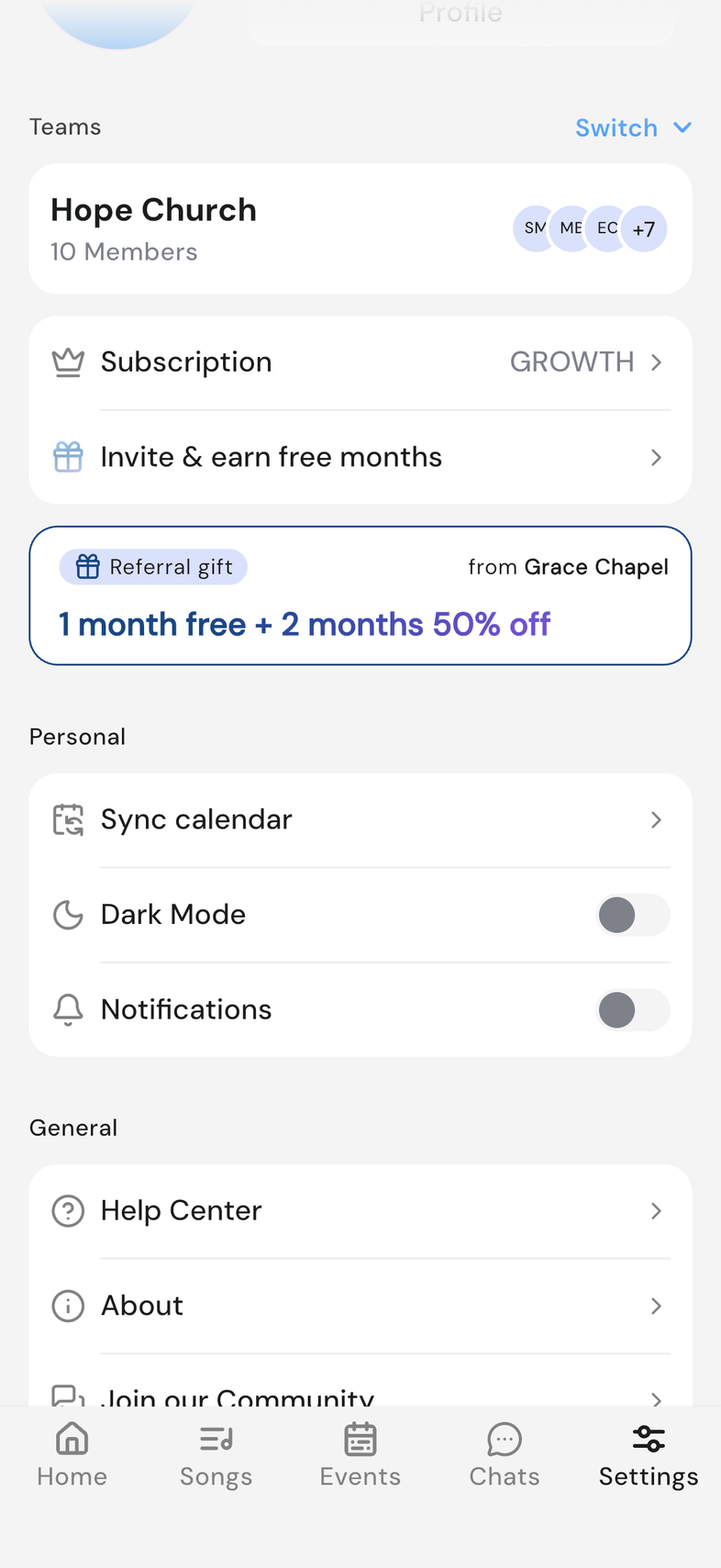
- Open Settings and scroll to General.
- Tap About.
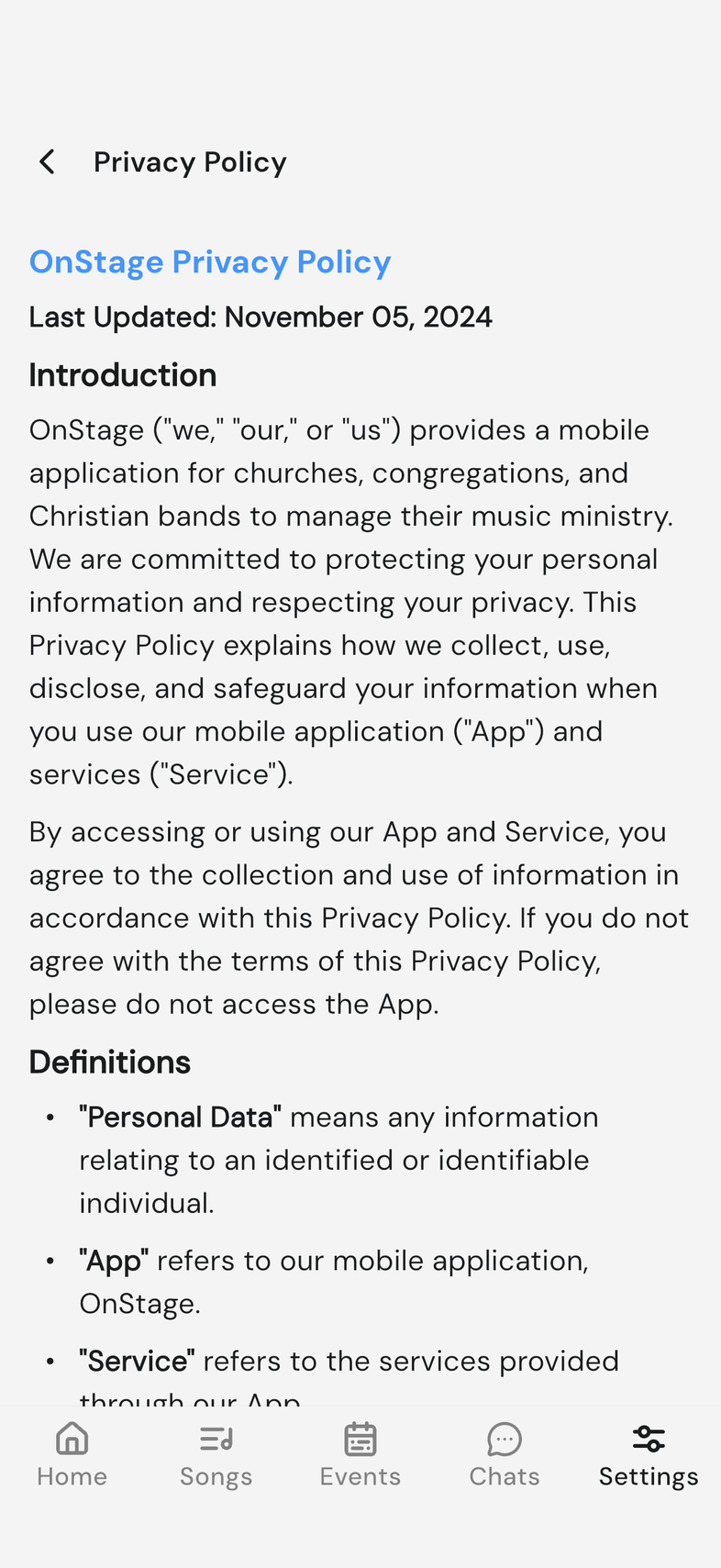
- Under Legal, tap Privacy Policy or Terms Of Use.
Good to know
- Both open inside OnStage. Use the back arrow to return to About.
- About also holds Device logs and, at the bottom, Delete Account.
- Anything the documents don't answer can go to support. Contact support