Send a message, mention someone, or reply
Everyone on your team can write in the team chat and in the chats of the events they're on.
Steps
Send a message
- Open a chat from Chats in the rail.
- Type in the Message box at the bottom.
- Press Enter, or click Send. Press Shift Enter for a new line instead.
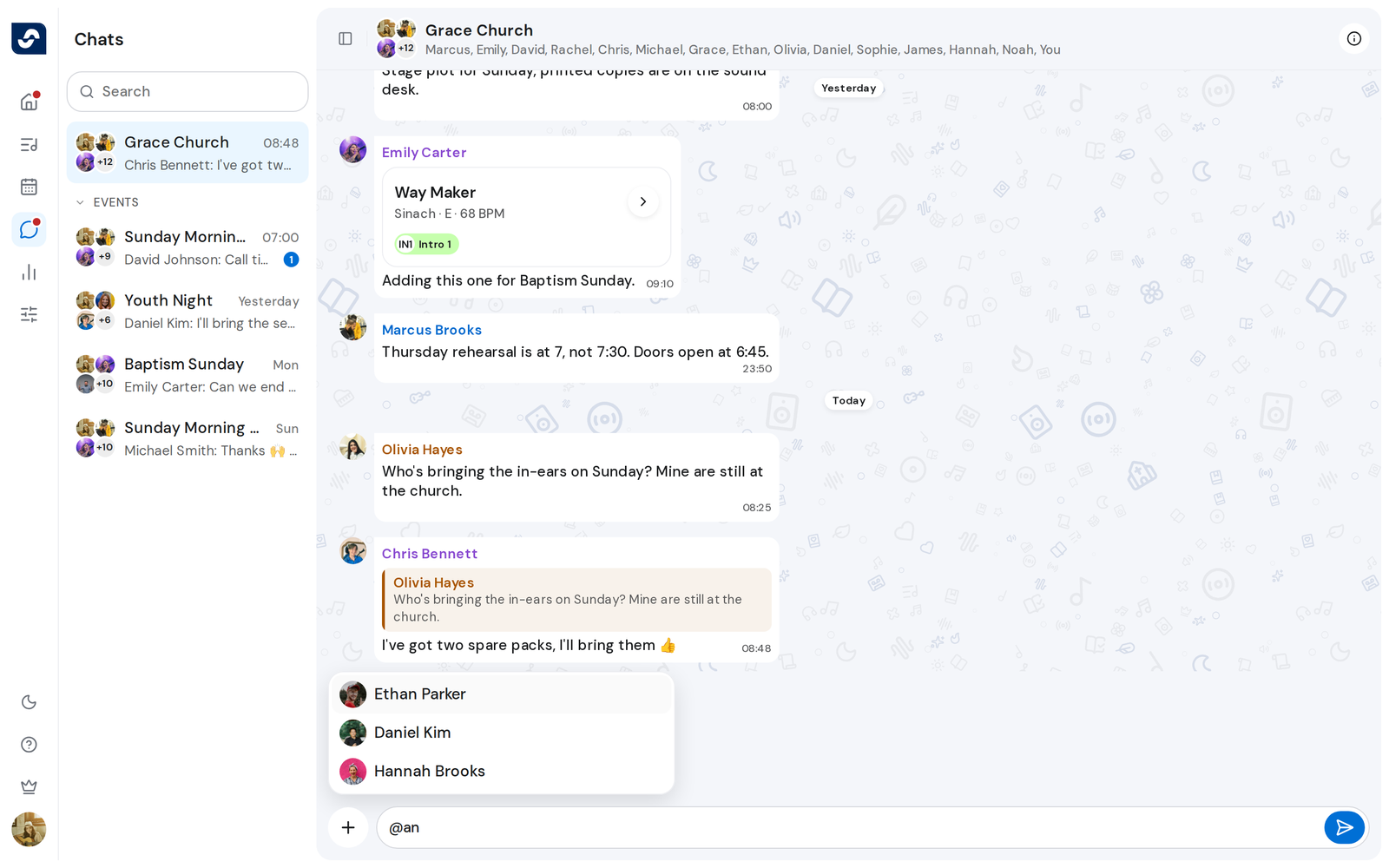
Mention someone
- Type @ and the start of a name. A list of the people in that chat opens.
- Click a name, or pick it with the arrow keys and press Enter.
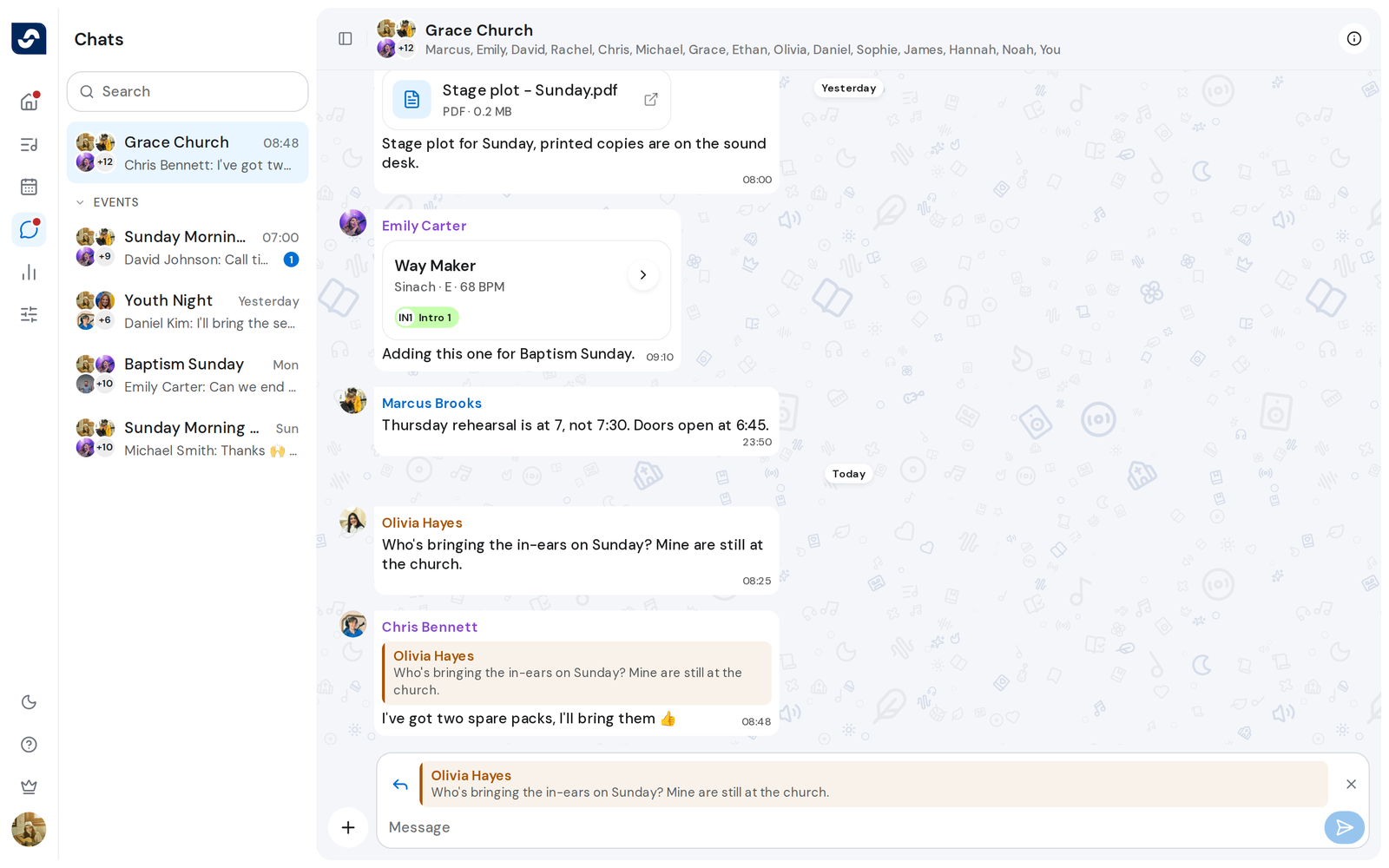
Reply to a message
- Point at the message and click Reply beside it. Reply to and the person's name appear above the Message box.
- Type your reply and send it. Press Esc to drop the reply instead.
Good to know
- Web addresses in a message become links you can click.
- Click the quote in a reply to jump to the original message.
- If a message can't be sent, it stays in the chat marked Message not sent. Click it for Retry.