What each role can do
This is the same table you can open in OnStage, under a member's role badge.
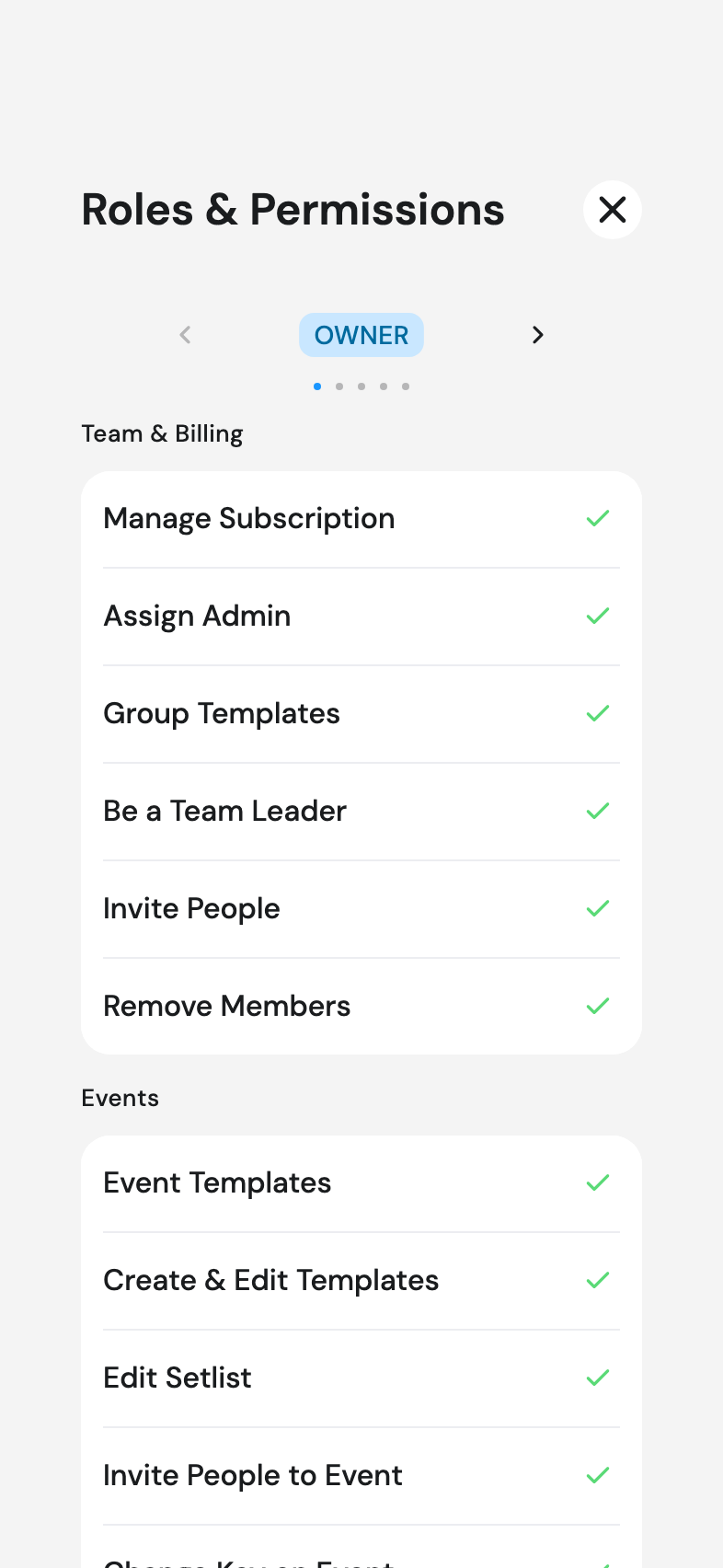
Team & billing
| Owner | Admin | Editor | Scheduler | Member | |
|---|---|---|---|---|---|
| Manage Subscription | ✓ | ||||
| Assign Admin | ✓ | ✓ | |||
| Group Templates | ✓ | ✓ | ✓ | ||
| Be a Team Leader | ✓ | ✓ | |||
| Invite People | ✓ | ✓ | |||
| Remove Members | ✓ | ✓ |
Events
| Owner | Admin | Editor | Scheduler | Member | |
|---|---|---|---|---|---|
| Event Templates | ✓ | ✓ | ✓ | ||
| Create & Edit Templates | ✓ | ✓ | ✓ | ||
| Edit Setlist | ✓ | ✓ | ✓ | ✓ | |
| Invite People to Event | ✓ | ✓ | ✓ | ✓ | |
| Change Key on Event | ✓ | ✓ | ✓ |
Songs & library
| Owner | Admin | Editor | Scheduler | Member | |
|---|---|---|---|---|---|
| Add Files | ✓ | ✓ | ✓ | ||
| Delete Files | ✓ | ✓ | ✓ | ||
| Add & Edit Song | ✓ | ✓ | ✓ | ||
| Song Details | ✓ | ✓ | ✓ | ||
| Share Song library | ✓ | ✓ | |||
| Delete Song | ✓ | ✓ | ✓ |
Good to know
- Members can still read songs, answer invitations, set blockouts, draw their own annotations, and use chat.
- Everyone controls their own capo, autoscroll speed and display settings, whatever their role.
- All of these are hidden while you're offline. Why buttons disappear offline