Delete a message you sent
Sent something to the wrong chat, or posted the wrong time? Delete the message and it goes for everyone in the chat.
Where: iPhone, iPad and Android only. OnStage on phone, tablet and web
Steps
- Open the chat and find your message.
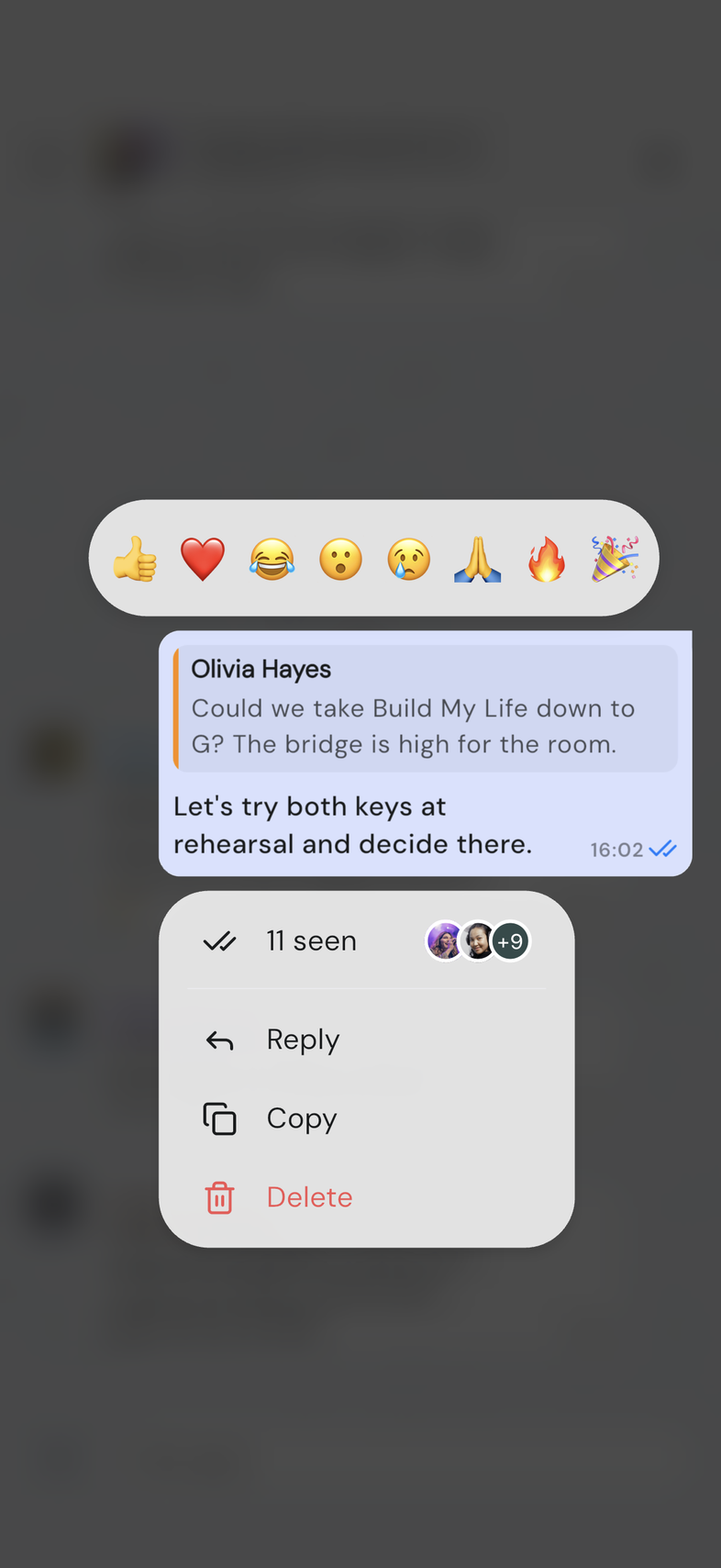
- Long-press it. The message menu opens, with Delete at the bottom.
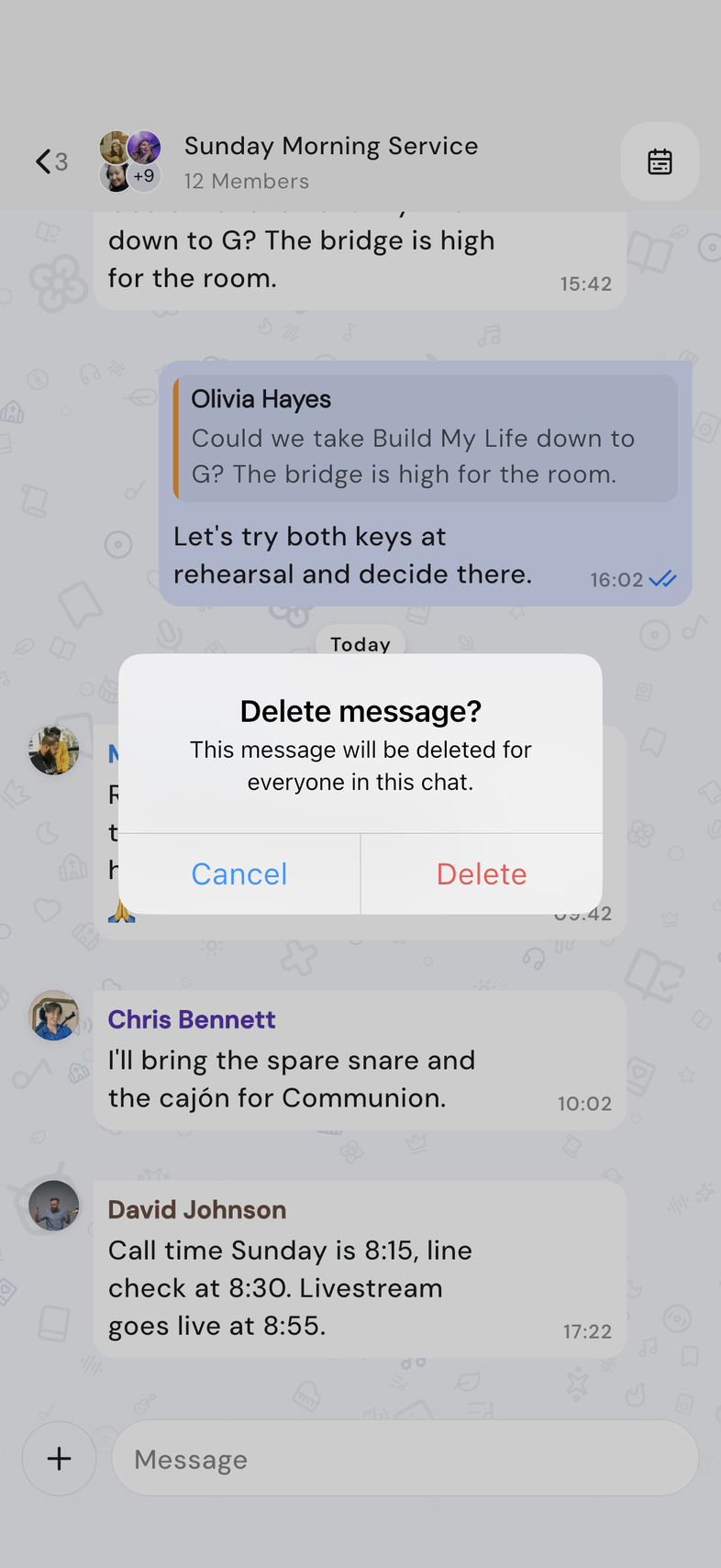
- Tap Delete. Delete message? asks you to confirm.
- Tap Delete.
The message is replaced by Message deleted, on your phone and on everyone else's.
Good to know
- You can only delete messages you sent. Someone else's message has no Delete in its menu.
- A reply that quoted the message now quotes Message deleted instead.
- If deleting fails, the message comes back and Something went wrong appears at the top. Try again once you're connected.
- A message that failed to send has its own menu with Retry, Copy text and Delete. Deleting it there only clears it from your phone.